

Next.js
How to add Tafsee Popup to Next.js: A Script component with the afterInteractive strategy.
A Script component with the afterInteractive strategy.
What you need
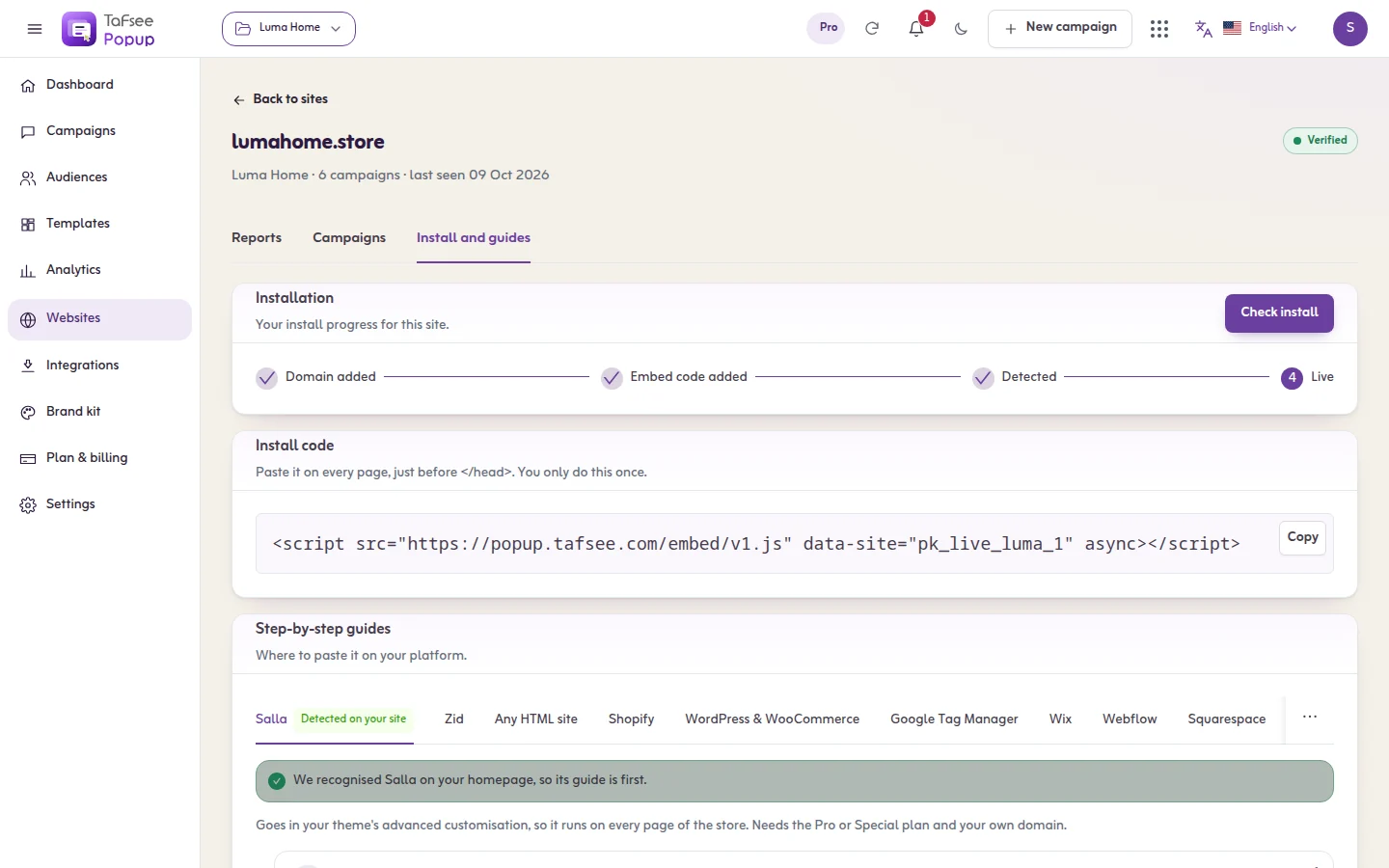
- Your website added in Tafsee Popup, and its install code. Open Websites and click Show install code.
- Access to the place in Next.js where site-wide code goes.
The code looks like this, with your own site key:
<script>
  (function (w, d, s, id) {
    if (d.getElementById(id)) return;
    var js = d.createElement(s); js.id = id; js.async = true;
    js.src = 'https://popup.beta.tafsee.com/embed/v1.js';
    js.dataset.site = 'pk_your_site_key';
    d.head.appendChild(js);
  })(window, document, 'script', 'tafsee-popup');
</script>
Steps
- Import Script from next/script in app/layout.tsx.
- Render it with strategy="afterInteractive" and the src from the snippet.
- Redeploy and run the install check.
- Back in Tafsee Popup, open Websites and click Check my site.
The same steps are inside the app, next to your install code, on the website's Install and guides tab.
Good to know
- The script reads your site key from the data-site attribute of its own tag. In app/layout.tsx it looks like this:
import Script from "next/script";

export default function RootLayout({ children }) {
  return (
    <html>
      <body>
        {children}
        <Script src="https://popup.beta.tafsee.com/embed/v1.js" data-site="pk_your_site_key" strategy="afterInteractive" />
      </body>
    </html>
  );
}
What you should see
The website shows Code installed. Publish a campaign set to As soon as the page opens and open your site in a private window: the popup appears.
If it does not work
- Nothing loads: the data-site attribute is missing or holds the placeholder. Use your own key, which starts with pk_.
- A Content-Security-Policy blocks it: allow scripts and requests from the host in the src.
- Make sure the code is on every page, once.
- Add ?tafsee-debug=1 to a page address of your site. The test panel lists every campaign and what it is waiting for.
- More causes and cures: The install check fails.
Related
Last updated: October 12, 2026
