

The dashboard
What your popups brought in for the chosen period: leads, conversions and conversion rate, by day and by device, with the next best step.
The dashboard opens when you sign in. It answers two things: what your popups brought in, and what to do next.
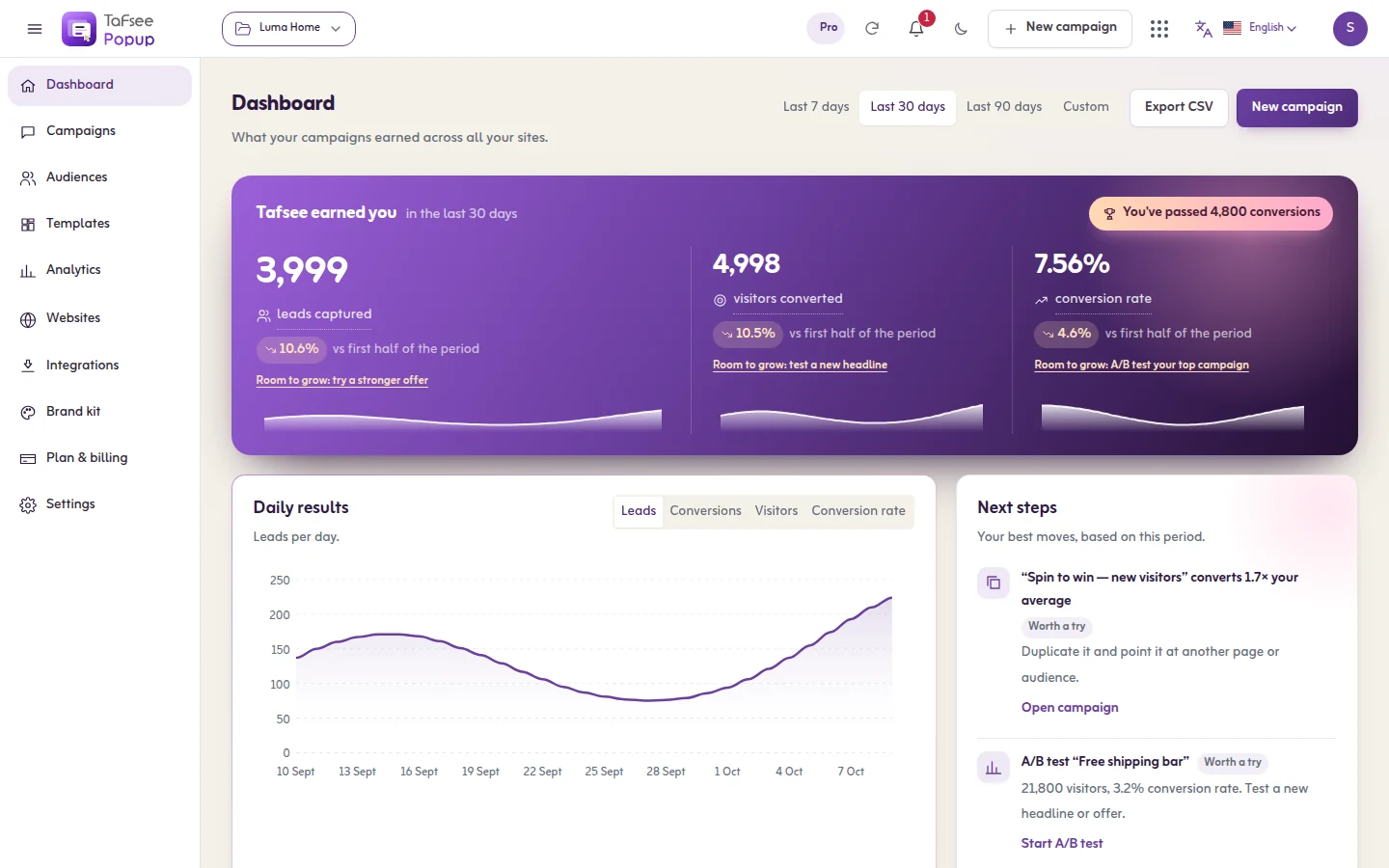
Choose what you look at
- The website: All sites or one website.
- The period: Last 7 days, Last 30 days, Last 90 days or a custom range.
- Export CSV downloads the figures.
The top band
The card Tafsee earned you shows three figures for the period:
- Leads captured: Contacts your campaigns collected: emails, phone numbers and form answers.
- Visitors converted: Visitors who did what the campaign asked: signed up, clicked or claimed an offer.
- Conversion rate: Conversions divided by visitors who saw a campaign.
Under each figure are three smaller numbers, one per device: Desktop, Mobile and Tablet. Each figure is also a button: click it to show that figure in the chart. Changes compare with the period before, when there is earlier data.
Daily results
Daily results draws the chosen figure day by day. Switch on Split by device to draw one line per device.
Top campaigns
Top campaigns has two lists: Best, ranked by conversions in this period, and Newest, the campaigns you made most recently with their numbers since they started.
Devices
Devices shows which devices convert best and what share of visitors each one has.
Next steps
Next steps suggests moves based on this period, for example installing the code, launching a template, adding exit intent to a page with many visitors, or starting an A/B test.
When it is empty
A new organisation sees No visitors yet with two buttons: Get your install code and Pick a template. Numbers appear after a live campaign has been seen.
If it does not work
- Couldn't load your dashboard. Try again.
- The numbers look too low: check the website filter and the period, and read Results and analytics for what is counted.
