

Spin wheel
Set the prizes of a spin wheel, the chance and code of each slice, fill it from a discount range, and keep it to one spin per visitor.
Visitors spin to win a discount. Set each prize, colour and chance. One spin per visitor.
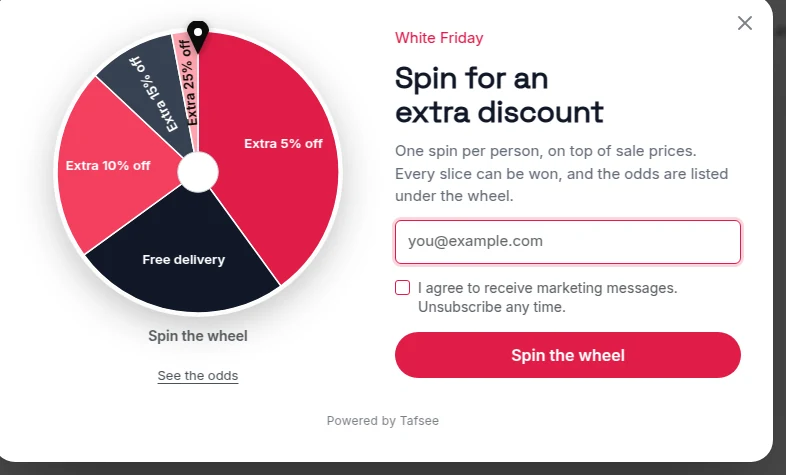
What you need
- A campaign of the type Spin to win, or the Spin wheel block added to another campaign.
- The discount codes for the prizes, created in your store.
Set the prizes
- Click the wheel on the popup. Its settings open under Prizes.
- For each slice set the words on the slice, its colour, its weight and its code.
- Click Add prize for one more slice.
Chances
Each prize's chance is its weight out of the total of all weights. The editor shows the chance of landing on each slice.
- Every prize here can really be won. Shoppers trust wheels that play fair.
- If a slice has no chance, the editor warns that it can never be won.
- If most spins win nothing, the editor says so too. Shoppers notice.
Fill the wheel from a range
- Open Discount range.
- Set Lowest, Highest and Slices.
- Click Fill the wheel with this range. The current slices, codes and chances are replaced; Undo brings them back.
The summary under it says what a spin gives on average and how often the biggest discount comes up.
One spin per visitor
One spin per visitor: Counted per device. The prize is fixed once decided, so a reload shows the same prize.
E-mail first or spin first
See Games: an overview for the two orders and for showing the odds to visitors.
The prize in your words
Write {prize} in any headline or text of the thank-you page to show what the visitor won.
If it does not work
- The wheel always lands on the same slice for you: you have already played. Reset yourself as a new visitor.
- The store refuses the prize code: create it in your store, or use codes from a list.
- The wheel is cut off on phones: check the phone preview and narrow the popup.
Related
Last updated: October 12, 2026
