

A/B versions
Add a second version of a campaign, split visitors between the versions, read the results and pick a winner yourself or let the optimizer do it.
An A/B test shows different versions of one campaign to different visitors and compares their sign-up rates. Each visitor keeps seeing the same version.
What you need
- A plan that includes A/B testing. Without it the tab shows your original version and an upgrade card. See the pricing page.
- A campaign with steady traffic. A test on a few visitors a day takes a long time to say anything.
Add a version
- Open the campaign and go to the A/B test tab. Before a test it shows one row, Original, with all visitors.
- Click Add a version. A new version starts as a copy of the original. Change one thing in it and send part of your visitors to it.
- Give the version a name, write one sentence in What are you changing?, and set Traffic to variant (%).
- Click Create test. The new version opens in the editor. Change one thing: the headline, the offer or the picture.
- Publish the campaign. The test runs only while the campaign is live.
Test one change at a time. With two changes you cannot tell which one made the difference.
The traffic split
Under Traffic split set the share of visitors each version gets. The shares must total 100%. A version you duplicate from the menu starts with 0% and is not shown until you give it a share.
Read the results
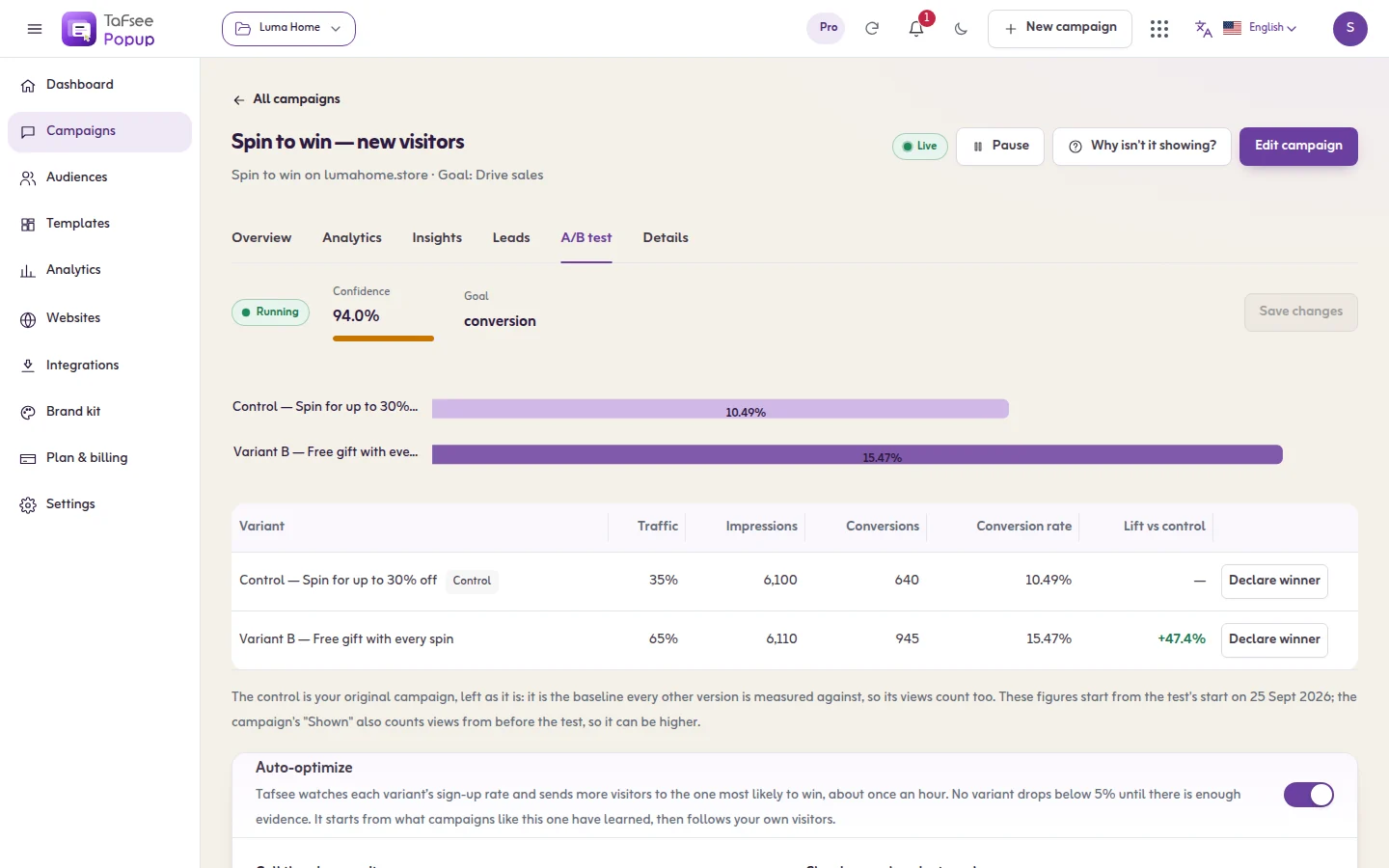
- The table shows each version's showings, conversions, rate, Lift vs control and Chance to win.
- Since the test started (the period switch does not apply here). Lift vs the control. Wait for 95% confidence before picking a winner.
- The control is your original campaign. Figures start when the test starts, so the campaign's own "Shown" can be higher.
Auto-optimize
Switch on Auto-optimize to let Tafsee move the split for you. Tafsee watches each variant’s sign-up rate and sends more visitors to the one most likely to win, about once an hour. No variant drops below 5% until there is enough evidence. It starts from what campaigns like this one have learned, then follows your own visitors.
- Showings each variant needs: No variant is judged before it has been shown this many times. Until half of it, the split stays even.
- Call the winner on its own: Once every variant has enough showings and one is at least 95% likely to be best, it gets all the traffic and the test ends. Off: Tafsee tells you and you decide.
- Look now checks the latest numbers at once instead of waiting for the hourly look.
- What the optimizer did lists every look and its reason.
While auto-optimize is on, it sets the split. Switch it off to set the split yourself.
Pick a winner
Click Declare winner on the version you want to keep. It gets every visitor and the test is complete.
Other actions on a version
Open the menu on a row for Rename, Duplicate and Open in editor.
If it does not work
- Only a running test can be optimized. Publish the campaign to start the test.
- A version gets no visitors: its share is 0%. Give it a share under Traffic split.
- The campaign does not show at all: if every version has 0% traffic, nothing can be shown. Give at least one version a share.
- Numbers stay small: wait. The optimizer does not judge a version before it has enough showings.
