

Quiz
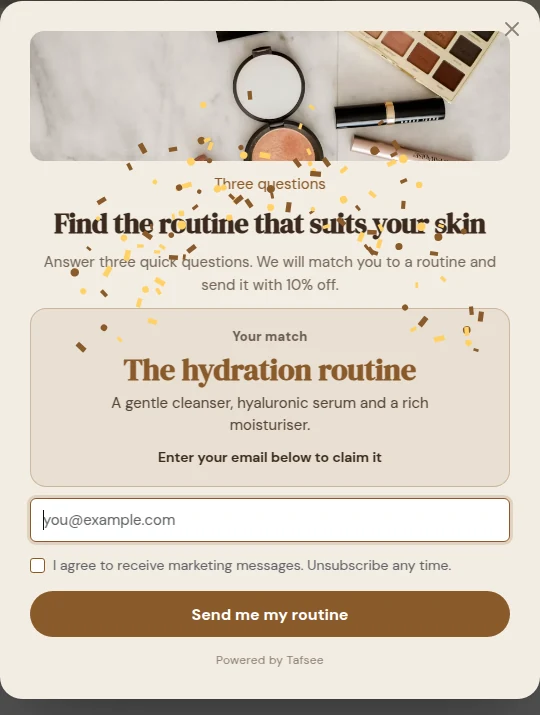
A few questions that lead to a result: write questions and answers, tie each answer to a result, and use the saved answers to group your leads.
A few quick questions that lead to a result. Each answer counts towards a result. Answers are saved on the lead, so you can segment by them.
What you need
- A campaign of the type Quick quiz, or the Quiz block added to another campaign.
- A short list of results, for example three product types, and the questions that tell them apart.
Write the results first
- Click the quiz on the popup and open Results.
- Click Add a result for each result. Give it a Result and a Description.
- Set Label above the result, the small words above the result, such as "Your match".
Write the questions
- Under Questions, click Add a question.
- Type the question, then click Add an answer for each answer.
- For each answer set Counts towards: the result this answer is a vote for.
Two to four questions is a good length.
How the result is chosen
The result follows the answers: each answer counts towards one result, and the result with the most answers wins (a tie goes to the result listed first).
Answers are saved on the lead
Each answer is saved on the lead as a field named after the question, plus quiz_result, so you can segment by them. You see them under the lead's custom fields, in the CSV export and in what is sent to your tools.
A code with the result
Add a Discount code block to the thank-you page to give a code with the result. See Coupons and discount codes.
If it does not work
- The same result always wins: check Counts towards on each answer. If all answers vote for one result, that result always wins.
- Two results tie: the one listed first wins. Reorder the results or add a question.
