

Platforms and integrations
Install on Salla, Zid, Shopify, WordPress and other platforms, and send every lead to your e-mail tool, CRM, team chat, Google Sheets or automation tool.
Articles in this topic
Open first article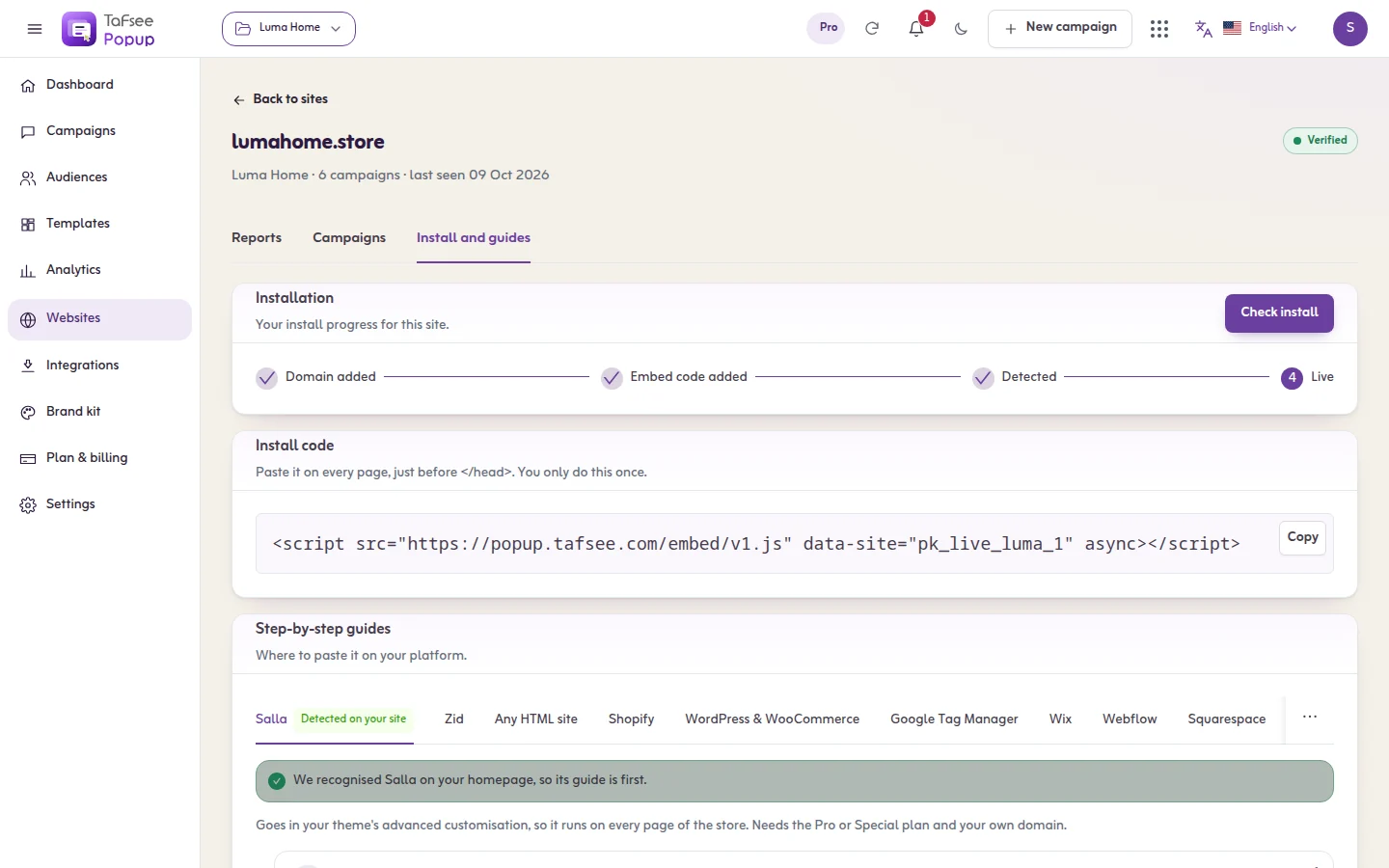
Any HTML site
How to add Tafsee Popup to Any HTML site: Paste the snippet once, immediately before the closing body tag.
Read articleSalla
How to add Tafsee Popup to Salla: Goes in your theme's advanced customisation, so it runs on every page of the store. Needs the Pro or Special plan and your own domain.
Read articleZid
How to add Tafsee Popup to Zid: Zid has no box for your own JavaScript, so the code goes in through Zid's Google Tag Manager app.
Read articleShopify
How to add Tafsee Popup to Shopify: Added to theme.liquid so it loads on every storefront page.
Read articleWordPress and WooCommerce
How to add Tafsee Popup to WordPress and WooCommerce: Through a header-and-footer scripts plugin, so it survives theme updates.
Read articleGoogle Tag Manager
How to add Tafsee Popup to Google Tag Manager: A Custom HTML tag firing on All Pages.
Read articleWebflow
How to add Tafsee Popup to Webflow: Project settings, not a page-level embed, so it covers every page.
Read articleWix
How to add Tafsee Popup to Wix: Site-wide custom code. Needs a Premium plan with a connected domain.
Read articleSquarespace
How to add Tafsee Popup to Squarespace: Code Injection into the footer of every page, on plans that include it.
Read articleBigCommerce
How to add Tafsee Popup to BigCommerce: A Script Manager script on all pages.
Read articleMagento and Adobe Commerce
How to add Tafsee Popup to Magento and Adobe Commerce: Store-wide design configuration.
Read articleNext.js
How to add Tafsee Popup to Next.js: A Script component with the afterInteractive strategy.
Read article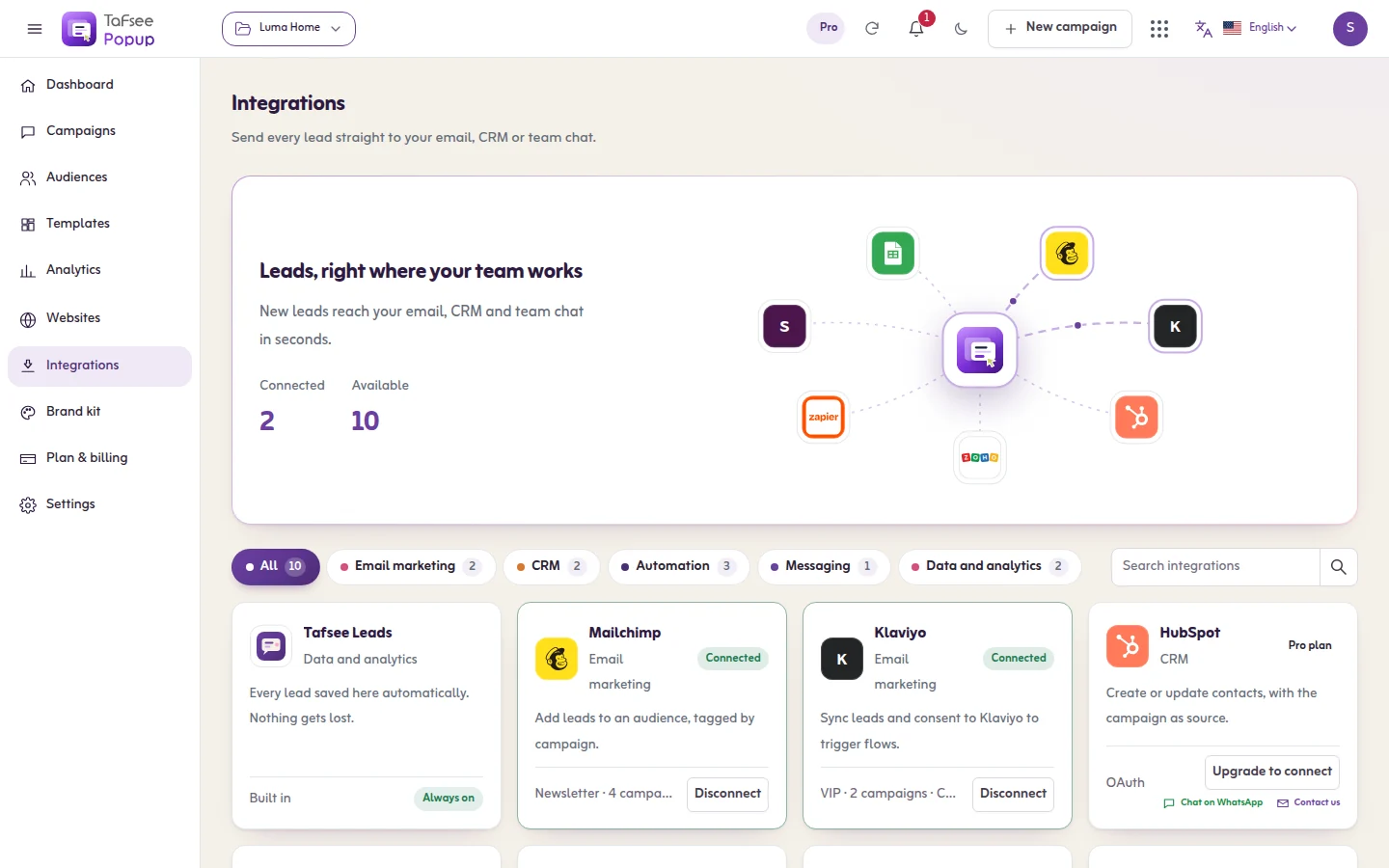
Connecting a tool: how it works
The same four steps for every tool: connect it, choose the campaigns that send to it, choose what is sent, and send a test lead.
Read articleE-mail marketing tools
Send leads to Mailchimp, Klaviyo, Brevo, MailerLite, ActiveCampaign or Kit, and understand how consent travels with each lead.
Read articleCRM, automation, chat and sheets
Send leads to HubSpot, Zoho CRM or Pipedrive, to Zapier, Make, n8n or Pabbly Connect, to your team chat, to Google Sheets, or to your own webhook.
Read articleMailchimp
Add every lead to a Mailchimp audience, subscribed when they gave consent and tagged with the campaign's name.
Read articleKlaviyo
Create or update a Klaviyo profile for every lead, with the campaign and consent as properties, and add it to a list.
Read articleBrevo
Add or update the contact in Brevo for every lead, on the list you choose.
Read articleMailerLite
Add or update the subscriber in MailerLite for every lead, in the group you choose.
Read articleActiveCampaign
Create or update the contact in ActiveCampaign for every lead, and add it to a list.
Read articleKit (ConvertKit)
Subscribe each lead to a Kit form, so the sequences attached to that form start.
Read articleHubSpot
Create or update a HubSpot contact for every lead, matched on the e-mail address, with the fields you choose.
Read articleZoho CRM
Create or update a Lead or a Contact in Zoho CRM for every lead, matched on the e-mail address, with the campaign as its source.
Read articlePipedrive
Create a person in Pipedrive for every new lead. An e-mail address that is already there is not added twice.
Read articleGoogle Sheets
Add a row to a Google Sheet for every lead through a small Apps Script web app: the full setup, and the cure for the two problems people meet most.
Read articleSlack
Post every new lead to a Slack channel, with the campaign, the page and the contact details.
Read articleDiscord
Post every new lead into a Discord channel through a channel webhook.
Read articleMicrosoft Teams
Post every new lead into a Microsoft Teams channel through a Workflows webhook.
Read articleGoogle Chat
Post every new lead into a Google Chat space through a space webhook.
Read articleTelegram
Have your own Telegram bot message a group, a channel or a person for every new lead.
Read articleZapier
Start a Zap for every lead and pass it on to any app Zapier can reach.
Read articleMake
Run a Make scenario for every lead and pass it on to the apps your scenario connects.
Read articlen8n
Start an n8n workflow for every lead, on n8n Cloud or on your own server.
Read articlePabbly Connect
Start a Pabbly Connect workflow for every lead.
Read articleWebhook
Send each lead as JSON to an https address of your own, with the fields you choose.
Read articleTag manager and analytics events
On a page with a data layer, Tafsee Popup announces when a campaign is seen and when someone signs up, so your tag manager can send it to analytics.
Read article

Lead Generation
Tafsee Popup
Popups, spin-to-win wheels, countdown bars and exit-intent offers for any website — in English and native Arabic.