

Gift boxes and the mystery box
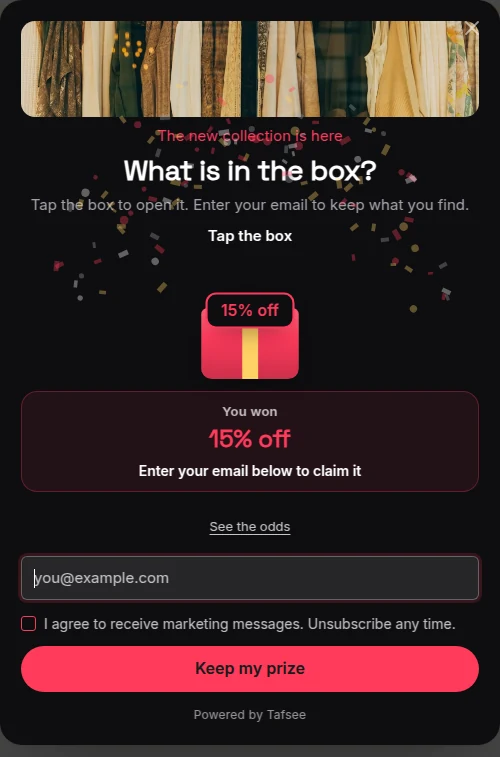
Visitors pick a gift box and open it to find a prize. With one box it becomes a mystery box that shakes before it opens.
Visitors pick a box and open it to find a prize. Two to six boxes, or one mystery box. Prizes follow the chances you set, not the box picked.
What you need
- A campaign of the type Pick a gift or Mystery box, or the Gift boxes block added to another campaign.
Steps
- Click the boxes on the popup.
- Set Number of boxes. 1 makes a mystery box that shakes before it opens.
- Under Prizes, set each prize, its weight and its code.
- Set Box colour and Ribbon colour.
- Write Prompt above the boxes, for example "Pick your gift".
- Decide on Open the other boxes after the pick.
Fair play
The prize follows the chances you set, not the box picked. Whichever box a visitor opens, the prize was decided by the weights.
If it does not work
- A visitor expects a different prize in each box: with Open the other boxes after the pick on, the other boxes are shown open after the pick.
- One box only is shown: the number of boxes is set to 1, which makes a mystery box.
Related
Last updated: October 12, 2026
