

Record a new arrival
Record goods the moment they arrive and get a lot number and one barcode per package.
Every shipment that reaches your warehouse starts as a New Arrival. You enter a few facts once, and Tafsee makes the lot number and the barcodes.
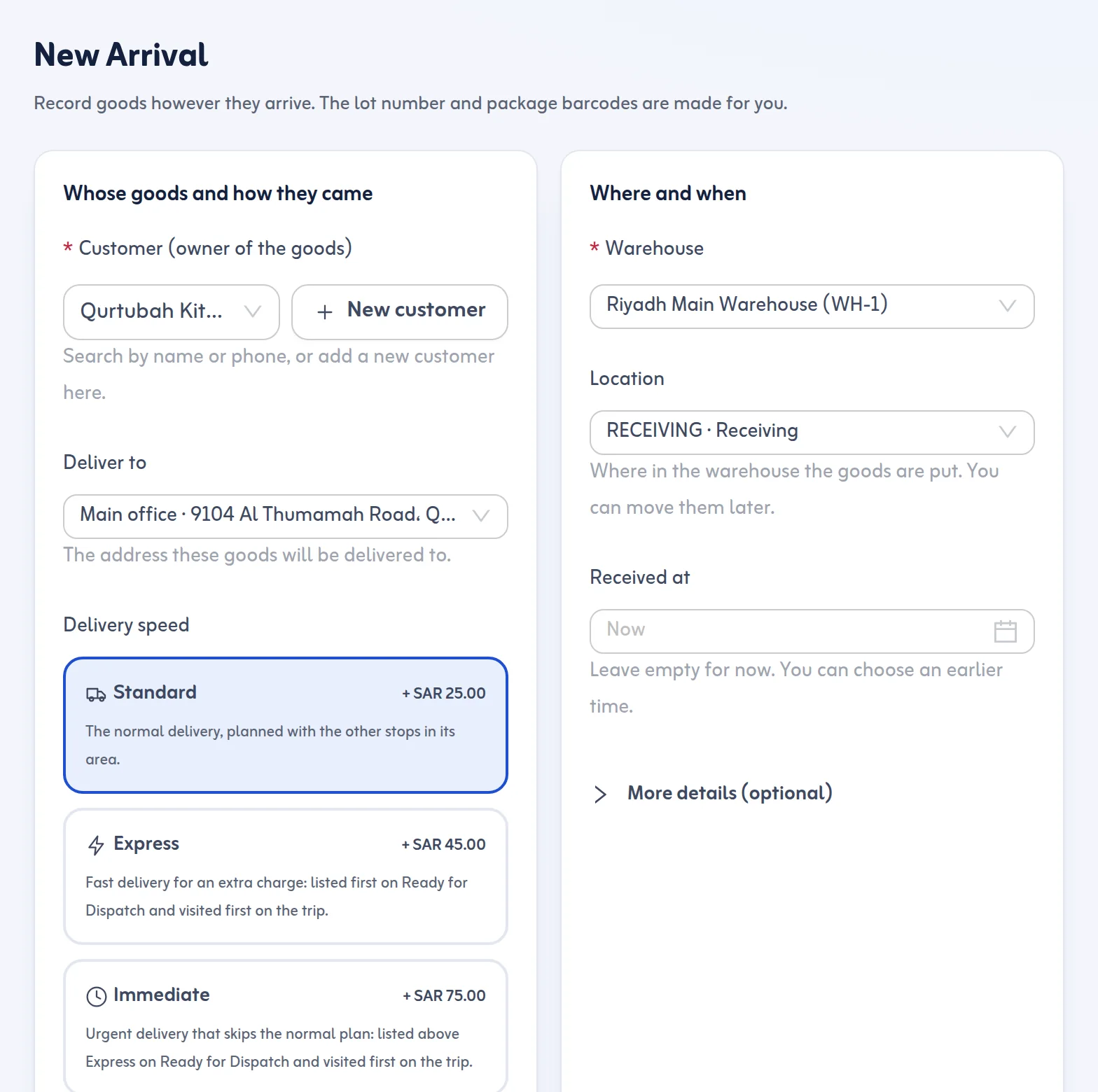
Steps
- Open New Arrival in the sidebar.
- Choose the Sender or agent, or add a new sender on the spot.
- Choose the Customer (owner of the goods), or add a new customer on the spot.
- Choose How did it arrive?: sea port, air cargo, truck, agent drop-off, courier, walk-in or other.
- Enter the Number of packages (1 to 999) and choose the Warehouse.
- Open More details (optional) if you need it: Container number, Bill of lading, Air waybill (AWB), Truck plate, Truck driver's name, Weight (kg), Volume (CBM), What is it?, Location, up to 5 Photos of the goods, Notes, Received at and Deliver to.
- Press Save arrival.
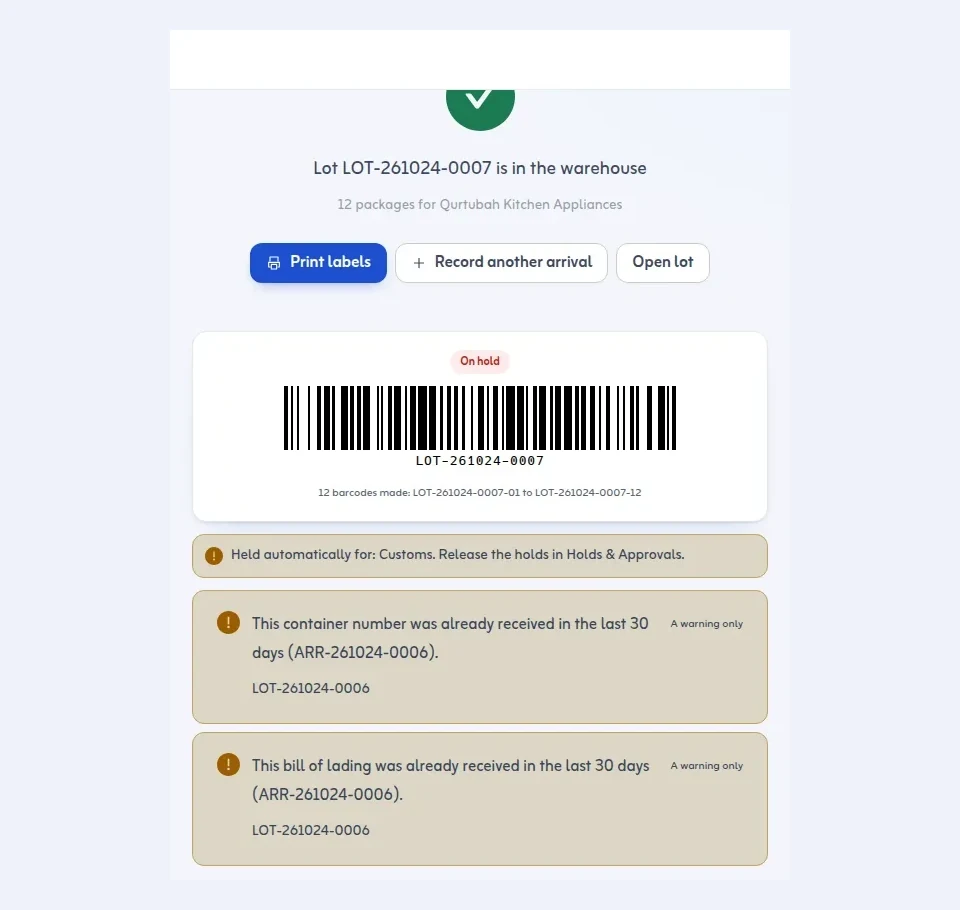
What you get
The lot gets a number such as LOT-251021-0001: your prefix, the date, and a daily sequence. Each package gets its own barcode: LOT-251021-0001-01, then -02, and so on. Press Print labels, Record another arrival or Open lot.
Rules and tips
- A container number is never required. If you type one, it is checked as 4 letters and 7 digits; another format only gives a warning.
- The AWB gets a check-digit warning only, never a block.
- If the same container number or bill of lading was received in the last 30 days, you get a duplicate warning.
- Received at can be earlier than now but never in the future.
- If New lots need approval is on (the default) the lot waits in Holds & Approvals. Automatic holds, for example customs for sea and air, can be set in Settings.
A lot number is never reused, even if you delete the arrival.
Next: print barcode labels. More in the New Arrival feature.
Last updated: October 24, 2026
