

Add drivers and vehicles
Register your drivers and vehicles, with licence and document expiry dates, and invite drivers to the app.
Before you plan a trip you need at least one driver and one vehicle. Both live under Drivers & Vehicles in the sidebar.
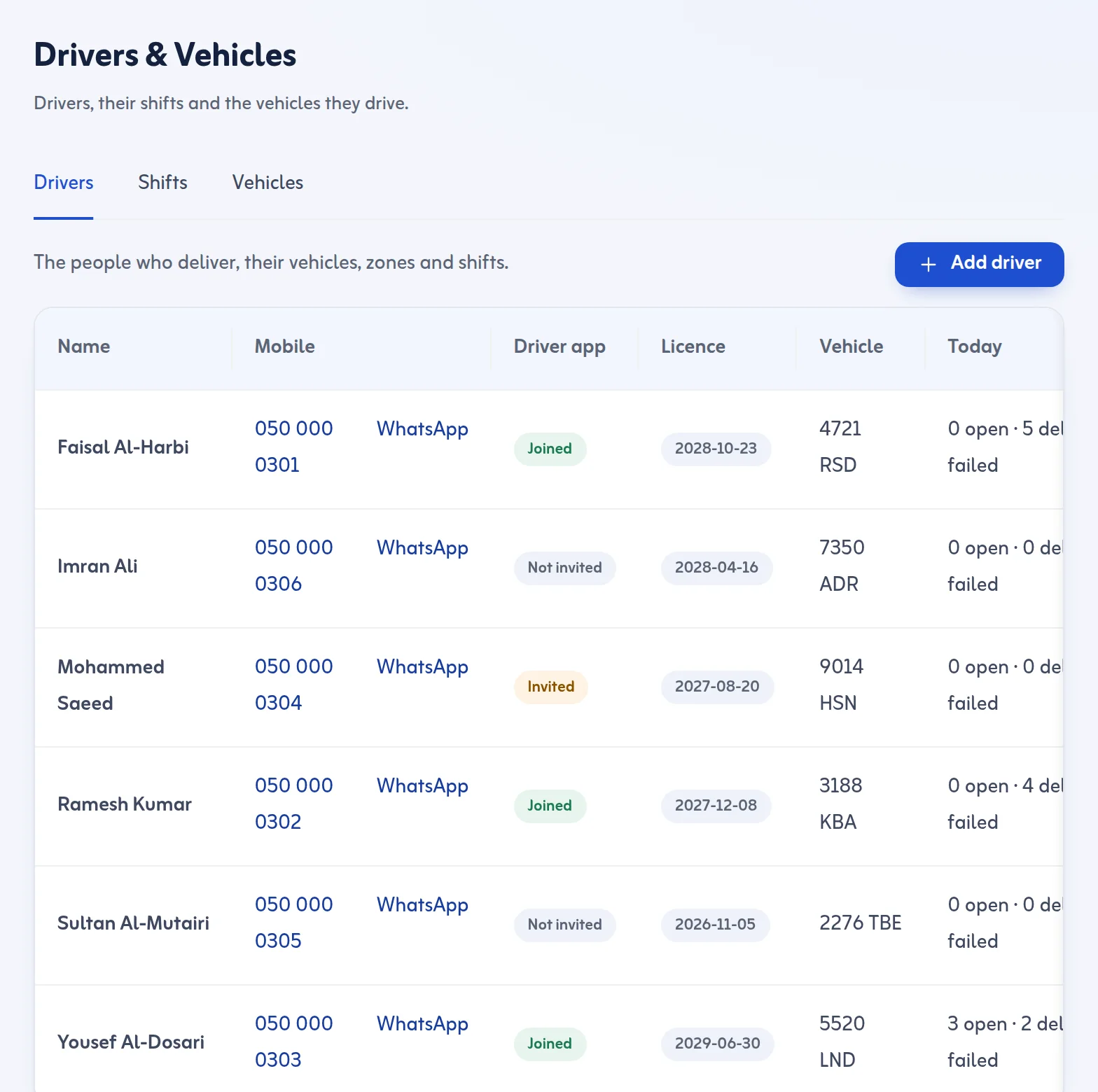
Add a driver
- Open Drivers & Vehicles and press Add driver.
- Fill Name, Mobile and Email. The invitation goes to this email.
- Fill National ID / Iqama: 10 digits starting with 1 or 2.
- Fill Licence expires on. An expired licence stops new trips.
- Choose the Vehicle, then press Save and invite.
The driver gets an email. After they join, the app shows the driver as joined. If you need another way, press Copy link or WhatsApp or Email again. See Open the driver app.
Add a vehicle
- Open the vehicles list and press Add vehicle.
- Type the Plate: a Saudi plate with Arabic or English letters, for example 1234 ABD.
- Choose the Type: motorcycle, car, van, pickup, truck or refrigerated truck.
- Fill the capacity: Capacity (parcels), Capacity (kg) and Capacity (m³). Trips are checked against these.
- Press Add document to record the registration (Istimara), insurance, operating card or periodic inspection, each with its Expires on date.
Rules to know
- An expired registration (Istimara) or insurance blocks new trips; other documents only show their expiry.
- Document email reminders (30 days, 7 days and on the day) depend on your plan.
- You can also add Shifts for drivers; a driver with shifts must be on shift on the day of the trip.
A driver can be switched off. A switched-off driver gets no new work.
Read more in the Drivers and vehicles feature, then plan a delivery trip.
Last updated: October 24, 2026
