

Holds and approvals
Keep goods from leaving until customs, documents or payment are settled and the lot is approved.
A hold keeps a lot in the warehouse. Use it for goods waiting on customs, documents or payment. An approval is the office's go-ahead that the lot may be dispatched.
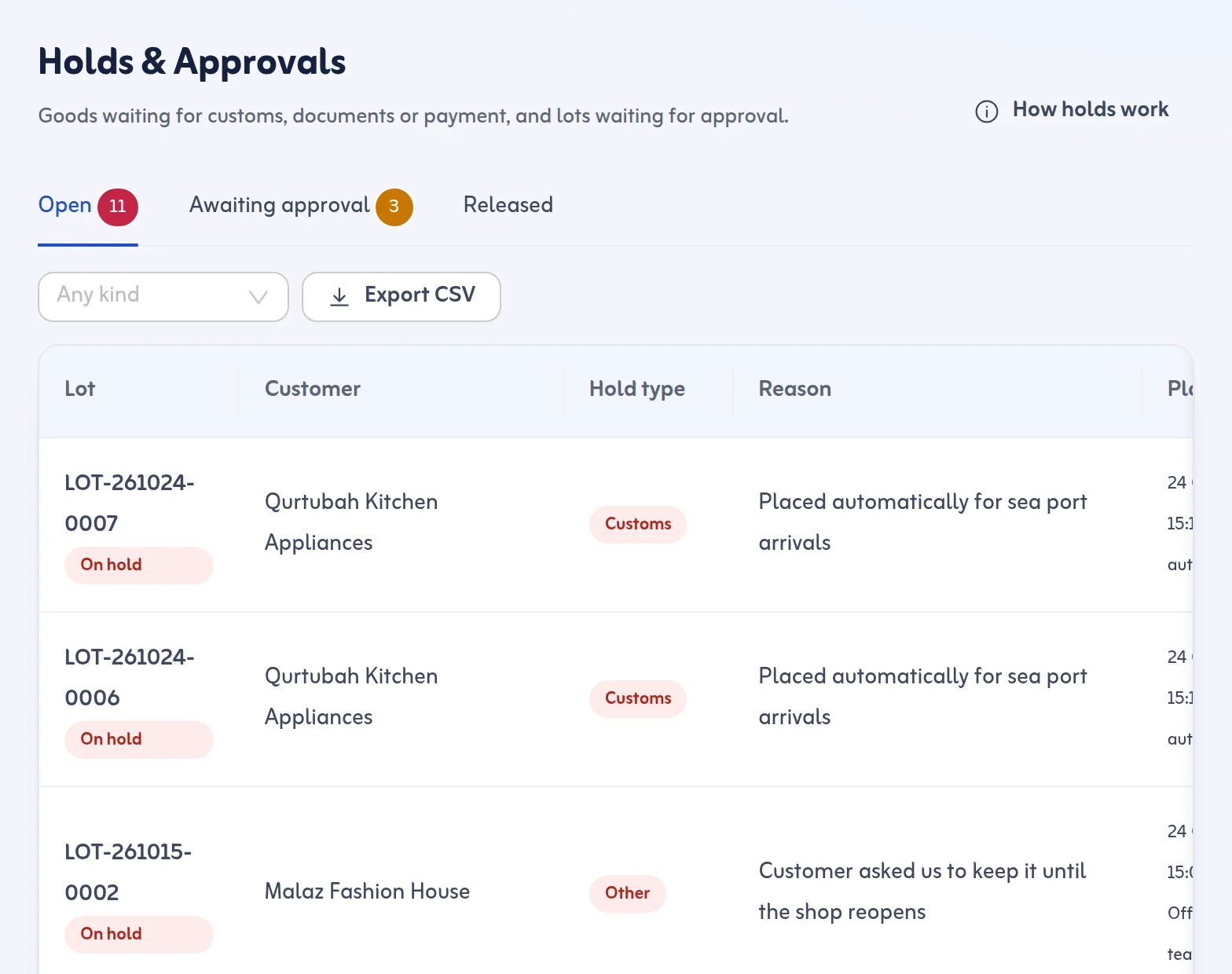
Place a hold
- Open the lot and press Place a hold.
- Choose the Hold type: customs, documents, payment, delivery or other.
- Write the Reason, for example waiting for the customs release. A reason is required.
- Confirm. The lot cannot be dispatched while any hold is open.
Release a hold
- Open Holds & Approvals and the Open tab.
- Press Release on the hold.
- Write the Release note, for example customs cleared, reference 12345. A note is required.
- Confirm. Who released it and when is recorded under Released.
Approve lots
Lots wait under Awaiting approval when New lots need approval is on in Settings. Tick one or many lots and press Approve. Approval is refused while a hold is open.
Rules
- A lot can have several holds. It is dispatched only when all are released and it is approved.
- Only owners, admins and dispatchers can release holds.
- A hold on an approved lot takes it back out of Ready for Dispatch.
- A lot already on a trip can still get a delivery hold. The driver then cannot hand it over.
Automatic holds can be set per arrival method in Settings, for example a customs hold on every sea and air arrival.
Next: move goods and count stock. More in the Holds and approvals feature.
Last updated: October 24, 2026
