

Print a goods received note
Print a bilingual goods received note for any received shipment, with each lot, its location and barcode, and signature and stamp boxes.
A goods received note is the paper both sides sign when goods are handed over to your warehouse. Tafsee Logistics prints one for any shipment that has been received, from the details you already recorded, so nobody types the same numbers twice.
Print it
- Open All Shipments and click the shipment.
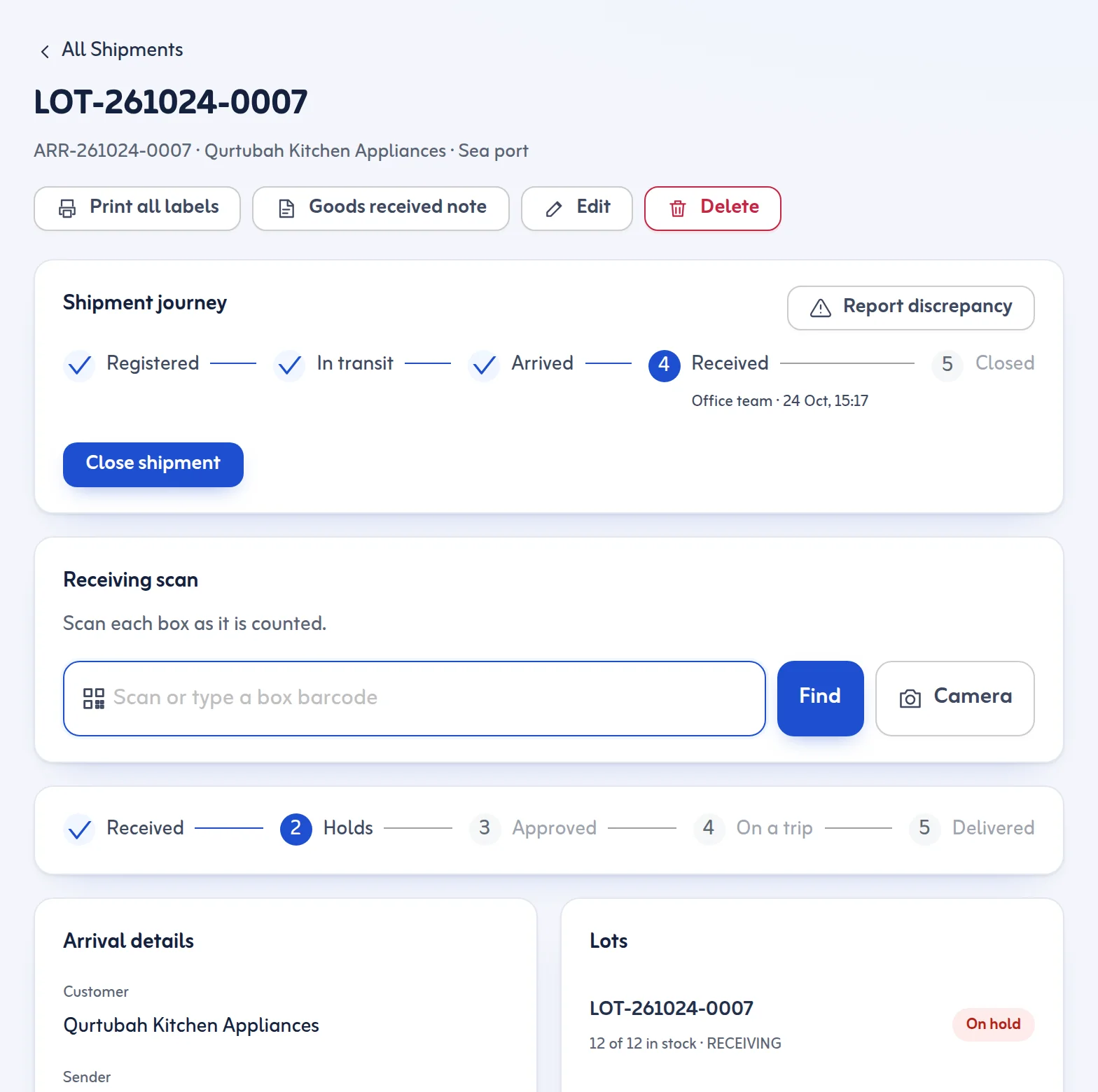
- Press Goods received note at the top of the shipment page.
- Your browser's print window opens with one A4 sheet. Print it, or choose "Save as PDF".
What is on the sheet
- Your business name and warehouse, the title Goods received note / سند استلام بضاعة and the shipment reference.
- Received on and Received by, the Customer (owner of the goods), the Sender / agent and how it Arrived by.
- The Container, B/L, AWB or plate, Packages, Weight, Volume and the Delivering driver, when you recorded them.
- A table with every Lot number, its Packages, Location and Barcode, then your notes.
- The condition line: goods received in the quantity above, subject to inspection; any damage or shortage noted at receipt is recorded on the lot.
- When your customer shipment lookup page is on, a QR code that opens it with the shipment number already filled in.
- Signature boxes for Delivered by and Received for the warehouse (name, signature, date) and a Stamp box.
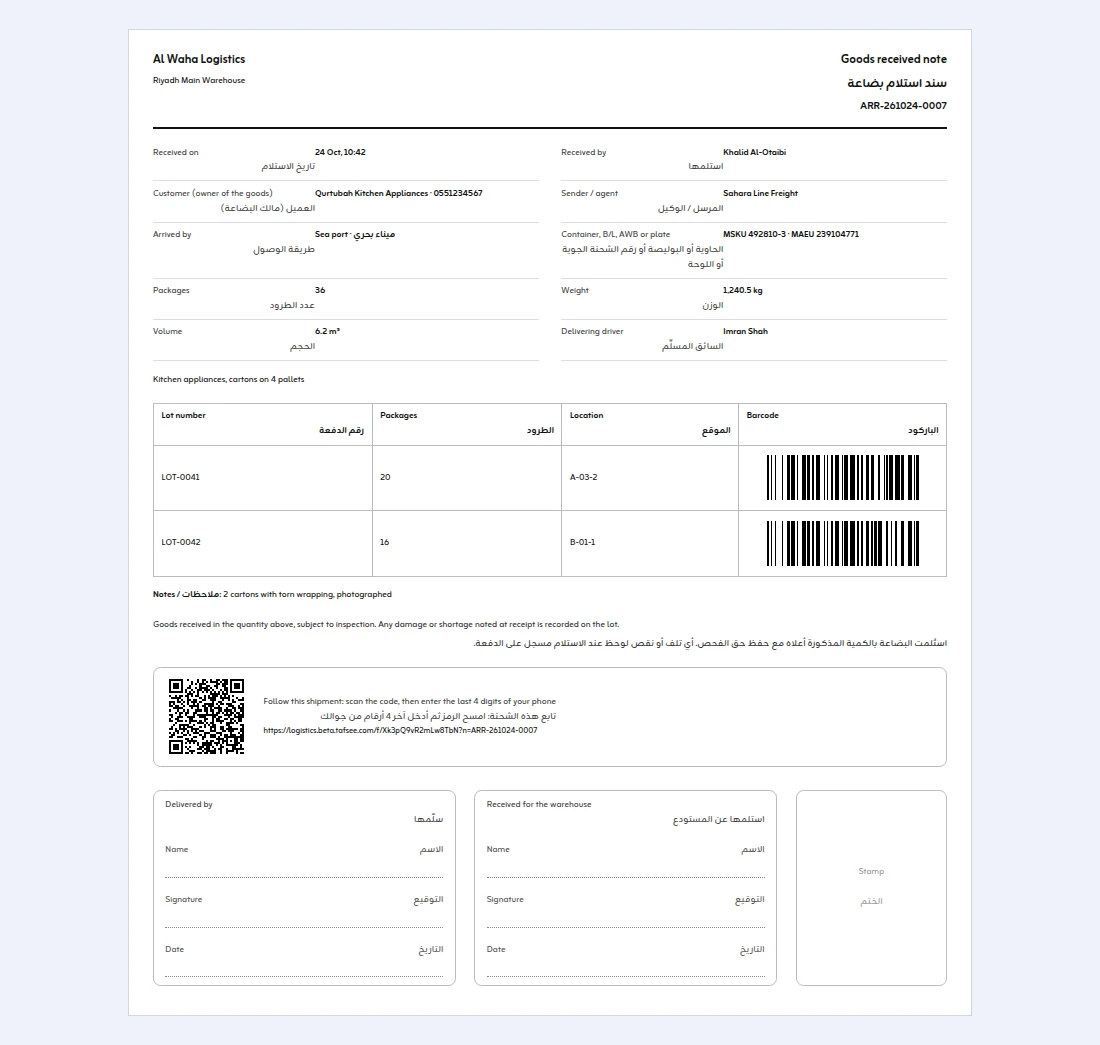
Every label on the sheet is printed in English and Arabic, so the same paper works for the driver, the agent and your own team.
Tips
- Record the truck plate and the delivering driver's name in New Arrival so they appear on the note.
- If some boxes are damaged or missing, report it on the shipment so it is recorded, then write it in the notes before printing.
Next: print barcode labels. More in New Arrival.
Last updated: October 24, 2026
