

Invite your team
Invite owners, admins, dispatchers and drivers by email or with a joining link.
Everyone who works in your warehouse or on the road signs in with their own email, so every action is recorded with who did it and when.
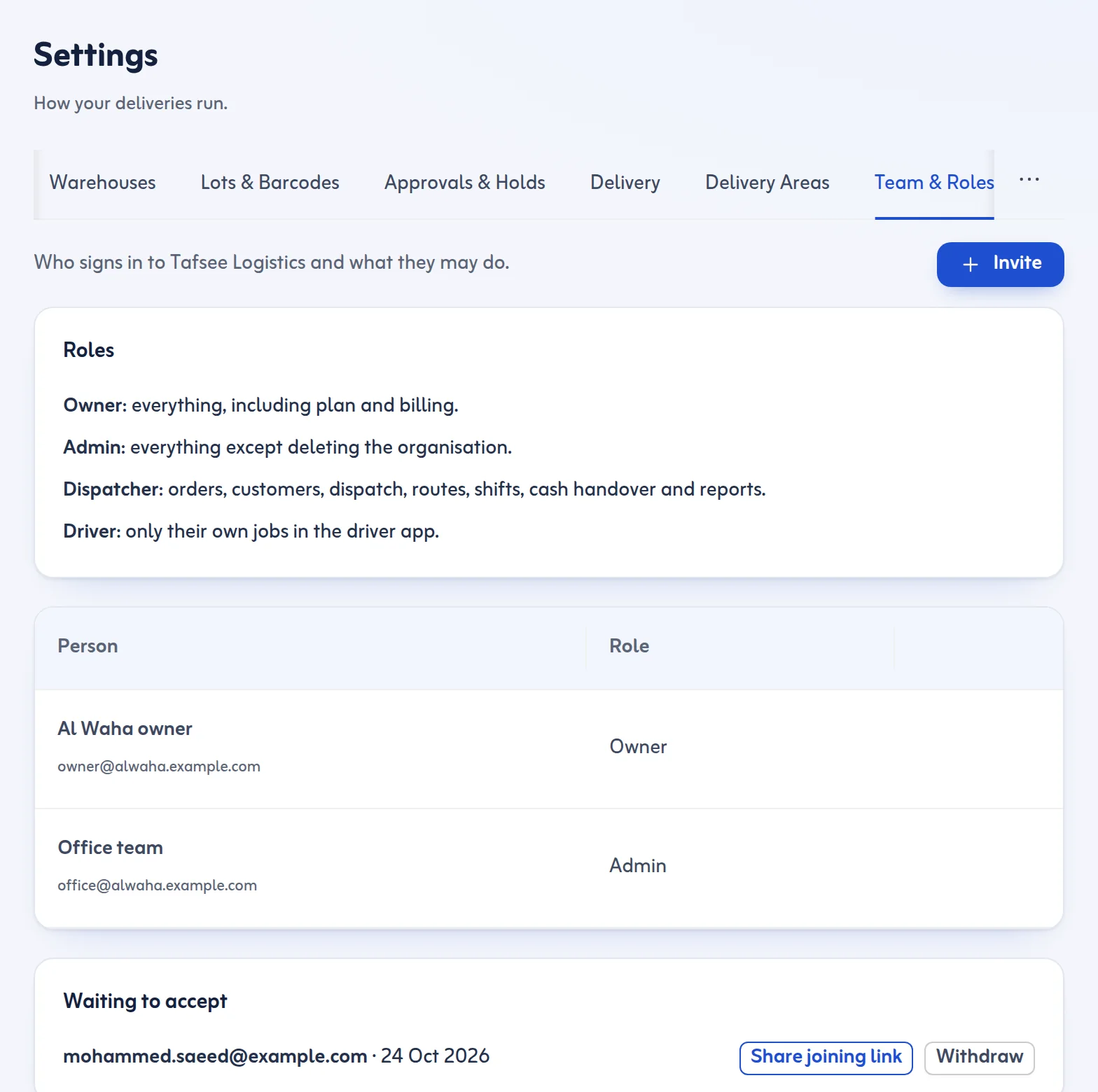
Roles
- Owner: everything, including plan and billing.
- Admin: everything except deleting the organisation.
- Dispatcher: arrivals, customers, dispatch, trips, shifts, returns, cash handover and reports, and can release holds; can see drivers and vehicles but not change them.
- Driver: only their own jobs, in the driver app.
Invite someone
- Open Settings and choose the Team & Roles tab.
- Press Invite.
- Type the person's Email, an optional Name (optional), and choose the Role.
- Press Send invitation. They get an email with a joining link.
Share the joining link yourself
If the email is slow, or the person is next to you, press Share joining link. You can Copy link or press Share on WhatsApp.
- The person opens the link on their phone or computer.
- They sign in or sign up with the same email you invited.
- They land in your organisation. A driver goes straight to the driver app.
Making a new link stops the old one. You can withdraw an invitation that is still waiting with Withdraw, and take someone out with Remove.
Tips
- Only owners and admins see plans and charges.
- Drivers are best added from Drivers & Vehicles: see Add drivers and vehicles.
- More on who may do what: Settings.
Last updated: October 24, 2026
