

Returns and failed deliveries
Deal with failed and partly delivered stops: try again, return to stock or return to the sender.
Not every delivery succeeds. A failed or partly delivered stop stays in Returns & Settlement until someone decides what happens to the goods.
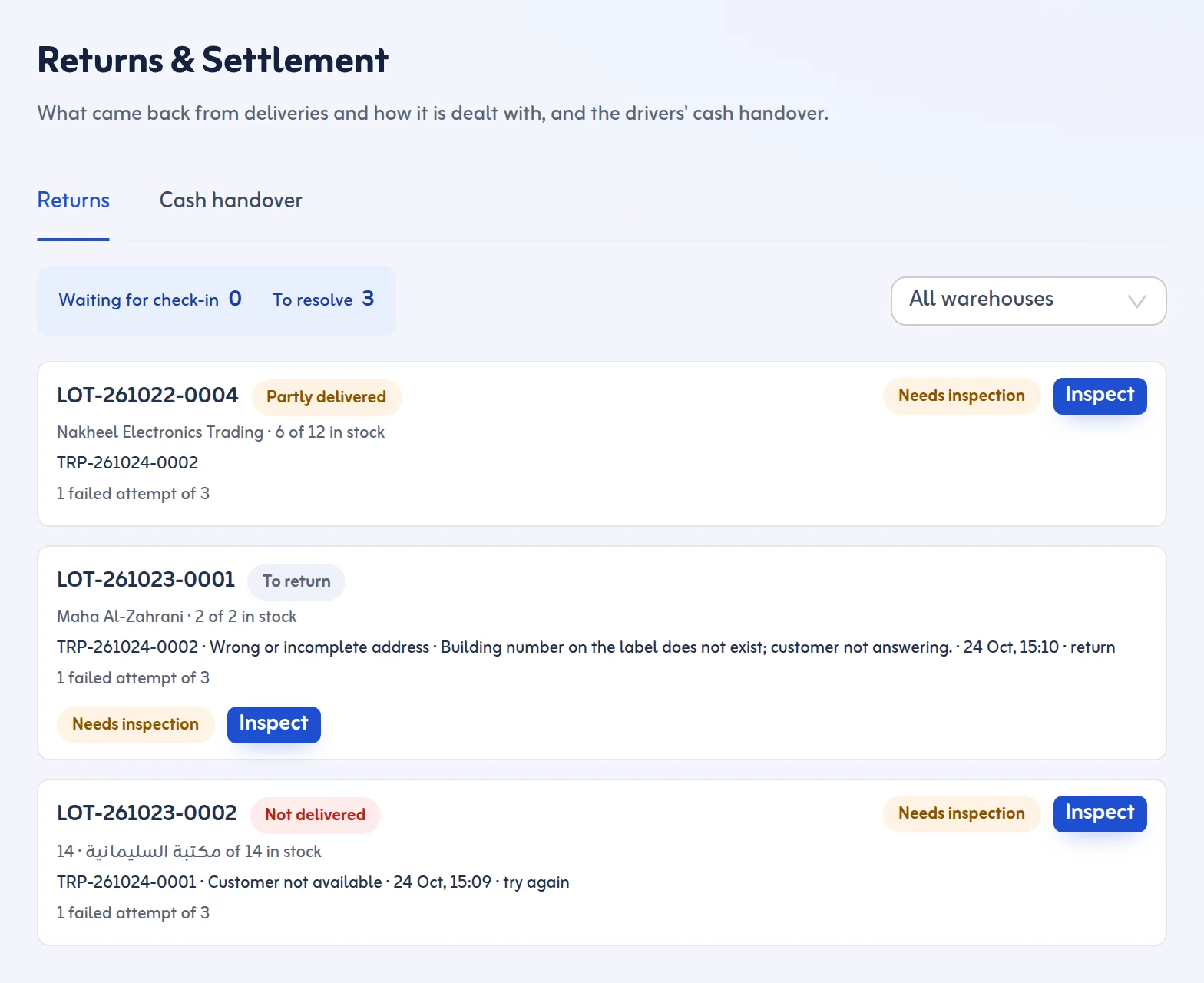
Check the goods back in
- When the driver returns, open the trip and go to Check in returns, or open Returns & Settlement.
- Scan each package that came back in the van (Scan a returned package). It is back in stock.
Packages still in the van must be checked in before you can resolve the stop.
Resolve a stop
Under To resolve, choose one of:
- Try again: the lot goes back to Ready for Dispatch for the next trip.
- Return to stock: the packages stay in the warehouse after the check-in scan.
- Return to sender: the packages leave stock as returned. Fill Destination (for example supplier warehouse, Dammam) and write how the goods went back.
Inspect returned goods
A lot that came back from a trip shows Needs inspection. Press Inspect and choose Good or Damaged. Good goes back to normal. Damaged opens a case and you write what is damaged. A returned lot must be inspected before it can go out again.
Rules and tips
- Each stop counts failed attempts, for example 2 failed attempts of 3. The limit is Delivery attempts before return in Settings (1 to 9).
- When no tries are left, only return it to the sender, or raise the limit in Settings.
- Drivers choose the failure reason; you can switch reasons on or off and add your own in Settings.
- The team gets an email when a delivery fails, if that is switched on.
A partial delivery splits cleanly: the packages handed over are delivered, and the rest wait here.
Next: cash on delivery handover. More in the Returns and settlement feature.
