

Cash on delivery handover
Set the cash to collect per stop and record what each driver hands over to the office.
When customers pay cash at the door, the driver collects it and hands it to the office at the end of the trip. The office records the handover so every riyal is accounted for.
Before the trip
- Open the trip and find the stop.
- Press Add cash to collect (or Change cash). Enter the amount in riyals, or 0 for none.
- Save. You can change it until the trip starts.
If a delivery service has a charge and The driver collects the charge in cash is on, the charge is added to the cash at the door. See Delivery services and charges.
After the trip
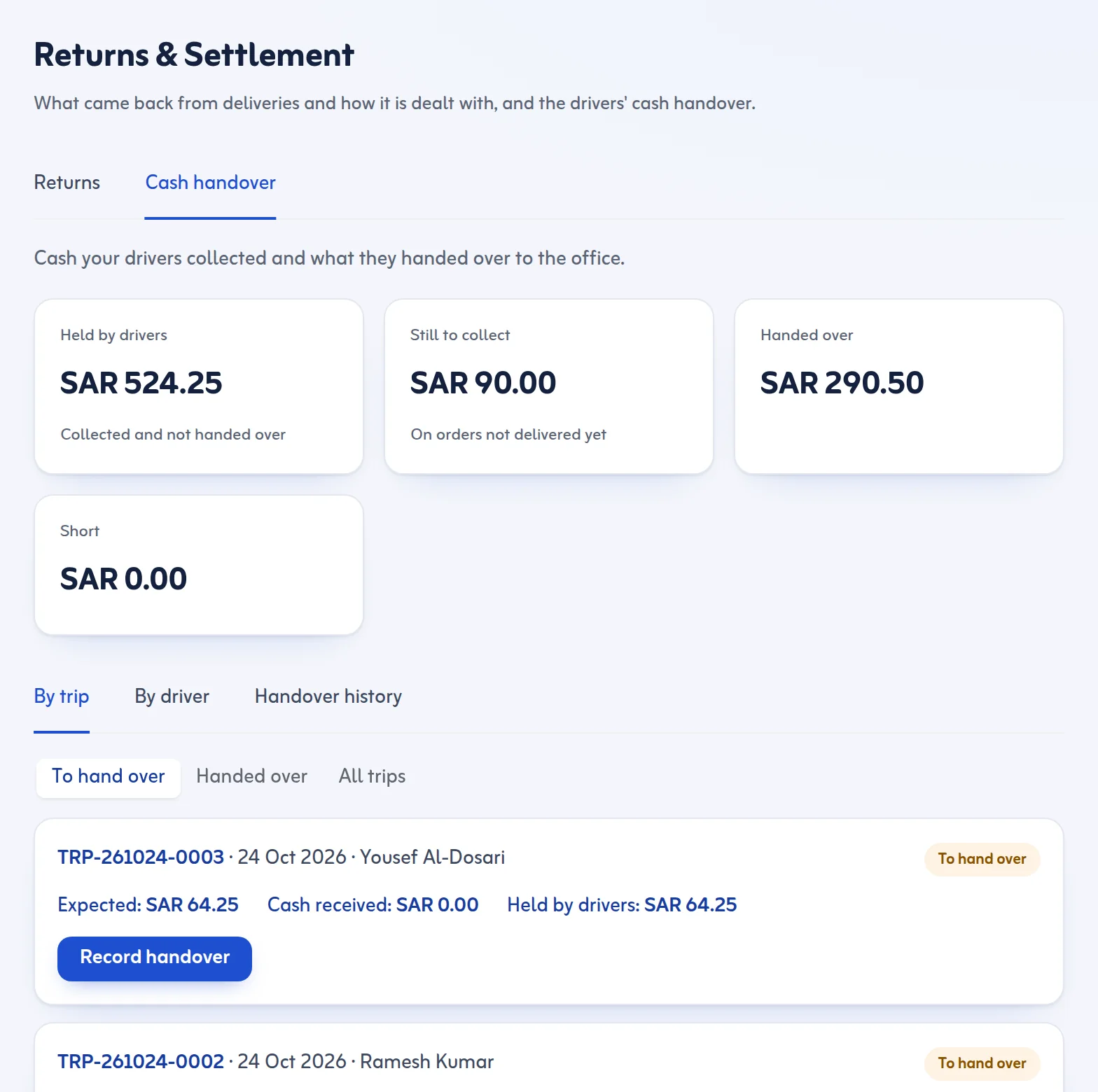
- Open Returns & Settlement and go to the cash handover tab (Cash on Delivery).
- You see what is Held by drivers, what is Still to collect, what was Handed over and any shortage. Choose By driver or By trip.
- Press Record handover next to the driver or trip.
- Tick the orders whose cash the driver is handing over now, and type Cash counted.
- If the amount differs from Expected, the app shows the difference and asks you to write why. A note is required.
- Press Record handover. Who received it and when is saved.
Rules and tips
- The driver records the cash collected on each stop. If it is not the amount due, the driver must write why.
- The history shows every handover with the person who received it.
- Cash handover per driver is available on the Starter plan and above; see Plan and billing.
Count the cash in front of the driver before you press Record handover.
Driver side: Driver cash and returns. More in the Cash on delivery feature.
Last updated: October 24, 2026
