

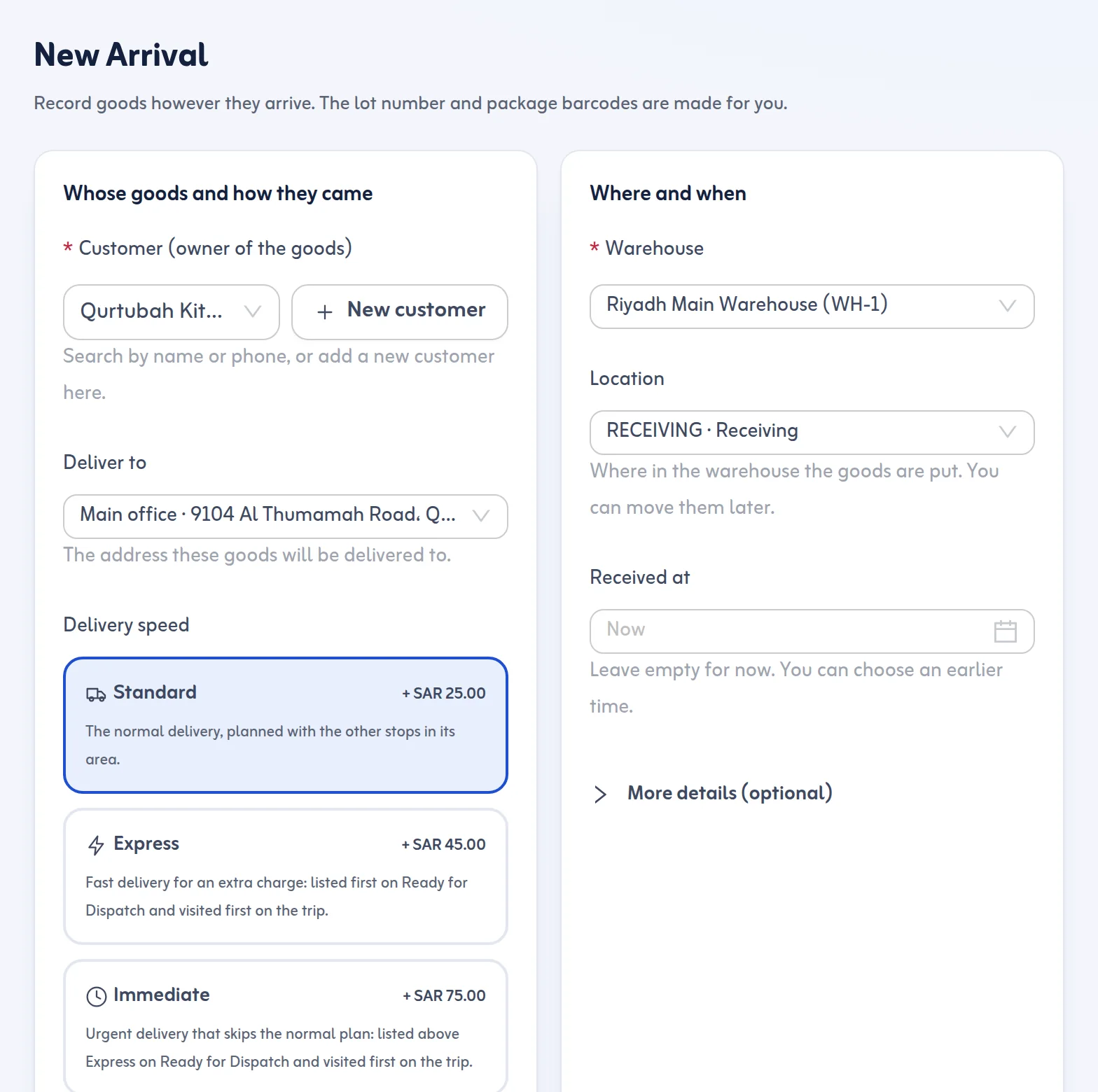
What the form asks for
Five things are required, because without them the goods cannot be found or delivered later: the sender or agent who brought them, the customer who owns them, how they arrived, the number of packages (a whole number from 1 to 999) and the warehouse. A sender or a customer who is not in your lists yet can be added right inside the form, without leaving it.
Everything else is optional: weight in kilograms, volume in cubic metres, a description such as "12 cartons of spare parts", the rack the goods are put on, up to five photos, notes, the delivery address and the time of receipt, which starts at now and can be set earlier but never in the future.
Container number: a check, never a block
When the goods came by sea you can type the container number and bill of lading; by air, the air waybill; by truck, the plate and the truck driver's name. A container number is checked against the usual 4 letters and 7 digits and an air waybill against its check digit, but a different format is only a warning. Goods are never refused because a number is missing or unusual.
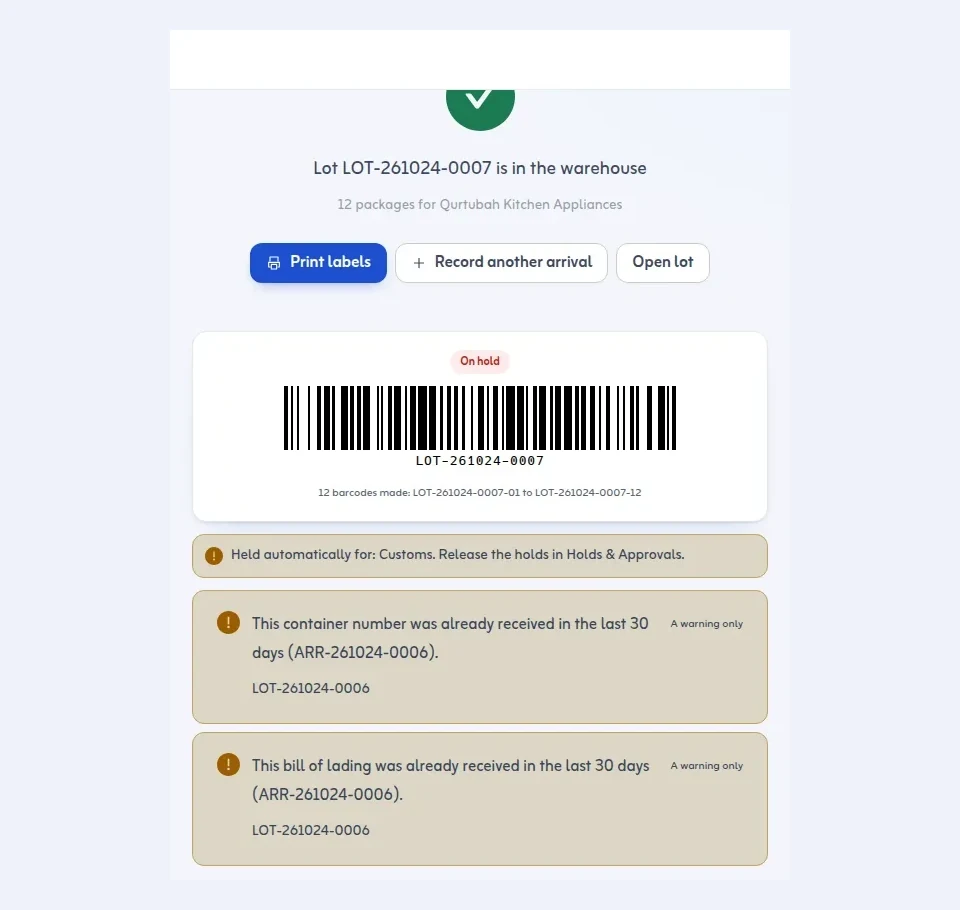
If the same container number or bill of lading was already received in the last 30 days, the form warns you, so the same shipment is not booked twice by mistake.
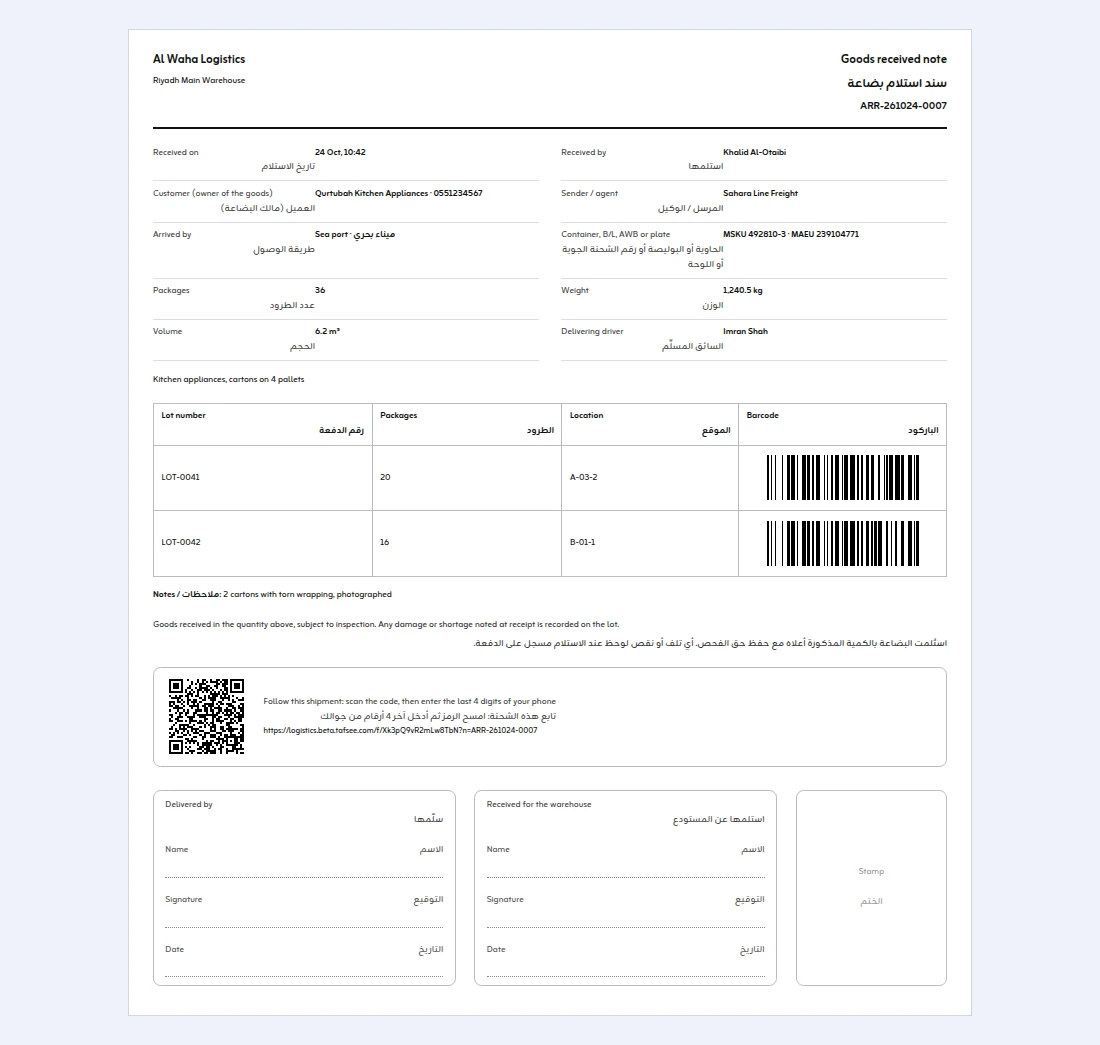
Print a goods received note
Open the shipment in All Shipments and press Goods received note. It prints one A4 sheet in English and Arabic: the shipment reference, when it was received and by whom, the customer who owns the goods, the sender or agent, how it arrived, the container, B/L, AWB or truck plate, packages, weight and volume, the delivering driver, and every lot with its packages, rack location and barcode. When your shipment tracking page is on, a QR code opens it with the shipment number filled in, so the customer can follow the goods. A condition line says the goods were received in that quantity subject to inspection, with signature boxes for the delivering driver and for the warehouse (name, signature, date) and a box for your stamp. Hand it to the driver or the agent, file it, or scan it back for your records.
Register a shipment before it arrives
When a forwarder or supplier tells you a shipment is coming, Register shipment records it ahead of time: origin, supplier reference, expected boxes, expected weight and date, and the customer if it is known. The shipment then moves through Registered, In transit, Arrived and Received; at receipt the boxes are counted against what was expected and any difference is reported as an exception.
What happens when you save
The system makes the lot number from your prefix in Settings, the date and a daily sequence, for example LOT-251021-0001, and one barcode per package: LOT-251021-0001-01, -02 and so on. The success screen shows them with Print labels, Record another arrival and Open lot.
If "New lots need approval" is on in Settings (it is on by default), the lot waits in Holds & Approvals until someone approves it. You can also have holds placed automatically by arrival method, for example a customs hold on everything that comes by sea or air.
Every arrival then appears in All Shipments, searchable by lot number, barcode, container number, bill of lading, air waybill or the customer's name or phone, with a CSV export of the filtered list.
That makes New Arrival both goods receiving software and inbound shipment management: what is expected, what came in and what was signed for live in one record.
The printed sheet is what many teams call a goods receipt note, a GRN or a receiving report. For a blank goods received note template and what each line means, read the goods received note format guide.
