

Tour of the app
A walk through the sidebar: what each group and each item is for.
The sidebar follows the life of the goods: they arrive, wait in the warehouse, are dispatched, and are delivered. The app works in English and Arabic (right to left), in light and dark mode, and on a phone.
Overview
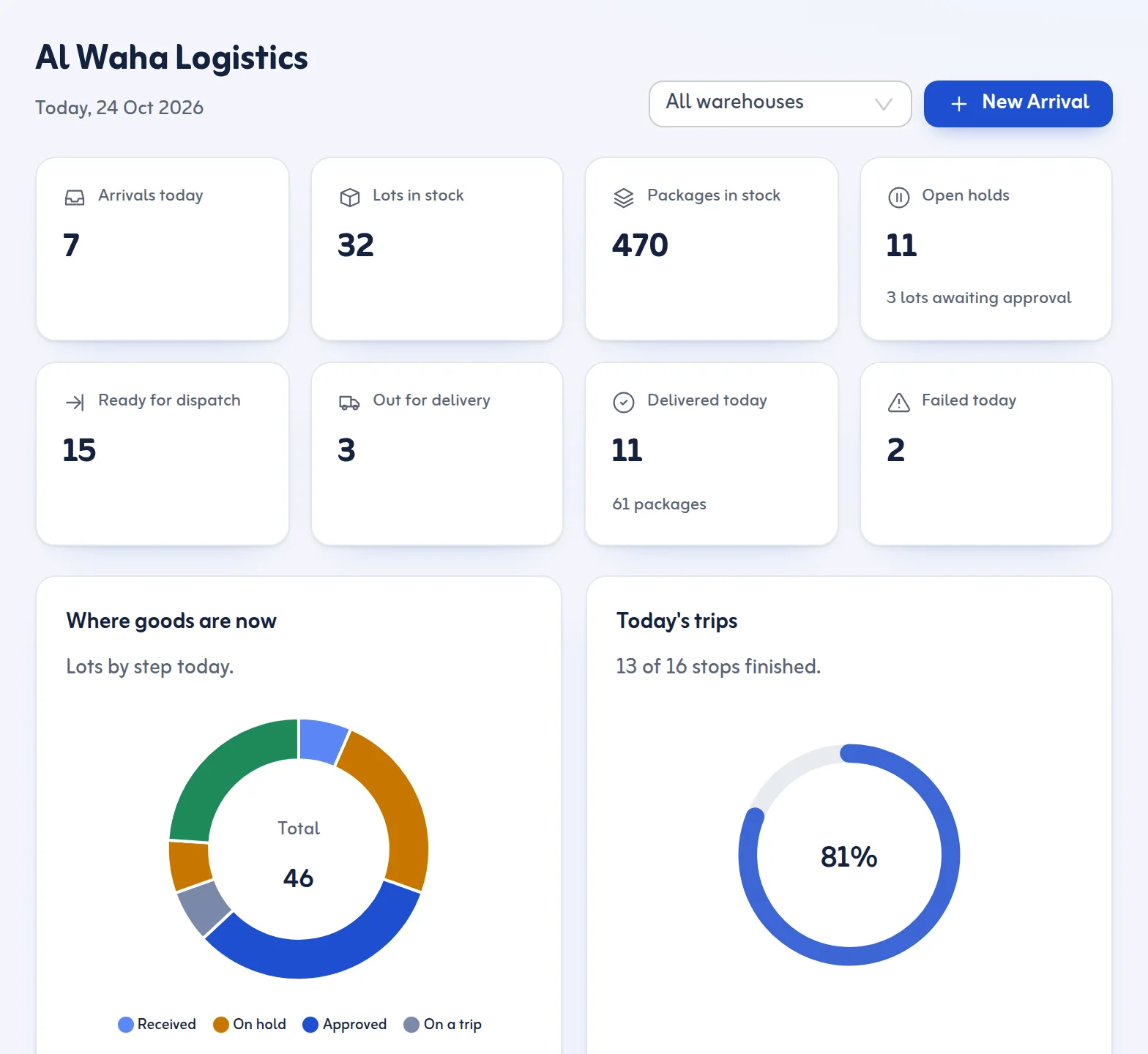
- Dashboard: tiles for arrivals today, lots and packages in stock, open holds, ready for dispatch, out for delivery, delivered and failed today. Each tile opens its list. Needs attention shows old holds, approved lots not yet dispatched and failed deliveries waiting for another try.
Warehouse Operations
- New Arrival: record goods that came in; the lot number and barcodes are made for you.
- All Shipments: every arrival, with search, filters and a full history.
- Lots & Packages: scan any barcode to open the lot.
- Zones & Racks: where things are stored, moves and stock counts.
- Holds & Approvals: goods waiting for customs, documents, payment or an approval.
Local Delivery
- Ready for Dispatch: approved goods with no open hold, grouped for trips.
- Delivery Trips: plan, load, start and finish trips.
- Delivery Tracking: every delivery with its proof.
- Returns & Settlement: failed deliveries, returns and cash handover.
Master Data
- Customers, Senders & Agents and Drivers & Vehicles.
Administration
- Reports and Settings.
Drivers do not see this sidebar. They use the phone app described in Open the driver app.
Tips
- The sidebar shows only what your role may use.
- Use the warehouse filter on the Dashboard if you run more than one warehouse.
- Continue with Warehouses, zones and racks.
Last updated: October 24, 2026
