

Find a lot by scanning
Scan or type any lot or package number to open the lot at once, and search all shipments.
When goods are in front of you, scanning is the fastest way to know everything about them. Open Lots & Packages and scan.
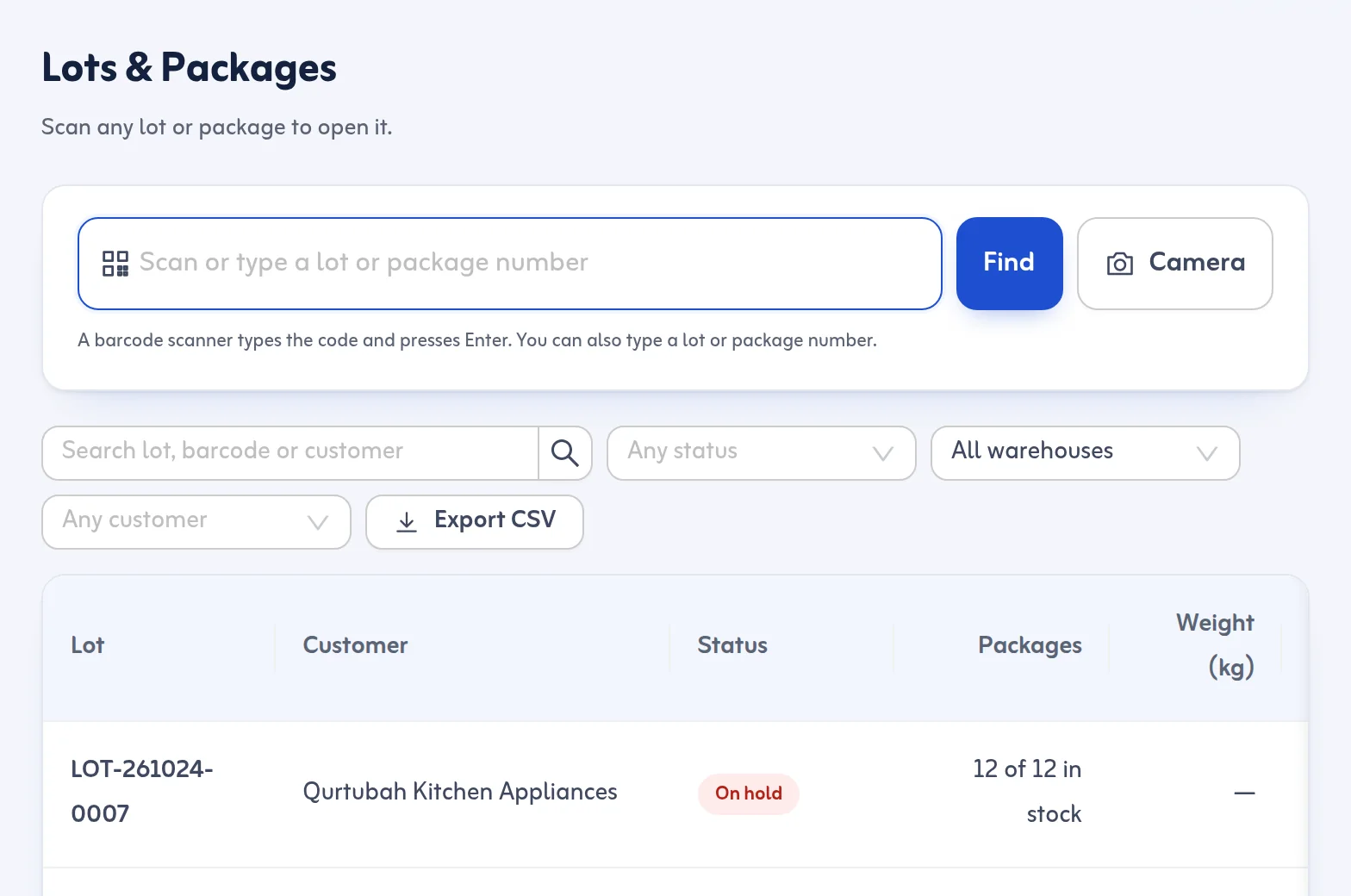
Scan a barcode
- Open Lots & Packages.
- Click the box that says Scan or type a lot or package number.
- Scan with a USB or Bluetooth scanner (it types the code and presses Enter), or type the code yourself. On a phone, the camera can scan where the browser supports it.
- The lot opens at once.
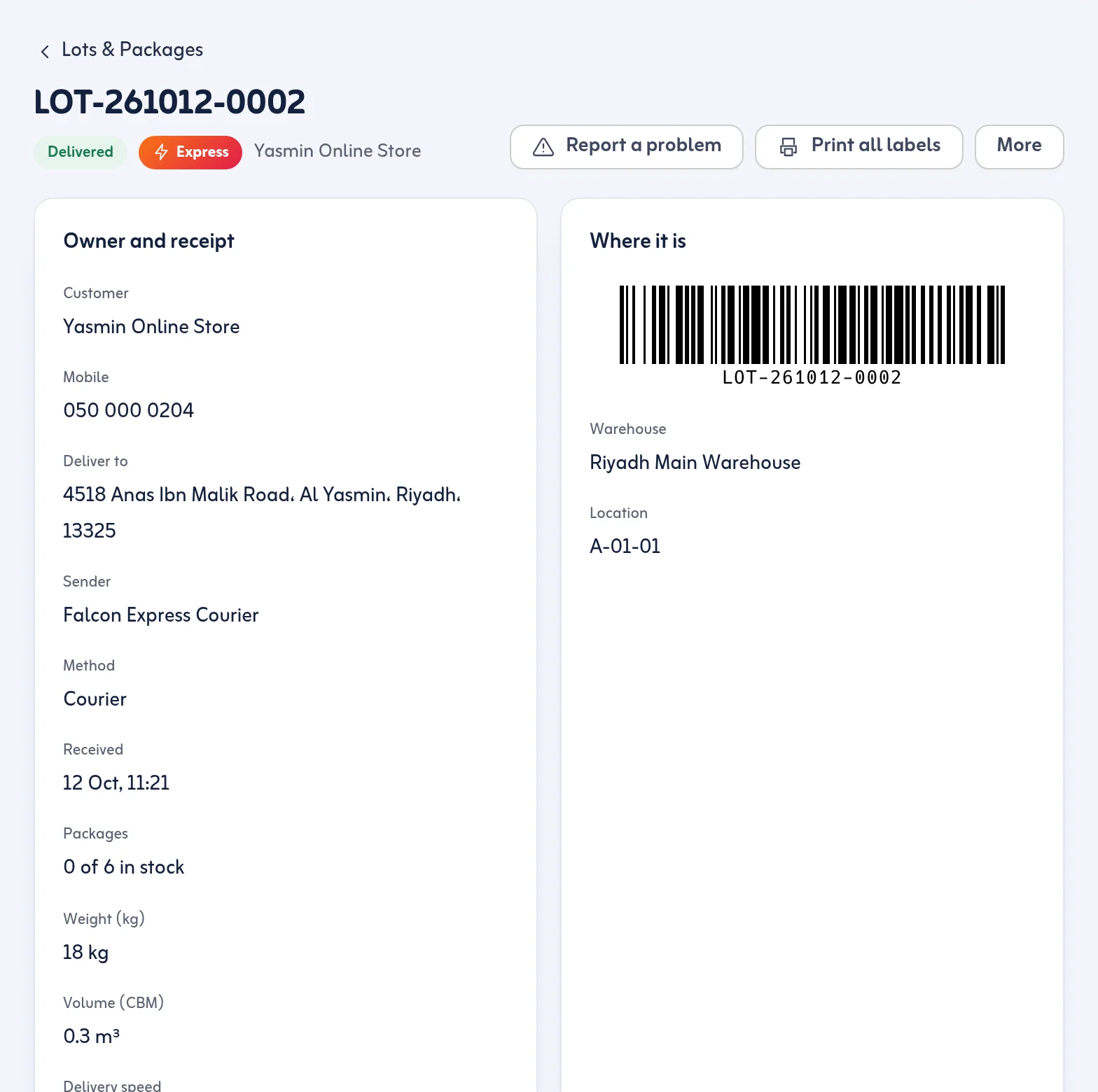
What a lot page shows
The owner and receipt details, every package with its Barcode and status, the rack (Where it is), holds, the Delivery code for the office, deliveries, and the full timeline of who did what and when. From here you can Move, Split lot, Merge lots and print labels.
If nothing is found
You see No lot with this barcode and an offer to record a new arrival.
Search the list
In All Shipments you can search by lot number, barcode, container number, bill of lading, air waybill, customer name or phone. Filters narrow by status, method, warehouse, customer and dates, and you can export the list to CSV.
The Delivery code on the lot page is for the office only. Read it to the customer if they call; the driver never sees it.
Next: split and merge lots. More in the Lots and packages feature.
