

Find any lot in a second
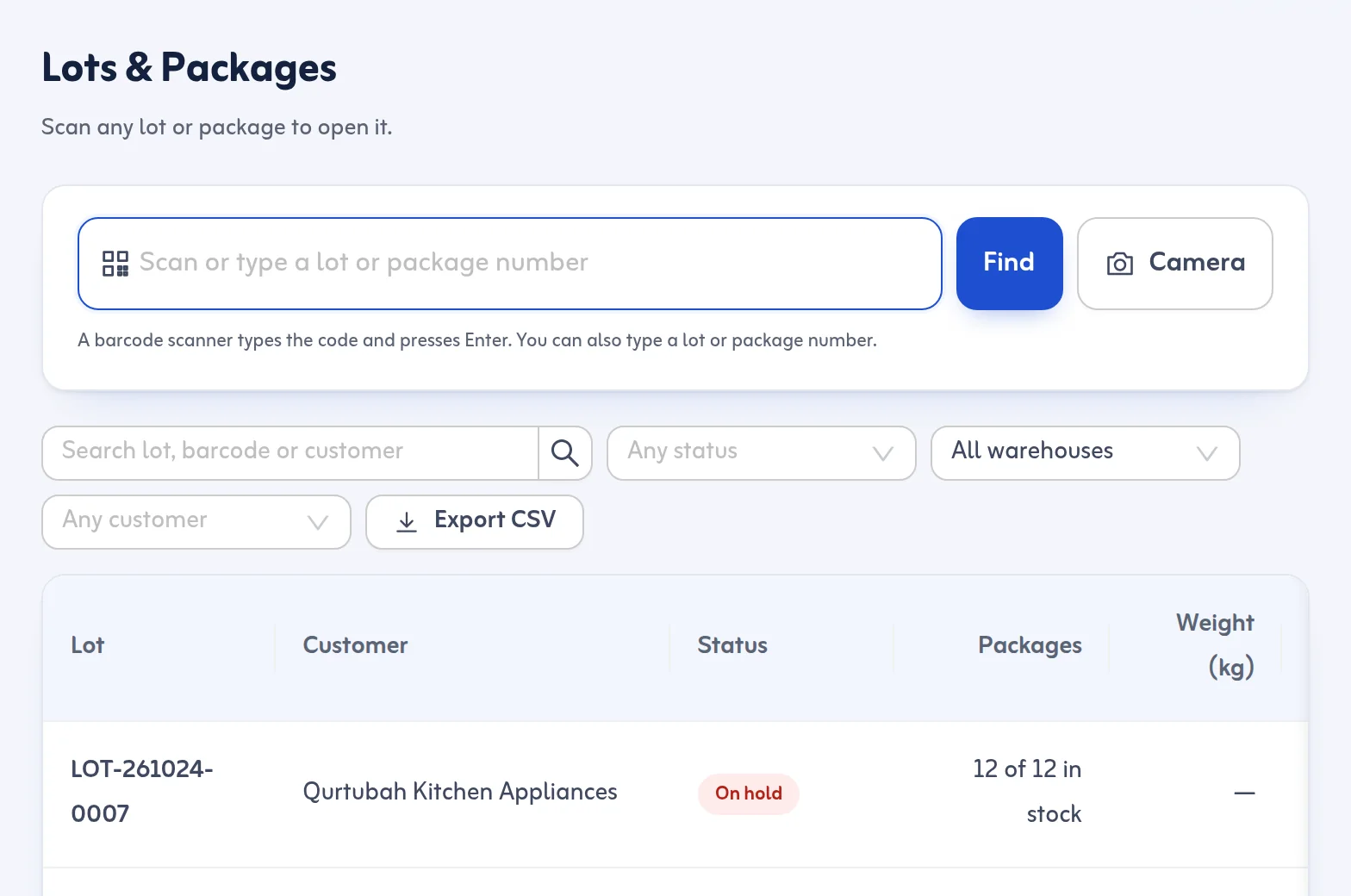
Lots & Packages opens with a big scan box. A USB or Bluetooth barcode scanner types the code and presses Enter, and the lot opens. You can also type a lot number or a package number by hand, and on phones the camera can scan where the browser supports it. An unknown code says "No lot with this barcode" and offers to record a New Arrival instead.
Everything about the lot on one page
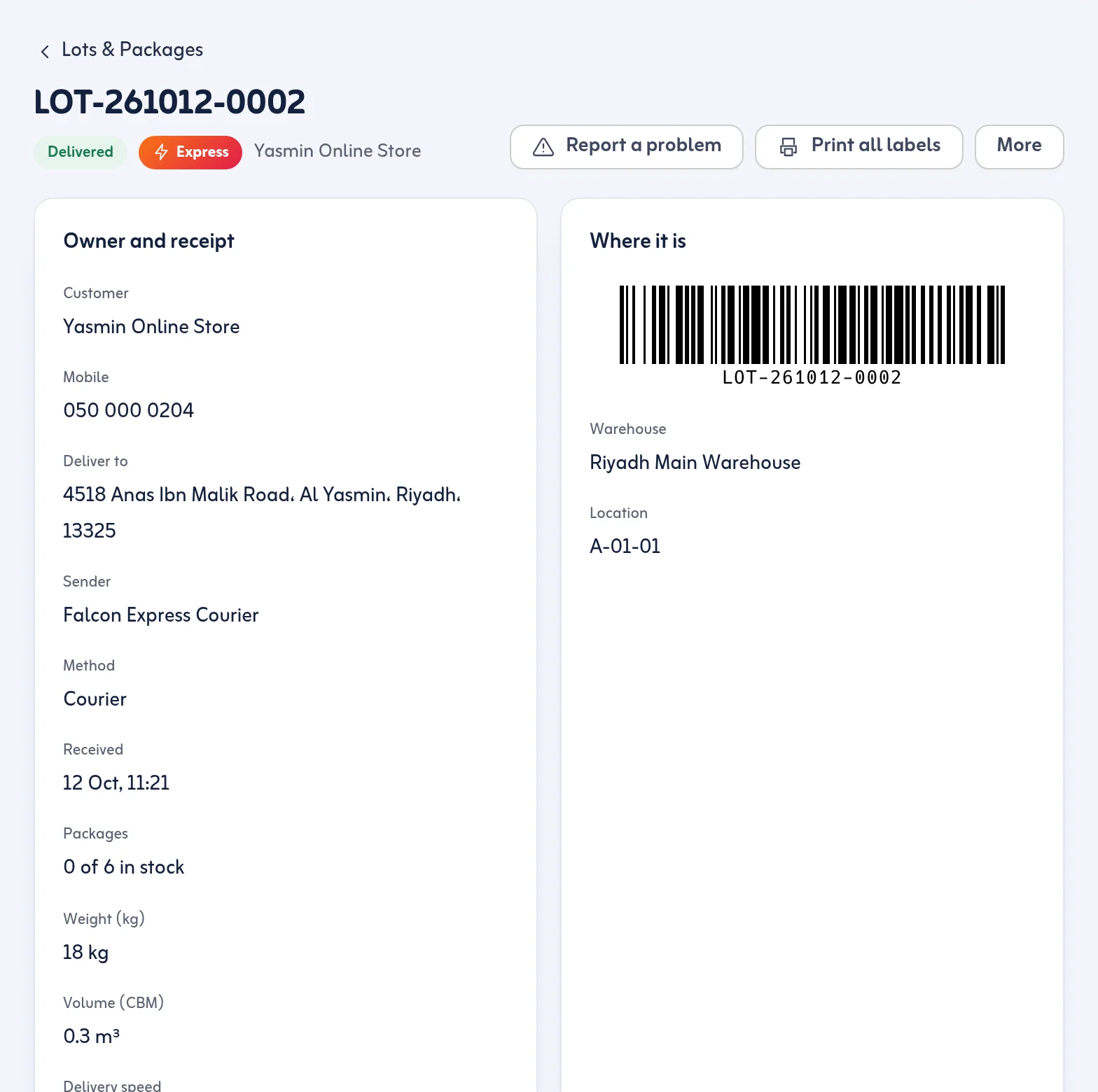
The lot page shows the customer who owns the goods, how and when they were received, and from which sender; every package with its barcode and status; the rack where the lot sits; open and released holds; the delivery stops it has been on; and the delivery code the office can read to the customer if they call. Labels can be reprinted one by one or all together.
Split and merge without relabelling
When part of a shipment must leave before the rest, split the lot: pick the packages and they move into a new lot for the same customer, keeping the barcodes already printed on them. When two lots of the same customer sit in the same warehouse, merge them into one. Both are recorded in the timeline.
A package is always in exactly one place
Each package is in stock, on a trip, delivered or failed (back in the van and waiting to be checked in). That is what lets Ready for Dispatch, Returns & Settlement and the reports agree with each other: the same package cannot be counted twice.
Lot number tracking and package tracking in the warehouse
As lot tracking software, lot number tracking answers "where is the shipment?" and package tracking in the warehouse answers "where is that one carton?". Tafsee Logistics keeps both: the lot's rack and status, and each package's own status and last scan.
