

Every failed stop, until it is resolved
When a driver records a failure, they choose the reason: customer not available or not answering, wrong address, refused, asked for another time, cash not ready, damaged, no access to the building, a vehicle problem, or another reason with a note. Partly delivered stops come here too, for the packages that were not handed over. Each one stays in To resolve until it is dealt with.
Three ways to resolve
- Try again: the lot goes back to Ready for Dispatch for the next trip.
- Return to stock: scan each package that came back in the van to check it in.
- Return to sender: the packages leave stock as returned to the sender, with a note on how they went back and where.
A maximum number of delivery attempts is set in Settings (from 1 to 9). After that many failures the lot is returned to the sender instead of going out again, unless you raise the limit.
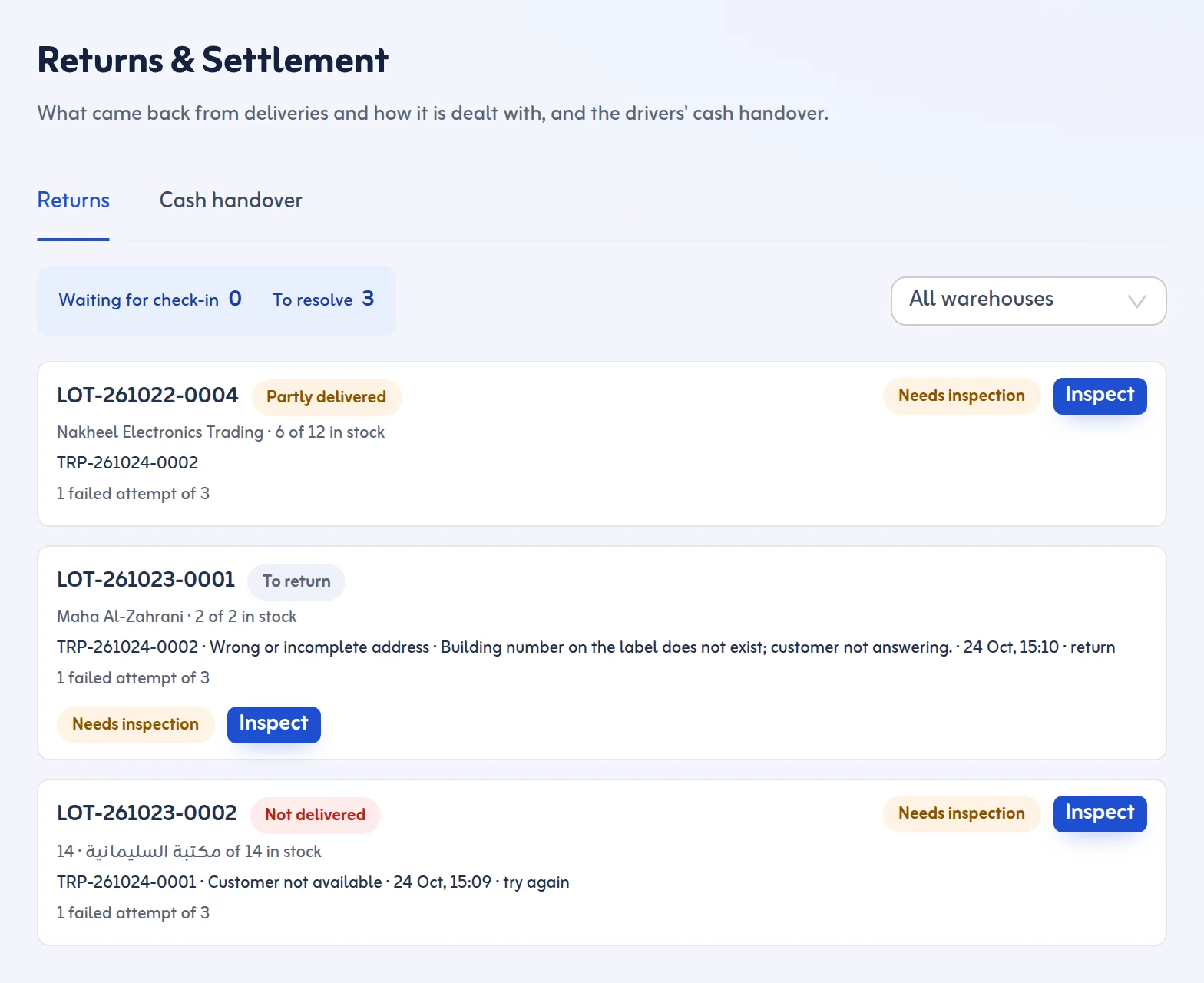
Inspect before it goes out again
Goods that came back from a trip are marked Needs inspection. Someone looks at them and records the result: good, and the lot is back to normal; or damaged, with a description, which opens a case. Only then can the lot be sent again, so a damaged parcel is not delivered by accident.
Settlement in the same place
The Cash handover tab settles each driver's cash on delivery per trip. With returns and cash in one screen, the end of each day closes cleanly: every package is in exactly one state (in stock, on a trip, delivered or returned to the sender) and every riyal is accounted for.
That is reverse logistics software and delivery returns management in one list: nothing waits outside the system.
