
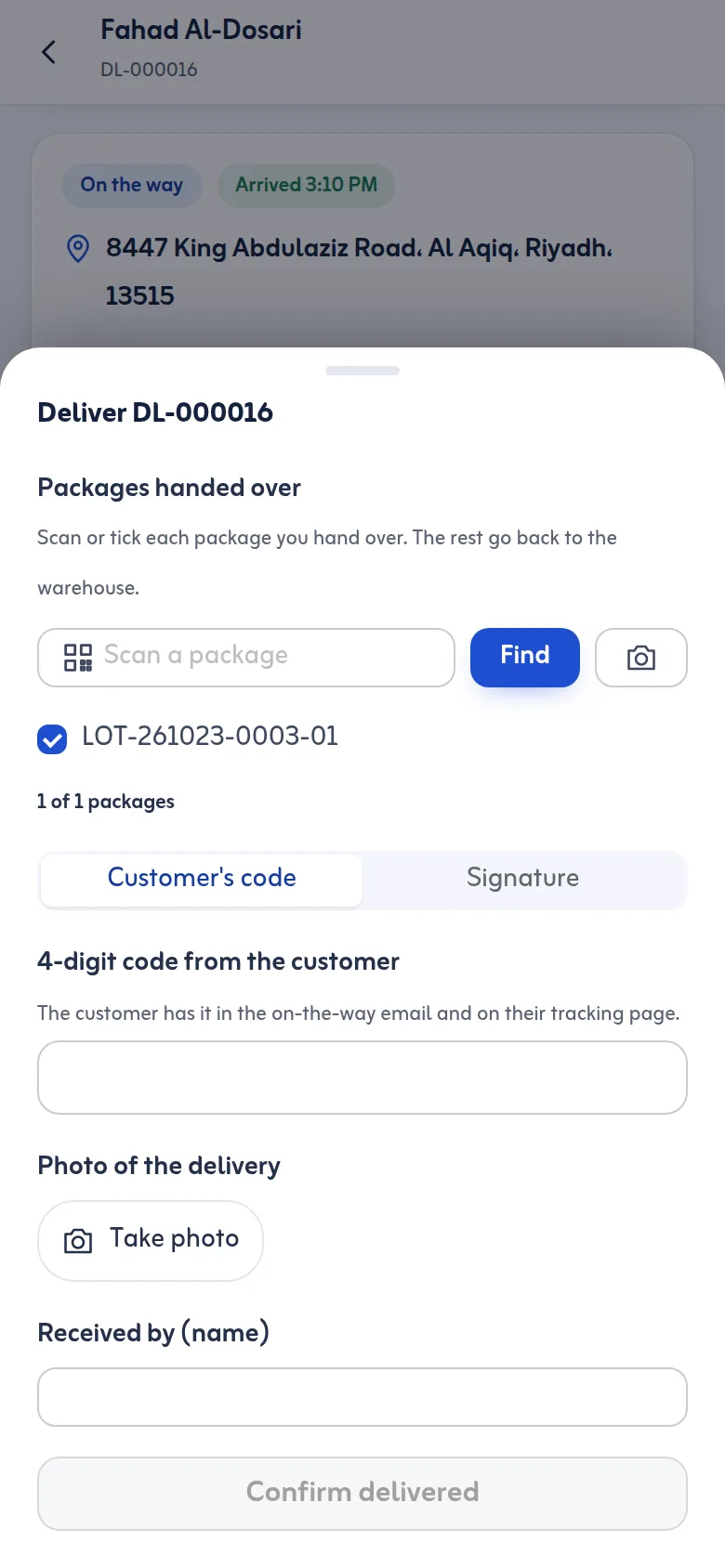
Before the trip: what to collect
Each stop on a trip has a cash to collect amount. Set it while planning, change it until the trip starts, or enter 0 when the customer has already paid. If you charge for delivery (Standard, Express or Immediate service, set in Settings › Delivery), you can choose to have the driver collect that charge in cash at the door too. The trip sheet shows the cash total for the whole trip.
At the door: what was collected
The driver app shows the cash due at each stop. The driver enters the cash collected when finishing the delivery; if it differs from the amount due, the app asks for a note. The Cash tab in the driver app keeps a running view of what is still to collect, what the driver holds and what has been handed over.
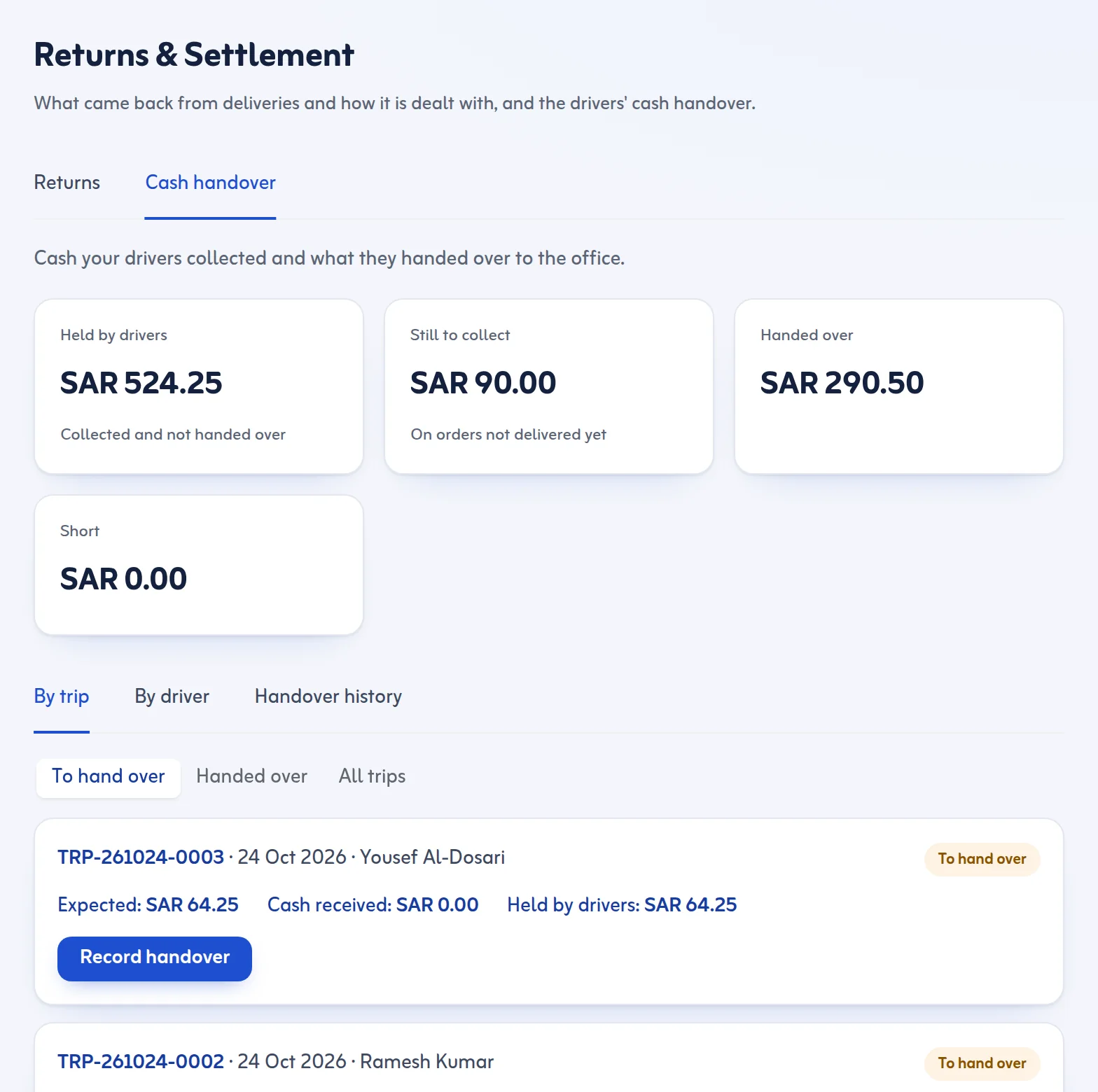
At the office: the handover
In Returns & Settlement, the Cash handover tab lists each trip's cash by driver: the amount expected from the deliveries made, and a field for the cash counted. Record the handover; a difference needs a note, and the record keeps who received the cash and when. Trips already settled show the amount received, by whom and when.
Why it matters
- Every riyal is tied to a stop, a trip and a driver, so a shortage is found on the day, not at the end of the month.
- Drivers see the same numbers as the office, which avoids arguments.
- The delivery report shows cash collected and cash still held by drivers.
Cash handover per driver is included on every plan, from Starter up, and in the 14-day free trial.
COD reconciliation software for the end of each day
Used this way it is COD reconciliation software: expected cash per trip against cash counted. COD settlement: drivers hand over per trip, and every difference has a note and a name.