
Joining takes one link
Add the driver in Drivers & Vehicles with their email. When an owner or admin saves a new driver, the invitation is sent at once, and you can also copy the joining link or share it on WhatsApp. When the driver signs in with that email, they join your organisation and the driver app opens. A driver sees only the driver app: no prices, no other customers' data, no settings.
The driver's day
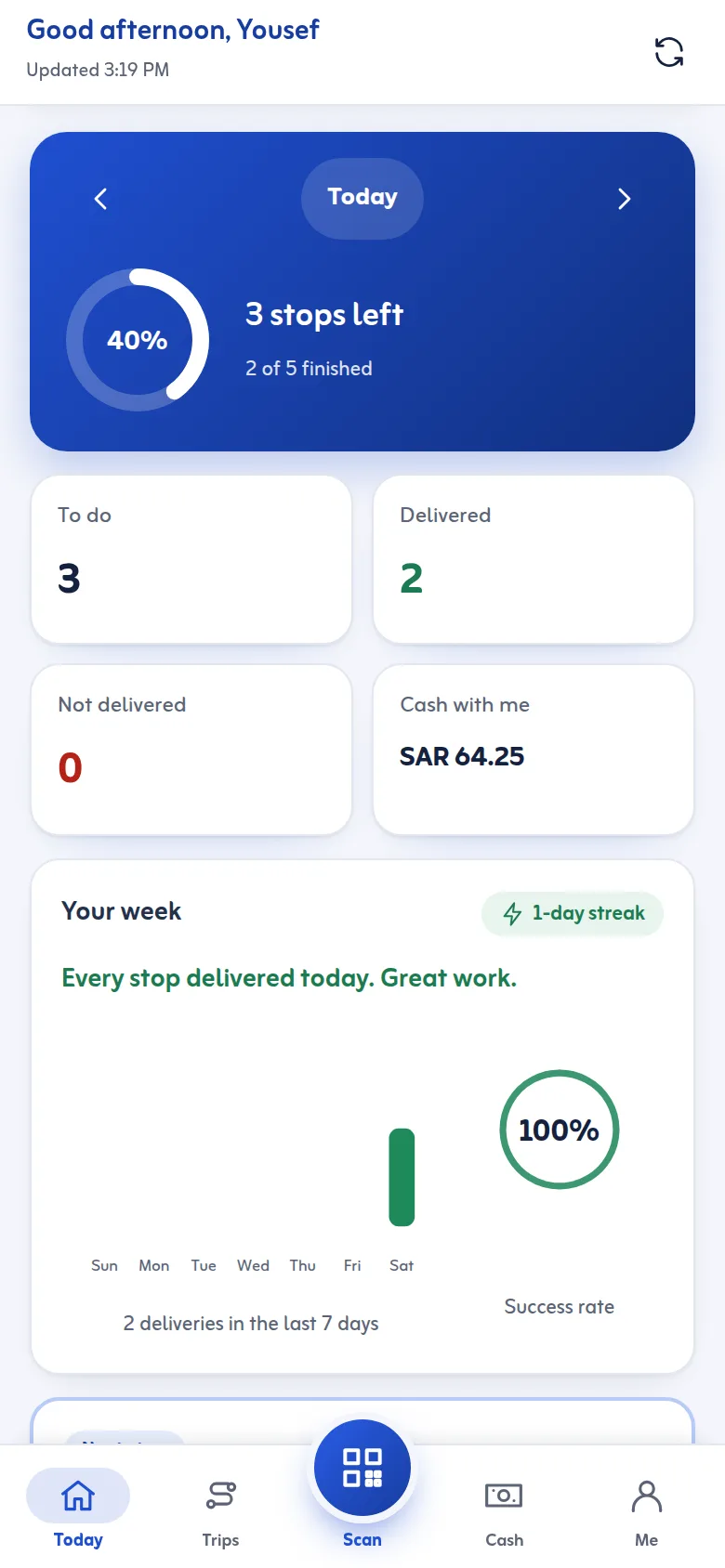
The app has five tabs: Today, Trips, Scan, Cash and Me. Today shows the trip and its progress through four phases: load, accept, deliver, done. When the office has loaded the van and started the trip, the driver counts the boxes against the list and taps Accept; from then on the boxes are in the driver's care. A trip can have stops that must not be handed over (a delivery hold): the app says so clearly.
At each stop
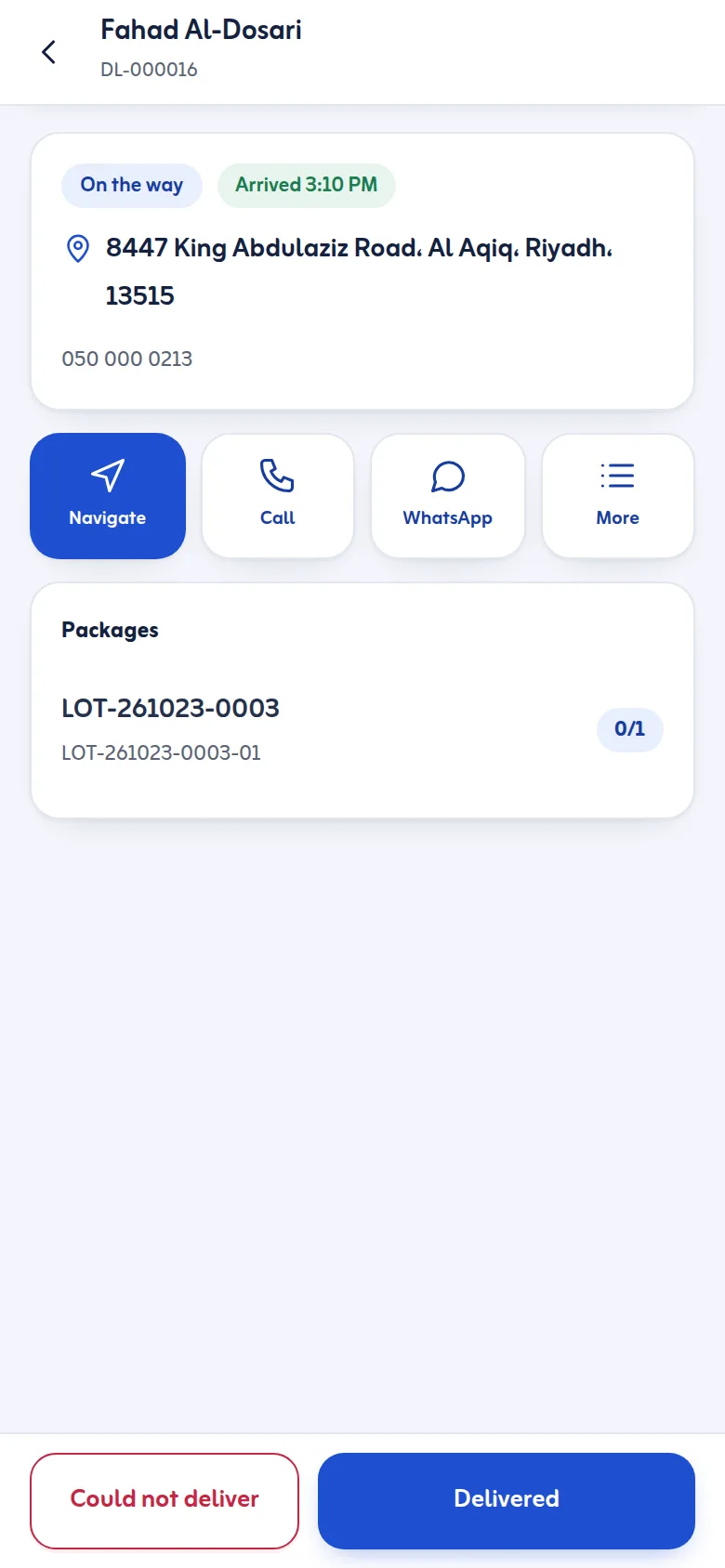
The stop shows the customer, the address and the packages. Call and WhatsApp use the phone's own apps; Navigate opens the phone's maps app or OpenStreetMap; the address can be copied. I have arrived lets the customer's tracking page show that the driver is there. Then the driver records the proof of delivery, scans or ticks the packages handed over, enters the cash collected, or chooses why the delivery could not happen.
Cash, returns and the week
The Cash tab shows what is still to collect, what the driver holds and what was handed over. Packages that come back are listed for the driver to hand to the warehouse for check-in. Me shows the vehicle, today's shift, the driving licence expiry and a chart of the week's deliveries. The app works in Arabic and English and on small phones.
A driver app for a delivery company, in Arabic
Most teams look for a driver app for a delivery company that drivers accept on day one. The Tafsee driver app opens in the phone's browser and works as a delivery driver app in Arabic or English, with the same screens in both.