

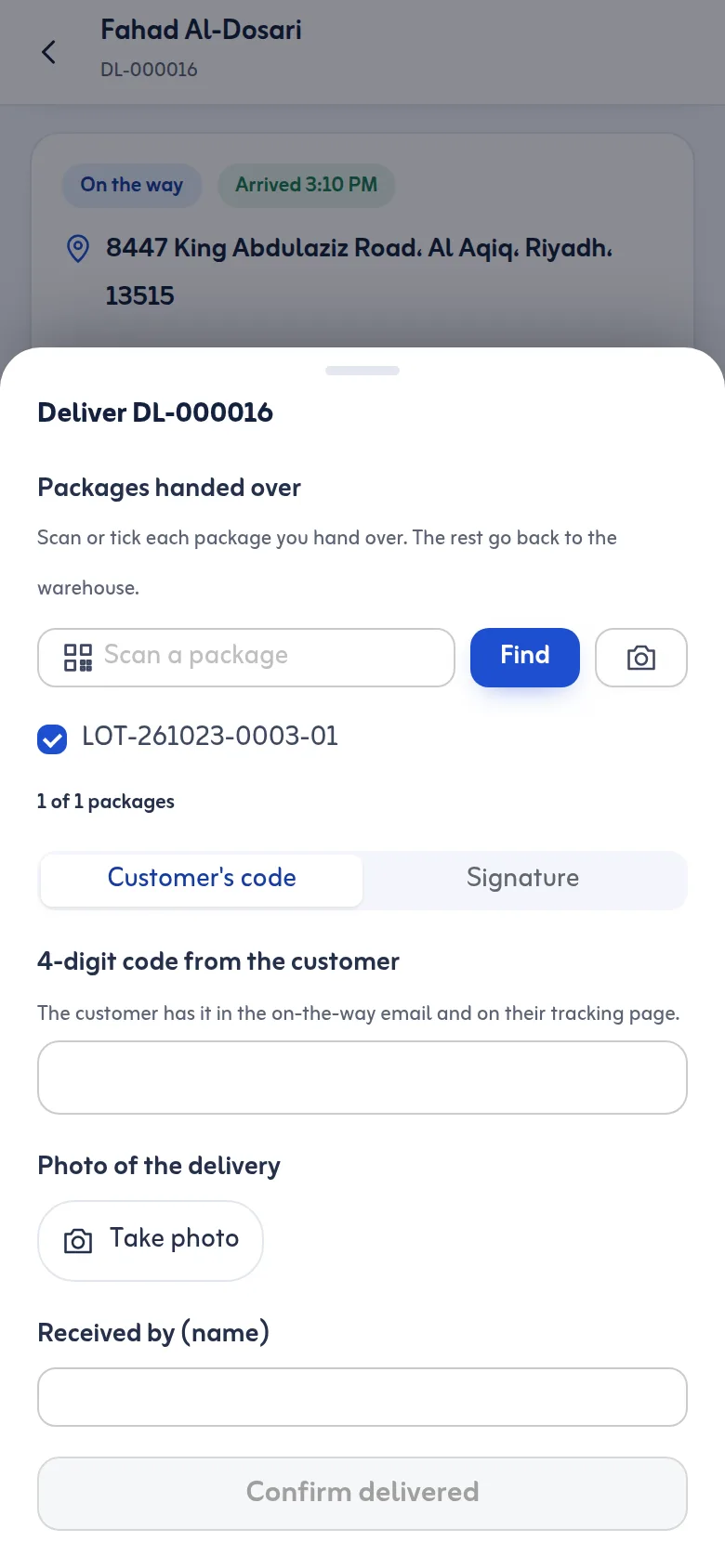
The delivery code
Each stop gets a 4-digit code. The customer sees it on their tracking page and in the on-the-way email, and the office can read it from the lot's page if the customer calls; the driver never sees it. At the door, the customer tells the driver the code and the driver types it. After five wrong tries the code locks and the app asks for a signature instead. If the customer has lost the code, the driver can email it again, up to three times, a minute apart.
Signature, photo and name
Instead of the code, or as well as it, the customer can sign on the driver's screen. The driver can add a photo of the goods at the door and the name of the person who received them. In Settings you decide what is allowed and what is required: the code, a signature or both, and whether a photo is needed on every delivery.
Partial delivery and failures
When only some packages are handed over, the driver scans or ticks them and the rest go back to the warehouse, so a lot can be partly delivered with no confusion about which boxes left. If nothing can be delivered, the driver chooses the reason (customer not available, wrong address, refused, damaged, no cash, and others you can add) and the stop moves to Returns & Settlement.
Where the proof shows
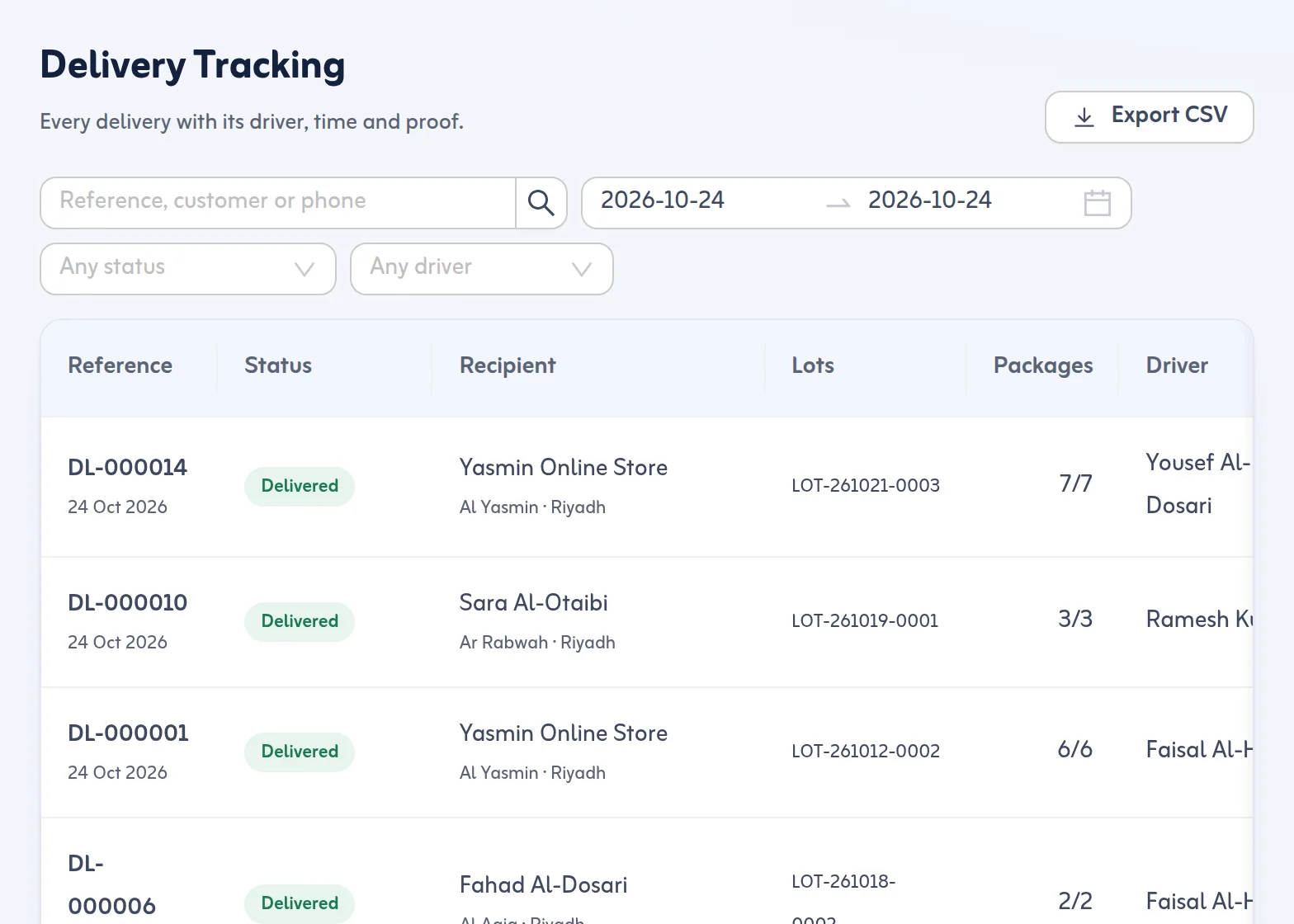
Every delivery in Delivery Tracking shows how it was proved: code verified, the signature, the photo, received by, and the time. The customer's tracking page shows the proof too. If the phone was more than 300 m from the customer's pin when the stop was finished, the delivery is flagged so the office can check. The delivery report counts deliveries proved by code and by signature.
ePOD software with a code, a signature and a photo
As ePOD software it covers the three common proofs: the delivery OTP code the customer reads out, a delivery signature app on the driver's phone, and photo proof of delivery taken with the camera.
