
Customer shipment lookup

A shipment tracking page for your warehouse customers

Customers ask the same question every day: where are my goods? Switch on your shipment lookup page and they can answer it themselves. They type any number on their paperwork and the last 4 digits of their phone, and see each lot of their shipment in Arabic or English.

What your customer types

Your page has one form. The customer enters the shipment number, which can be any number on their paperwork: the container number, the air waybill (AWB), the bill of lading, your arrival reference, the supplier reference or a lot number. Spaces and dashes do not matter, so MSKU 492810-3 and MSKU4928103 find the same shipment. Then they enter the last 4 digits of their phone, the phone number your warehouse has for them. The page searches arrivals from the last 12 months.
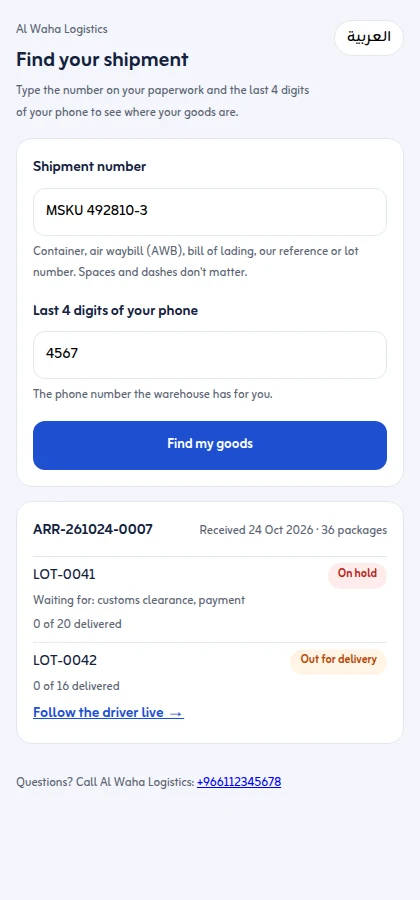
The customer shipment lookup page on a phone: the shipment number and the last 4 digits of the phone, then each lot with its status (on hold, waiting for customs clearance and payment; out for delivery with Follow the driver live) and packages delivered of the total

What they see

The shipment with the date it was received and its packages, then each lot with its status:

  • In the warehouse
  • On hold, with what it is waiting for: customs clearance, documents, payment, delivery details or the warehouse. Your office's own notes are never shown.
  • Cleared, ready to deliver
  • Out for delivery, with a Follow the driver live link to the delivery tracking page
  • Delivered, Needs attention or Returned

Each lot shows how many of its packages have been delivered out of the total, and the page ends with your business's phone number so the customer can call you. The page is in Arabic and English.

Nothing is shown to the wrong person

If the number or the phone digits do not match, the page says We found nothing and shows no details, not even whether the number exists. Each page allows 20 lookups per address and 300 lookups in total in 10 minutes, so nobody can guess their way through your shipments.
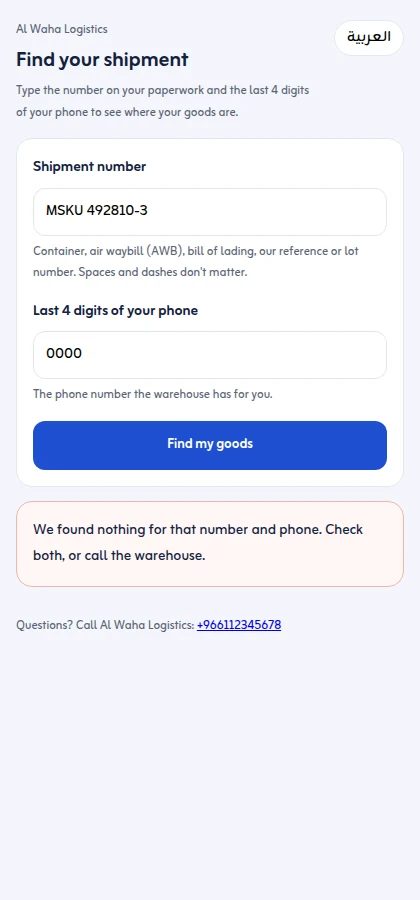
The shipment lookup page when the number or the phone digits do not match: We found nothing, with no details shown

Switch it on and share it

The page is off until you switch it on in Settings › General › Customer shipment lookup page. Your business then gets its own web address, with buttons to Copy link, Share on WhatsApp and Open the page. Put the link in your WhatsApp replies, your email signature or on your website. If you ever need to, Make a new address: the old one stops working at once. Switching the setting off stops the page.

A QR code on every goods received note

The goods received note you print when goods arrive carries a QR code to your page with the shipment number already filled in. The driver or agent who signs it, and the customer who receives a copy, only need to add the last 4 digits of the phone.
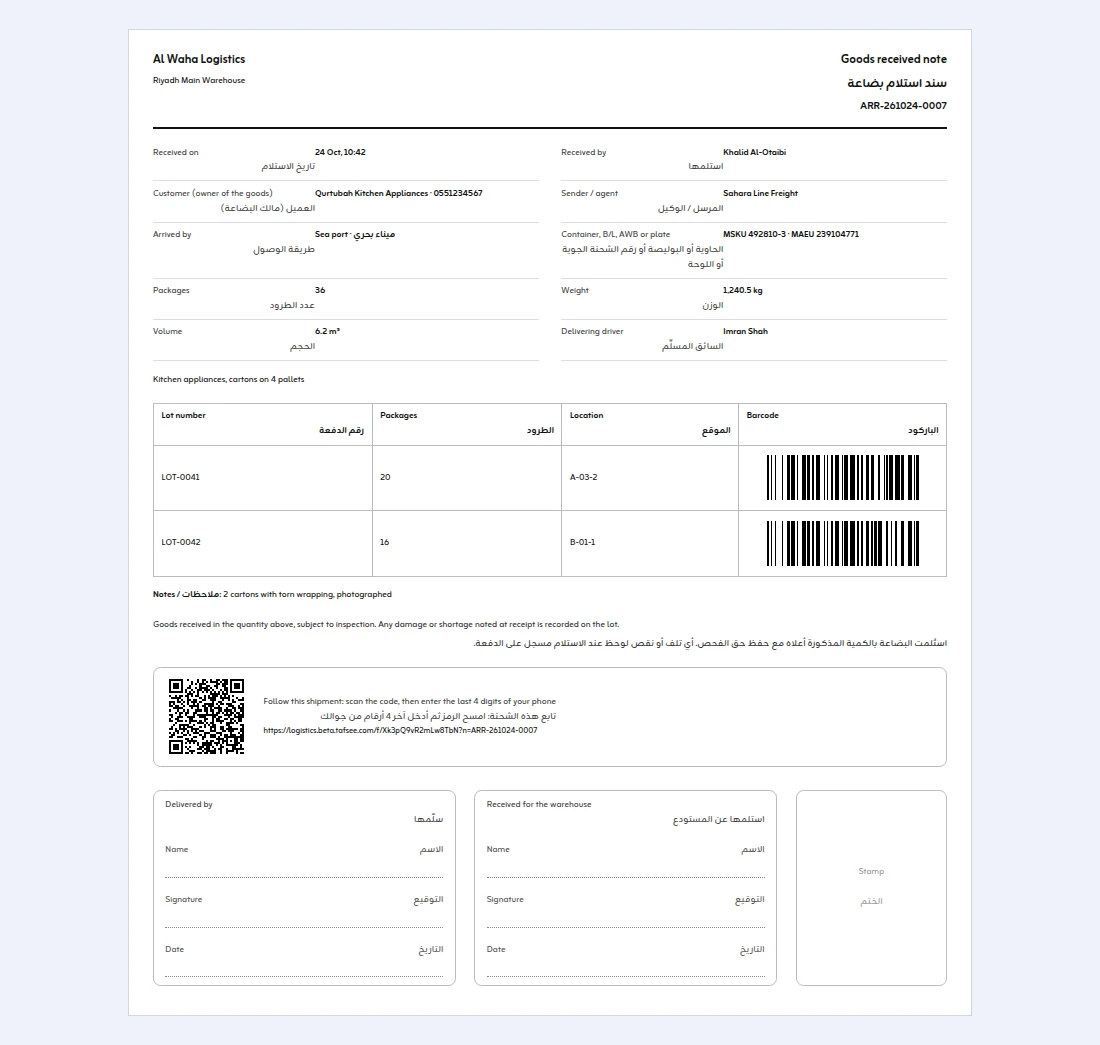
The goods received note printed from a shipment: one A4 sheet in English and Arabic with the reference, received on and by, customer, sender, method, container and B/L numbers, packages, weight and volume, each lot with its location and barcode, a QR code to follow the shipment, and signature and stamp boxes

What it is not

This page shows goods that your warehouse has received in Tafsee Logistics. It does not track ships, aircraft or containers at sea, and it does not look up parcels carried by other courier companies. To check that a container or AWB number is typed correctly, use the free container number checker or AWB checker.

See the help article for the steps in the app.

Step by step

How it works in the app

  1. 1

    Switch it on

    Settings › General › Customer shipment lookup page.

  2. 2

    Share your address

    Copy link or Share on WhatsApp; the QR code on each goods received note opens it too.

  3. 3

    The customer looks up

    Any paperwork number plus the last 4 digits of their phone.

Questions

Frequently asked questions


No. The page opens in any phone browser. The customer only needs a number from their paperwork and the last 4 digits of their phone.


No. The page only shows goods your own warehouse received in Tafsee Logistics in the last 12 months.


No. A hold shows only what it is waiting for (customs clearance, documents, payment, delivery details or the warehouse), never the office's own notes.


The page says "We found nothing" and shows no details. Lookups are limited to 20 per address and 300 per page in 10 minutes.


Yes. Switch the setting off to stop it, or press Make a new address and the old address stops working.


Receive your first shipment today

Try everything in Growth free for 14 days, then choose a plan. No card is needed.

  • Arabic and English
  • Built for Saudi Arabia, in SAR
  • Nothing to install

Warehouse & delivery

Tafsee Logistics

Receive goods with a barcode on every package, hold them until they are cleared, then plan delivery trips with proof at every door.

Arabic & English · Saudi national address14-day free trialDriver app in the browser

Tafsee Logistics TermsPrivacy Policy

+966 58 267 6110+966 58 267 6110