
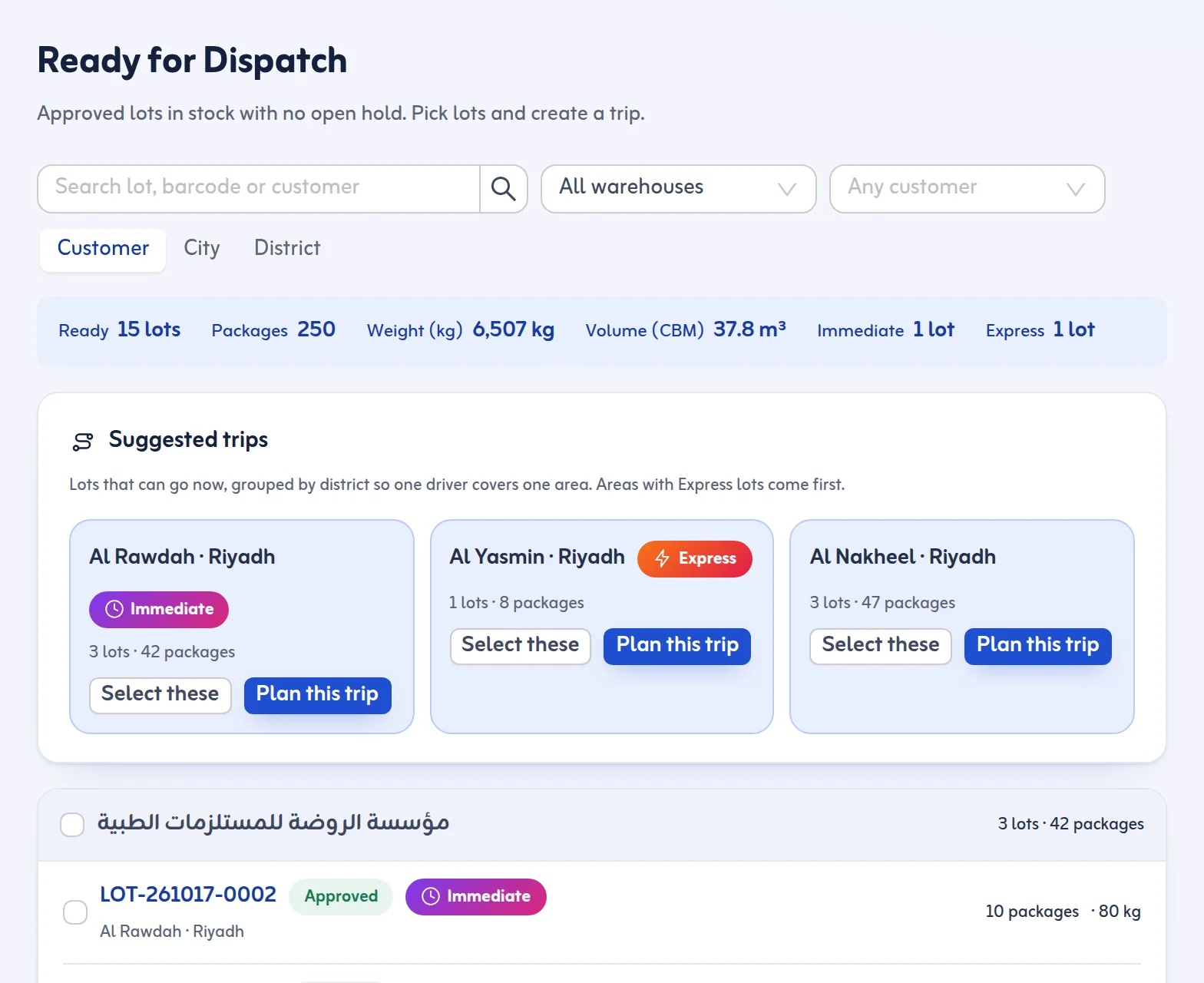
What makes a lot ready
A lot appears here when three things are true: it is approved (or approvals are switched off), it has no open hold, and its packages are in the warehouse. Lots that were partly delivered or failed and were sent back for another try appear here again; lots marked to return to the sender do not.
Plan by area, not by guesswork
Group the list by customer, city or district and pick the lots that should travel together. The selection shows how many packages it adds up to, with total weight and volume, so you can match it to a van before you open the trip. Lots whose customer has no delivery address or phone are marked with Add an address or Add a phone, so problems are fixed before the driver leaves, not at the door.
Suggested trips
Suggested trips groups the lots that can go now by district, so one driver covers one area. Districts with Express or Immediate lots come first. Choose Select these to take a suggestion as it is, or Plan this trip to open the trip with those lots.
Create a trip or add to one
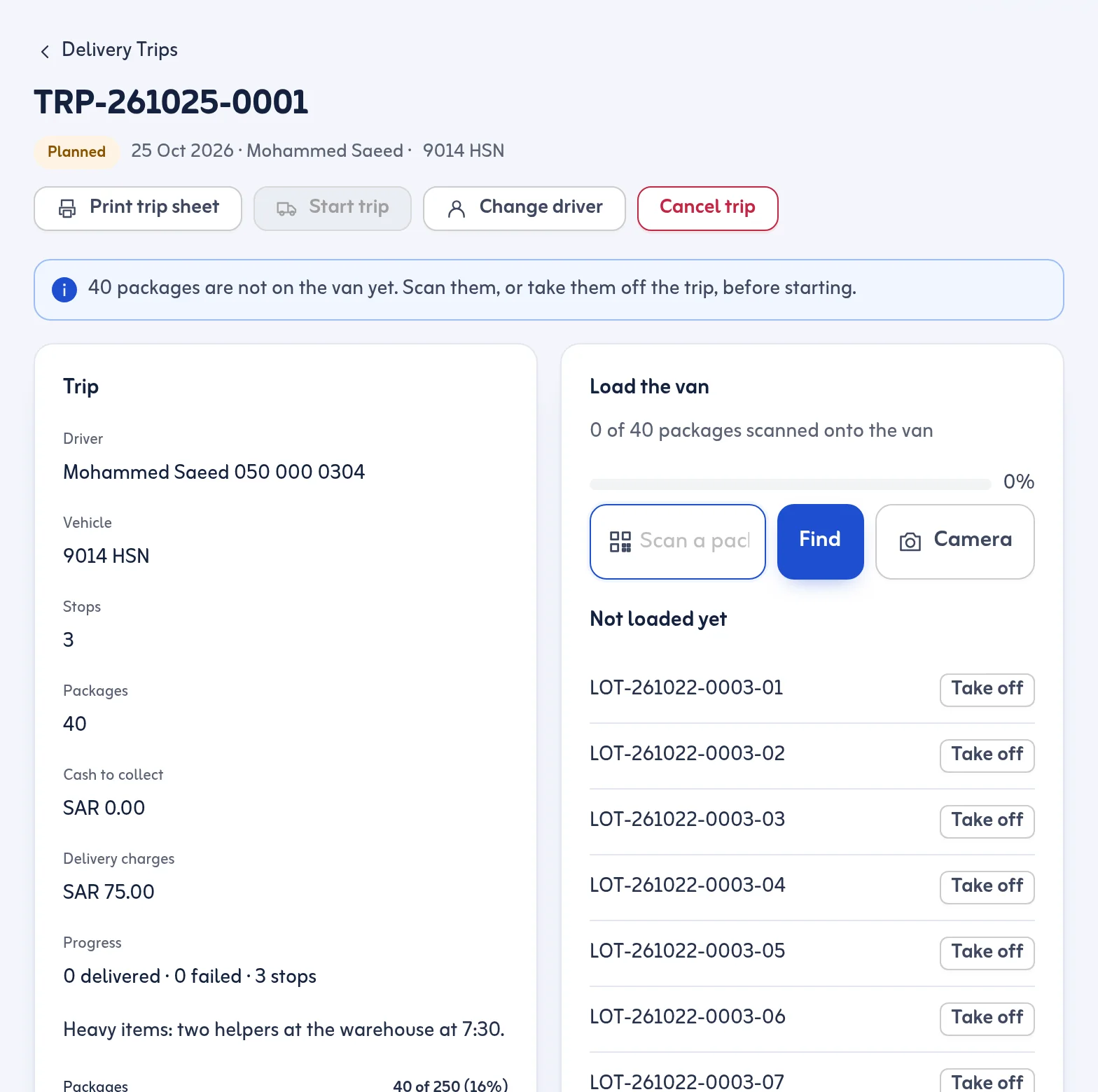
With lots selected, Create trip opens trip planning with the lots already on it. Add to trip puts them on a trip already planned for today or later; the trip then shows how many packages it carries, and the new packages must be scanned onto the van before it starts.
In other words, it is dispatch software for delivery that starts from the warehouse, not from a list typed by hand.