

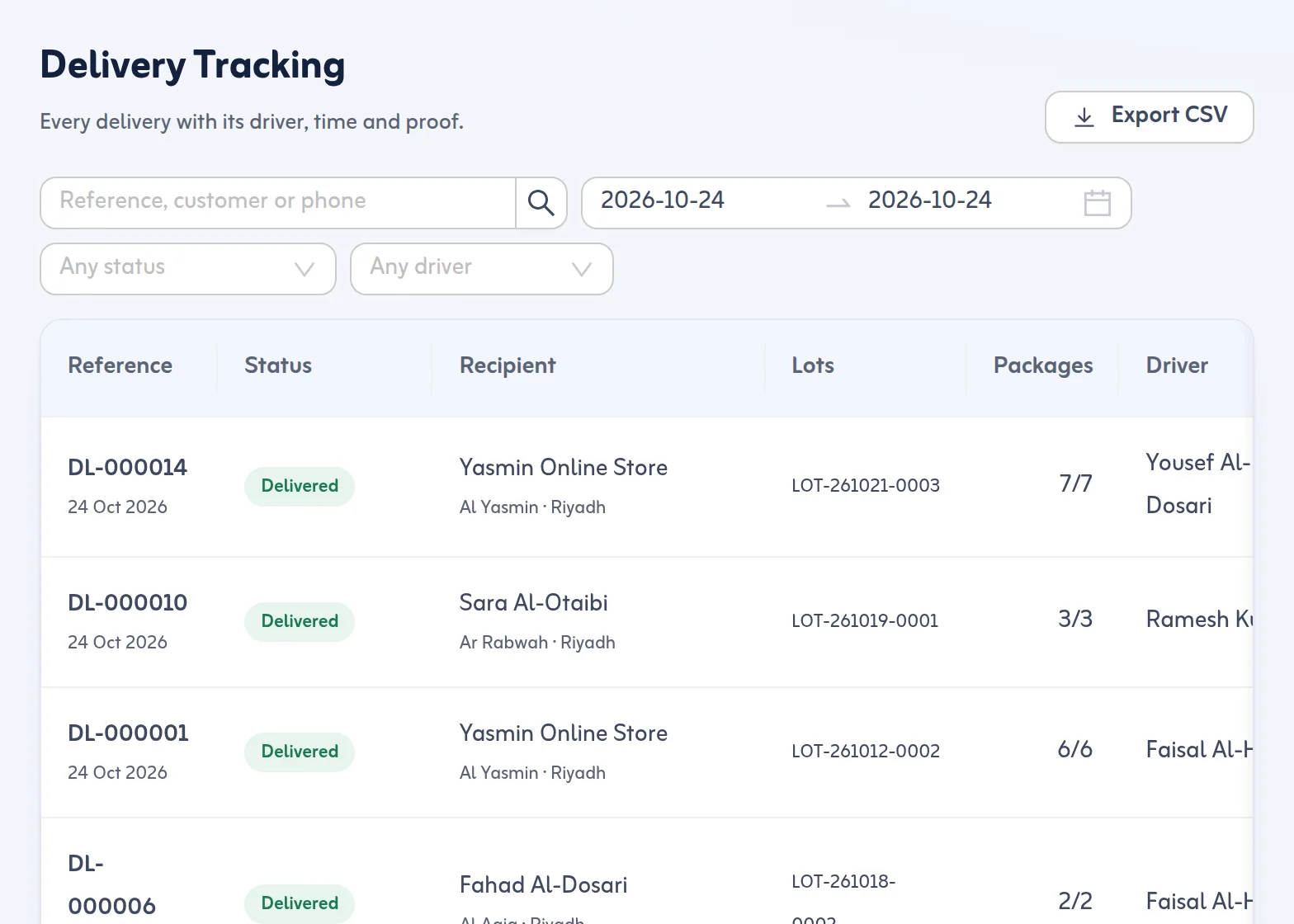
For your team: Delivery Tracking
Delivery Tracking lists every delivery by day with its reference, customer, driver, status and time. Search by reference, customer or phone. Each delivery shows its proof: code verified, signature image, photo, who received it and when. From any delivery, copy the customer's tracking link or share it with the phone's own share button; there is no SMS account to set up.
For your customer: a tracking page
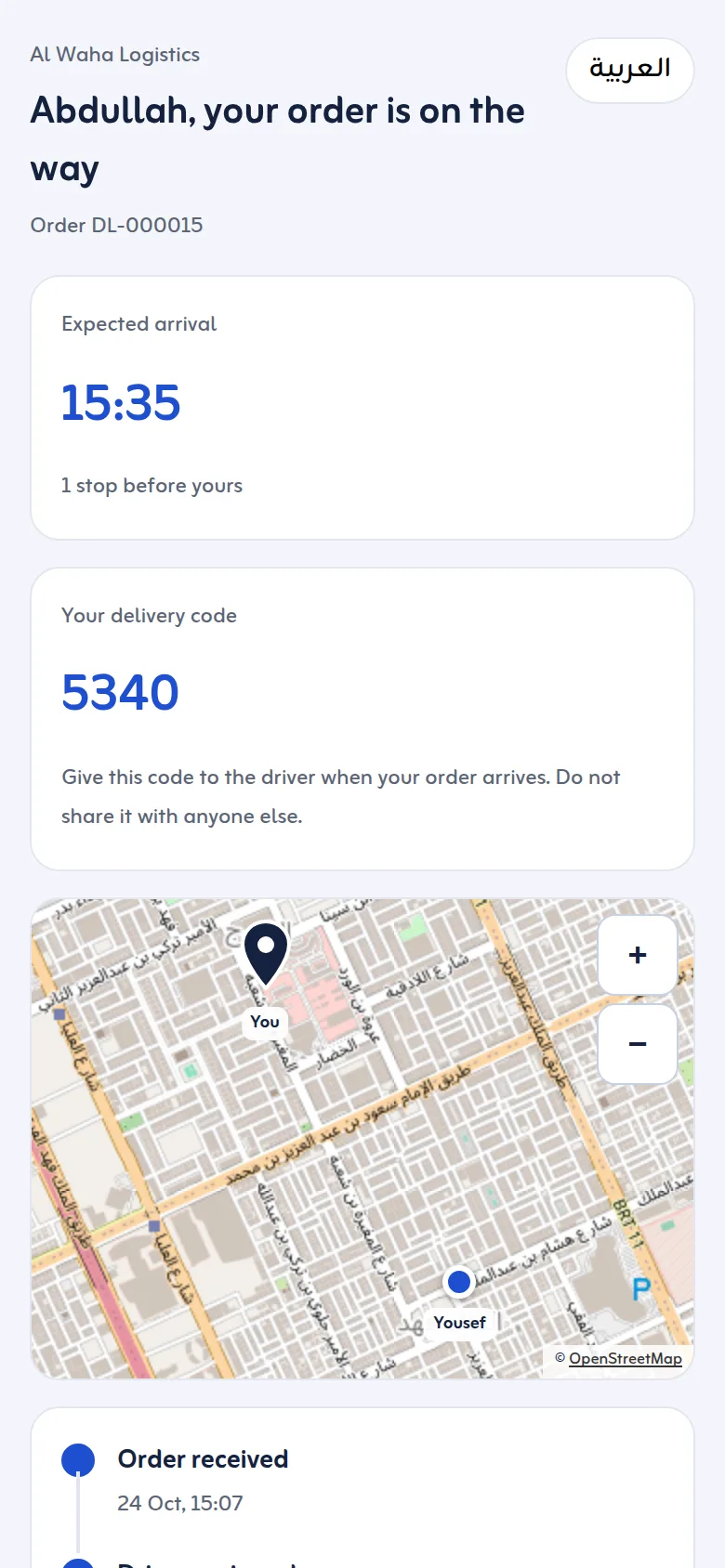
The link opens a page in the customer's language, on any phone, without signing in. It shows the status in plain words ("your order is on the way"), the delivery day and area, the cash to pay on delivery if any, and the delivery code to give the driver. While the driver is on the way it also shows the expected arrival time, how many stops are before theirs and, when the driver's phone has shared its location in the last 30 minutes, the driver on a map. The customer can call the driver or the business. After delivery the page shows the proof; 30 days later the photo, signature and driver are no longer shown.
Emails that carry the link
If you switch them on in Settings, customers get an email when the office starts the trip (with the delivery code) and when the delivery is made or fails, with the reason in plain words. Emails go in Arabic or English, as you choose. Your team can also get an email whenever a delivery fails. On the Growth and Business plans the tracking page carries your business only, without Tafsee branding.
For your sender: a sender link
Freight forwarders, agents and suppliers often ask "has my shipment arrived, and has it gone out?". Give each sender their own link: it lists what they sent in the last 90 days with the date received, the packages and the status, and updates by itself.
An order tracking page and shipment tracking system for your own deliveries
Tafsee Logistics is the order tracking system, shipment tracking system and parcel tracking system for the goods your own drivers deliver. Each delivery has its own reference and its own tracking link, so the customer does not have to type a tracking number: the order tracking page shows the shipment status as the driver works. For goods still in your warehouse, the shipment tracking page lets customers look them up by the number on their paperwork. A courier company can use it as its courier tracking system for its own parcels. It does not look up parcels carried by other courier companies, and it is not a vehicle tracking system.
Customers can look up goods still in the warehouse
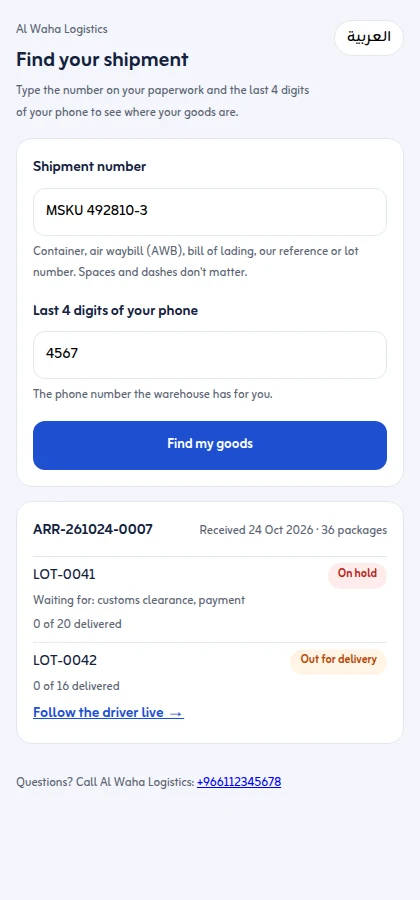
Switch on the customer shipment lookup page in Settings and customers type any number on their paperwork (container, air waybill, bill of lading, your arrival reference, supplier reference or lot number) with the last 4 digits of their phone. They see each lot: in the warehouse, on hold and waiting for what, cleared and ready to deliver, out for delivery with a Follow the driver live link, or delivered.
Track the delivery driver
Your office follows each stop as the driver marks it: arrived, delivered, partly delivered or failed, with the proof. While a trip is under way the driver's phone shares its location, and the customer's tracking page shows the driver on a map when that location is less than 30 minutes old.
Asking for a delivery location pin (WhatsApp, SMS or email)
When an address has no map pin, send the customer a one-time pin link from your own phone. They place the pin and the driver sees it on the stop.
