
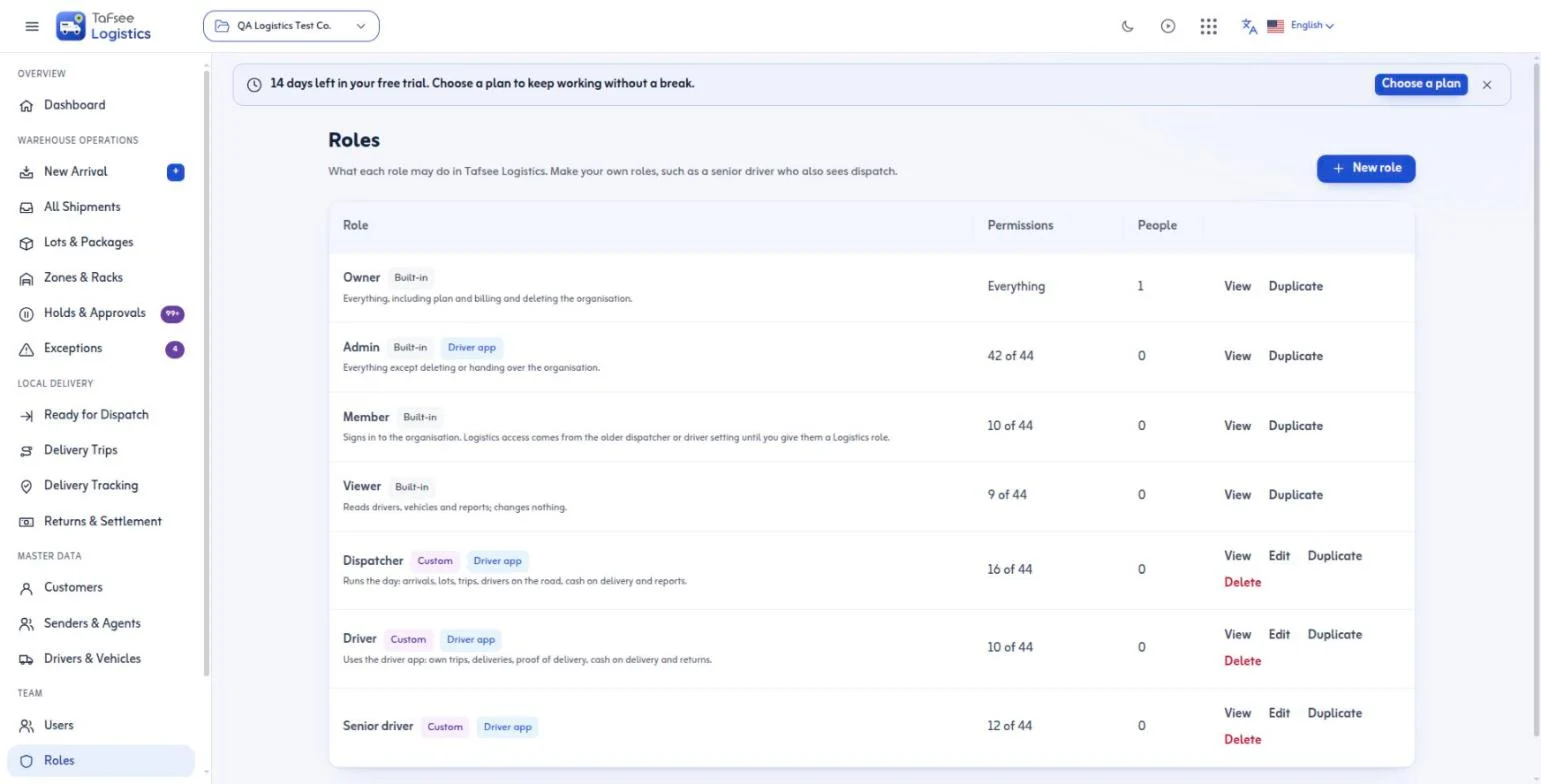
Two pages in the left pane
Team › Users lists everyone who signs in to Tafsee Logistics in your organisation, with their role. Invite someone by email and pick their role; they get an email and a joining link you can also share yourself. Change a person's role from the same list, or remove them from Logistics without touching the other Tafsee apps they use.
Team › Roles lists every role with how many people hold it and how many permissions it grants. Open a role to see exactly what it may do, duplicate it to start a new one, or edit and delete the roles you made.
The roles you start with
- Owner and Admin may do everything (only the owner can delete or hand over the organisation).
- Dispatcher runs the day: arrivals, lots, trips, drivers on the road, cash on delivery and reports.
- Driver uses the driver app: their own trips, deliveries, proof of delivery, cash at the door and returns.
- Viewer reads drivers, vehicles and reports and changes nothing.
Dispatcher and Driver are ordinary roles: change them to fit how you work.
Make your own role
Pick New role, give it a name (and an Arabic name if you like), and tick what it may do. The checklist is grouped the way the work is: warehouse & orders, dispatch & fleet, cash on delivery, driver app, and reports, settings & API. Start from an existing role to save time. A senior driver, for example, is the Driver role plus dispatch and reading the fleet.
Separate permissions for drivers
Using the driver app, collecting cash on delivery and recording a failed delivery or return are three separate permissions. A new driver can deliver prepaid orders only until you trust them with cash; the app then asks them to call the office instead.
The same roles as Tafsee Books
Roles belong to your organisation, so the way you manage them is the same in Tafsee Books and Tafsee Logistics. Stock write-offs, disposals and overrides have their own permission, Adjust stock, so you can give it to a warehouse lead without making them an admin.