

The daily problems of furniture and appliance delivery
Furniture and appliances are heavy, bulky and easy to damage. One order may be several packages. A van that looks half empty may already be full by volume. A customer who is not at home cannot simply have a parcel left at the door. And when a corner is scratched, everyone asks whether it happened in the warehouse, on the road or at the customer's.
How the workflow in Tafsee Logistics handles it
1. Photograph and label on arrival
In New Arrival record the weight in kg and the volume in CBM if you have them, and attach up to five photos of the goods on receipt. A sofa that arrives with a torn wrapping is then on record before it enters your warehouse. The app creates a lot number and one barcode per package, so a six-box bedroom set has six barcodes and you can see which box is missing.
2. Store it where it fits
Racks can have a capacity in packages, and zones such as A, COLD or YARD describe where large items sit. Move a lot by scanning the rack code. See zones and racks.
3. Choose the right vehicle
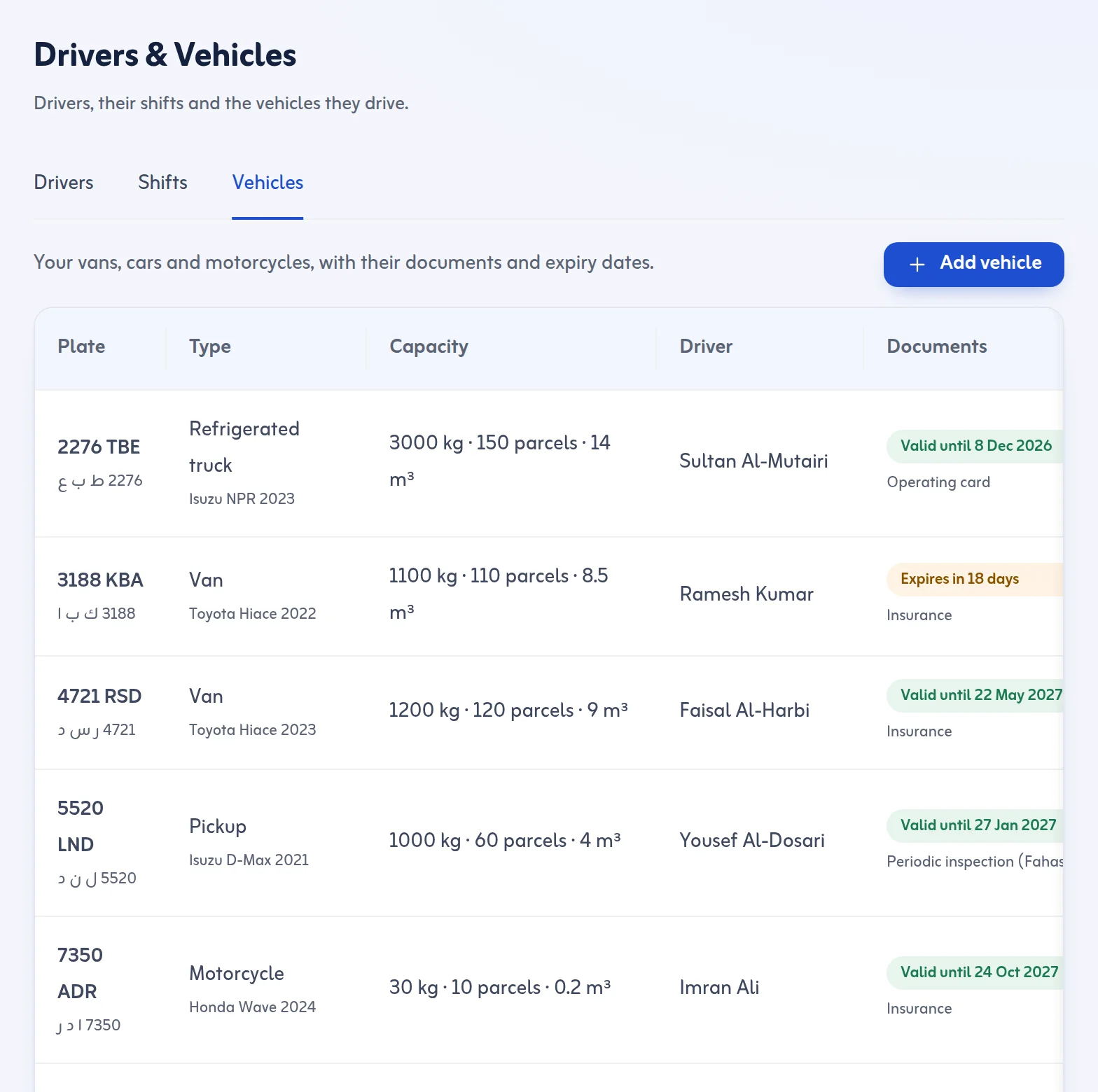
Vehicles have a type (motorcycle, car, van, pickup, truck or refrigerated truck) and a capacity in packages, kg and m³. A delivery trip is checked against that capacity: a warning above 90 %, and a block above 100 % unless a reason is given. The Ready for Dispatch screen shows the packages, weight and CBM of what you selected before you create the trip.
4. Load by scan
Scan every package onto the van. The trip starts when every package is scanned or the missing ones are taken off, and the driver accepts the boxes in the driver app before any stop can be finished.
5. Deliver in parts when you must
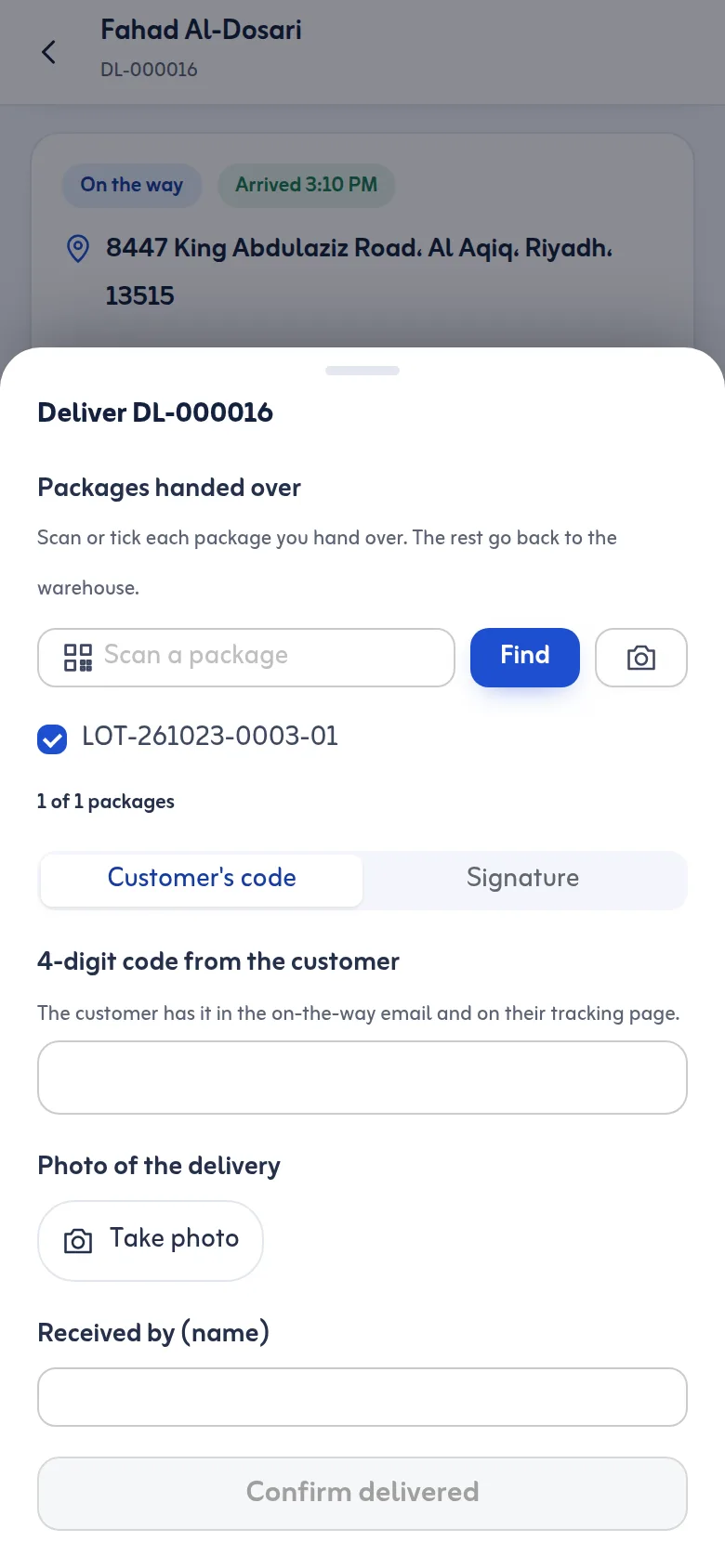
If a customer's goods come in several packages and only some can be delivered now, the driver ticks or scans the packages handed over. The rest go back to the warehouse and stay in Returns & Settlement until you try again. The stop shows as partly delivered.
6. Signature and photos at handover
Proof of delivery is the customer's 4-digit code or the customer's signature on the driver's phone, plus a photo that Settings can make optional or required. The received-by name is recorded. Take a photo of the goods at the door so the condition on delivery is on record. See proof of delivery.
7. Damaged goods and returns
Failed and returned goods are checked in by scan. Returned lots must be inspected as good or damaged, and damaged ones open a case, before they go out again. A package is always in exactly one state: in the warehouse, on a trip, delivered, or returned.
Cash and charges
If the customer pays at the door, set the cash to collect for that stop and count it after the trip. Delivery charges per stop (Standard, Express or Immediate) can be set in Settings. See cash on delivery.
What it does not do
Tafsee Logistics does not schedule assembly, does not plan stairs or lifts, and does not issue invoices. It is the warehouse and delivery record. See the couriers page, what is proof of delivery and the pricing page.
As furniture delivery software and appliance delivery software it handles the hard parts: weight and volume per van, partial deliveries, signatures and photos at the door.
