

The daily problems of a forwarder's warehouse
A freight forwarder receives goods that belong to many customers, arriving in many ways: a container from the port, air cargo, a truck from another city, or an agent dropping boxes at the door. Each arrival has its own references and paperwork. Some goods can leave at once. Others must wait for documents, payment or customs steps.
The usual pain points are familiar: goods that arrive with nobody sure whose they are, a lot that was shelved and then could not be found, a customer calling every day to ask when their goods can be collected or delivered, and no clear list of what is on hold and why.
How the workflow in Tafsee Logistics handles it
1. Record the arrival at the door
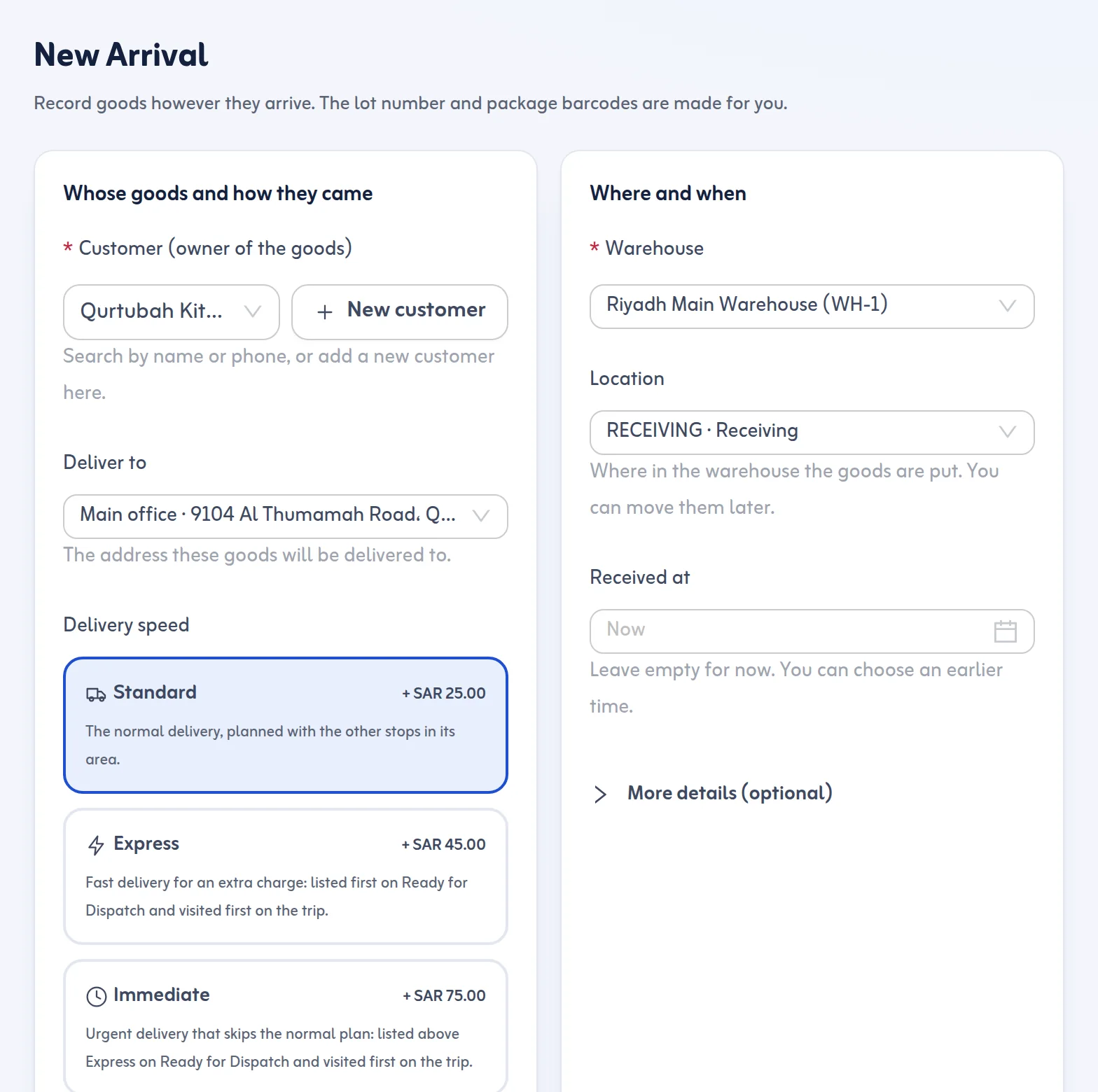
In New Arrival you pick or create the sender or agent and the customer who owns the goods, choose how the cargo arrived, enter the number of packages and choose the warehouse. The container number, bill of lading, air waybill, truck plate and driver, weight, volume, description, rack, up to five photos and a delivery address are optional. If the same container number or bill of lading was received in the last 30 days, you get a duplicate warning.
2. Label every package
On saving, the app creates the lot number and one barcode per package, ready to print on A4 sheets or 100 × 50 mm thermal labels. Scanning a package later opens its lot at once, so nobody searches by memory. If a customer's boxes need to be separated, a lot can be split into a new lot for the same customer and the packages keep their printed barcodes. Lots of the same customer in the same warehouse can be merged.
3. Hold what must not leave yet
Holds and approvals let you place holds of type customs, documents, payment, delivery or other, each with a reason. A lot can carry several holds, and it can only be dispatched when all are released and the lot is approved. Releasing needs a note and records who and when. You can also set an automatic customs hold for sea and air arrivals.
4. Know where everything is
Warehouses are divided into zones and racks, and each lot shows the rack it sits on and its age in storage. A stock count mode helps you check a rack by scanning the packages and shows what is missing or unexpected.
5. Deliver to the customer's door
When goods are approved and free of holds they appear in Ready for Dispatch, grouped by district with suggested trips. You plan a delivery trip with a driver and vehicle, the packages are scanned onto the van, the driver accepts them in the driver app and each delivery is finished with the customer's 4-digit code or a signature, plus a photo if you require one.
What it does not do
Tafsee Logistics is your warehouse and delivery record. It does not file customs declarations and does not connect to customs systems, so your clearance agent continues to work as before. It also does not do accounting or invoicing.
Reports for the office
Reports show arrivals by day, method, sender and customer, stock by age and rack, holds placed and released with the average hours on hold, and delivery results. Together with the dashboard's Needs attention list, they show which holds are oldest and which approved lots have not gone out.
See the Tafsee Logistics overview and the help article on recording a new arrival.
Freight forwarder software for Saudi Arabia, from the warehouse side
As freight forwarder software in Saudi Arabia it covers the warehouse part of the job: cargo management software for what arrives by sea, air or truck. It works as air cargo warehouse software (AWB with check digit) and freight forwarding warehouse software for the goods you hold. It is not sea freight consolidation software for booking containers, and it does not file customs declarations.
