

The best Ramadan marketing ideas follow the rhythm of the month instead of fighting it: quiet days, busy evenings, gifting that builds week by week, and a rush before Eid. On your own website, the tools for this are small ones. A Ramadan sale banner, a countdown timer, a sign-up popup and an Eid offer, each scheduled for the stage it suits. This guide gives a plan, 15 campaigns and the setup steps.
One note on dates. Ramadan and Eid follow the lunar calendar and move about eleven days earlier each year, and the start is confirmed by moon sighting. So this plan is written in stages, and you set the real dates in the schedule once they are announced in your country.
A stage-by-stage plan
- Two weeks before Ramadan: collect emails and phone numbers for early access to your offers. This is the list you will rely on all month.
- First days: a calm welcome. A greeting, your Ramadan collection and your delivery times.
- Middle of the month: offers shown in the evening hours, when your visitors really browse.
- Last ten nights: Eid gifts, and a countdown to the last order date for delivery before Eid.
- Eid and the days after: Eid offers for new visitors, a thank-you for customers.
Ramadan marketing ideas for the month
- Early-access sign-up. A simple email popup before the month starts: be first to see the Ramadan offers.
- A Ramadan sale banner. A floating bar across the top with one line and one link. It stays visible without covering anything, which suits a month when people browse on a phone late at night.
- Evening-only offers. Show a campaign only on chosen days and hours, for example from after iftar until suhoor, in your own timezone.
- A gift guide by budget. Three buttons (under 100, under 250, above) that lead to three collections.
- A free-delivery line. If you offer free delivery above an order value, say so in a bar on every page. See the free shipping bar.
- A gift quiz. Who is the gift for, and what is the budget. The answer links to a product.
- A WhatsApp button for gift help. Useful for perfume, abayas and anything where shoppers want to ask before buying.
- An exit offer on the cart. A last reminder of delivery times or a small code. See exit popups on desktop and mobile.
Eid marketing ideas for the last ten nights and after
- A Ramadan countdown timer to the delivery cut-off. Use the fixed-date mode so it ends for everyone at the same moment: order by this time for delivery before Eid. This is the most useful countdown of the season because it is true.
- A different message after the cut-off. Once the date passes, switch to gift cards, digital products or store pickup if you have them.
- An Eid prize wheel. A spin-to-win wheel with modest prizes that can all really be won. Read how to run a wheel honestly first.
- Eidiya for customers. A thank-you code shown only to visitors who have ordered before.
- An Eid sale bar. Replace the Ramadan banner with the Eid one on the first day of Eid, scheduled in advance.
- A post-Eid sign-up. Invite Eid visitors to join your list for the next season, such as White Friday.
- Arabic and English versions. A popup says what you type; it is not translated for you. Make one campaign per language and show each by the visitor's browser language or by page address.
Respect the month
This matters more than any tactic.
- Keep the tone calm. A greeting and a clear offer. Loud urgency sits badly in Ramadan.
- Use real deadlines only. If the offer still works after the timer reaches zero, visitors stop believing your next one.
- One message per page. A bar and a popup can show together, two popups cannot, and neither should be on every page.
- Stop after a sign-up. Nobody who joined in the first week should be asked again in the third.
- Do not guess the hours. The Insights tab in Analytics has a chart called When visitors sign up, by day and hour. Read it after the first week and move your evening window to match.
How to schedule Ramadan and Eid campaigns in Tafsee Popup
- On the Templates page, use the Season filter to find Ramadan and Eid designs, and the Language filter for Arabic ones.
- Edit the words and colours. For a countdown, click the timer, set Countdown mode to Fixed date and fill in Ends at. See the countdown timer article.
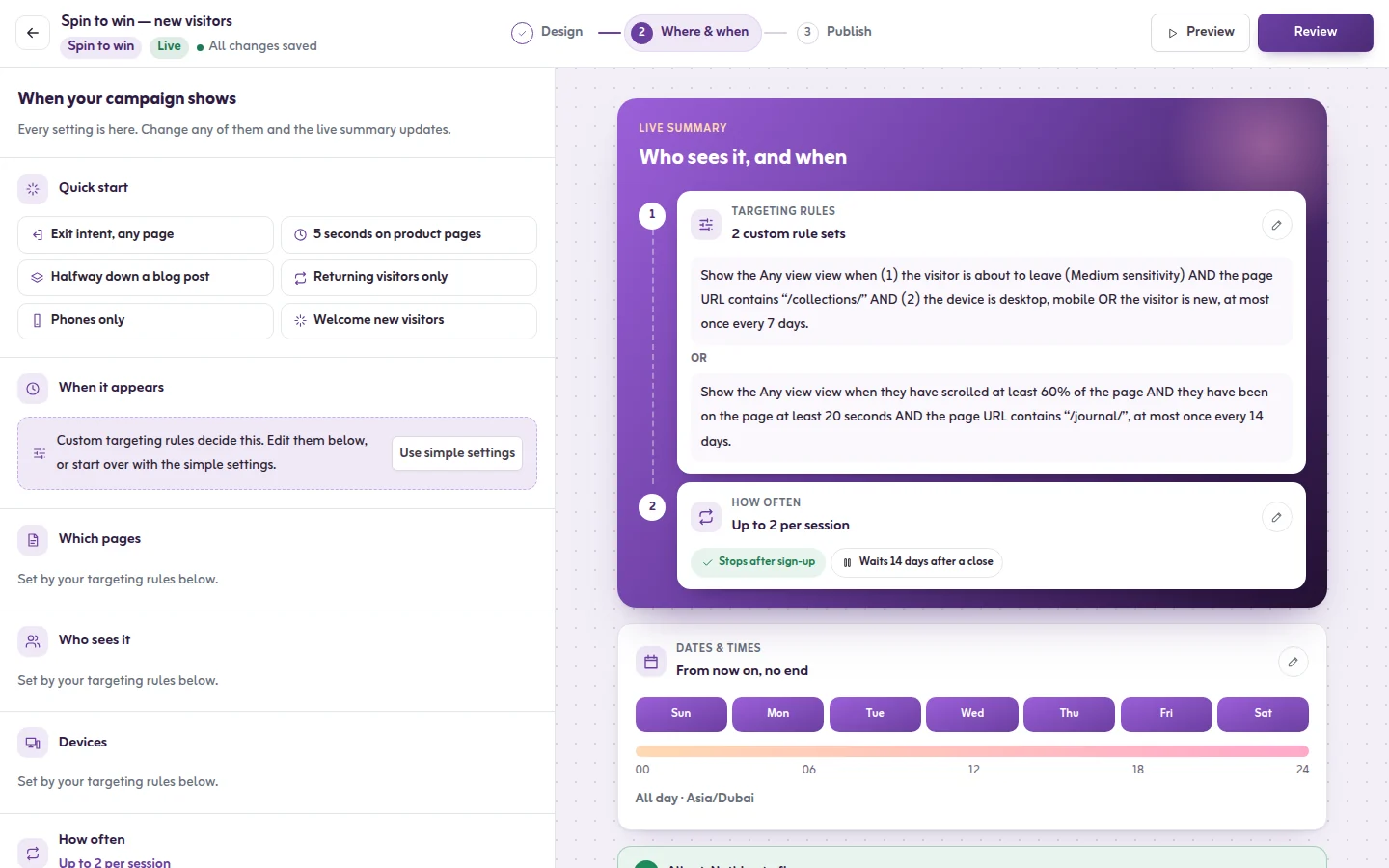
- In Where & when, open Dates & times and set Starts and Ends. For evening offers, also pick Days of the week and Hours of the day, and check the Timezone.
- Publish. A campaign with a start date in the future is marked Scheduled and starts by itself. Details are in the schedule article.
Two things to plan around. A fixed-date countdown does not stop the campaign when it reaches zero, so give the campaign an end date as well. And the Free plan runs 3 live campaigns at a time, so a full month with bars, popups and two languages usually needs a paid plan; these start at $9 a month with a 14-day trial. See pricing.
For the product side of each season, see the Ramadan offers and Eid offers pages, or try the free countdown timer tool.
Frequently asked questions
About two weeks before the month, with an early-access sign-up, so you have a list to write to when the offers open. Build and schedule the rest of the campaigns in the same sitting, then set the real dates once the start of Ramadan is announced.
Create a floating bar campaign, write one line and one link, and give it a start and end date. It works on Salla, Zid, Shopify, WordPress and any site where you can paste the Tafsee snippet; there is no plugin or store app to install.
Yes. Set the countdown to Fixed date and choose when it ends. The other mode, Evergreen, restarts for each visitor and suits a welcome offer, not a real deadline such as the Eid delivery cut-off.
Yes. In Dates & times pick the days of the week and the hours of the day, in the timezone you choose. Check the hours against your own analytics after the first week, because every store's evening is a little different.
