

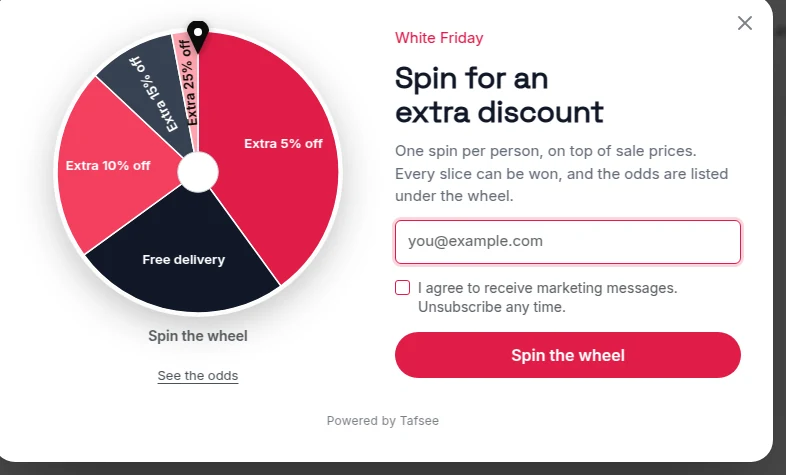
A spin the wheel popup asks for an email address or phone number and lets the visitor spin for a prize. Done honestly, it is a sign-up form people enjoy. Done badly, it is a wheel that always lands on the smallest prize and hands out a code the checkout rejects, and shoppers notice both. This guide covers the honest version: real prizes, odds you can show, and codes that work.
Start with the maths, not the wheel
Before choosing colours, decide what a spin costs you. Every slice is a promise, so list only prizes you would be content to give on any order.
- Keep the spread narrow. For example 5%, 10% and 15% off, free delivery and one small gift. A 50% slice that is set never to come up is a lie printed on a wheel.
- Work out the average. If most spins land on 10%, your real cost is close to a plain 10% welcome code. Compare the wheel with that, not with zero.
- Think twice about 'no prize' slices. A visitor who gave you their email and won nothing has a reason to distrust the next message you send.
In Tafsee Popup, the Discount range tool does this for you: set Lowest, Highest and Slices, click Fill the wheel with this range, and the summary under it says what a spin gives on average and how often the biggest discount comes up.
Set odds you would be happy to show
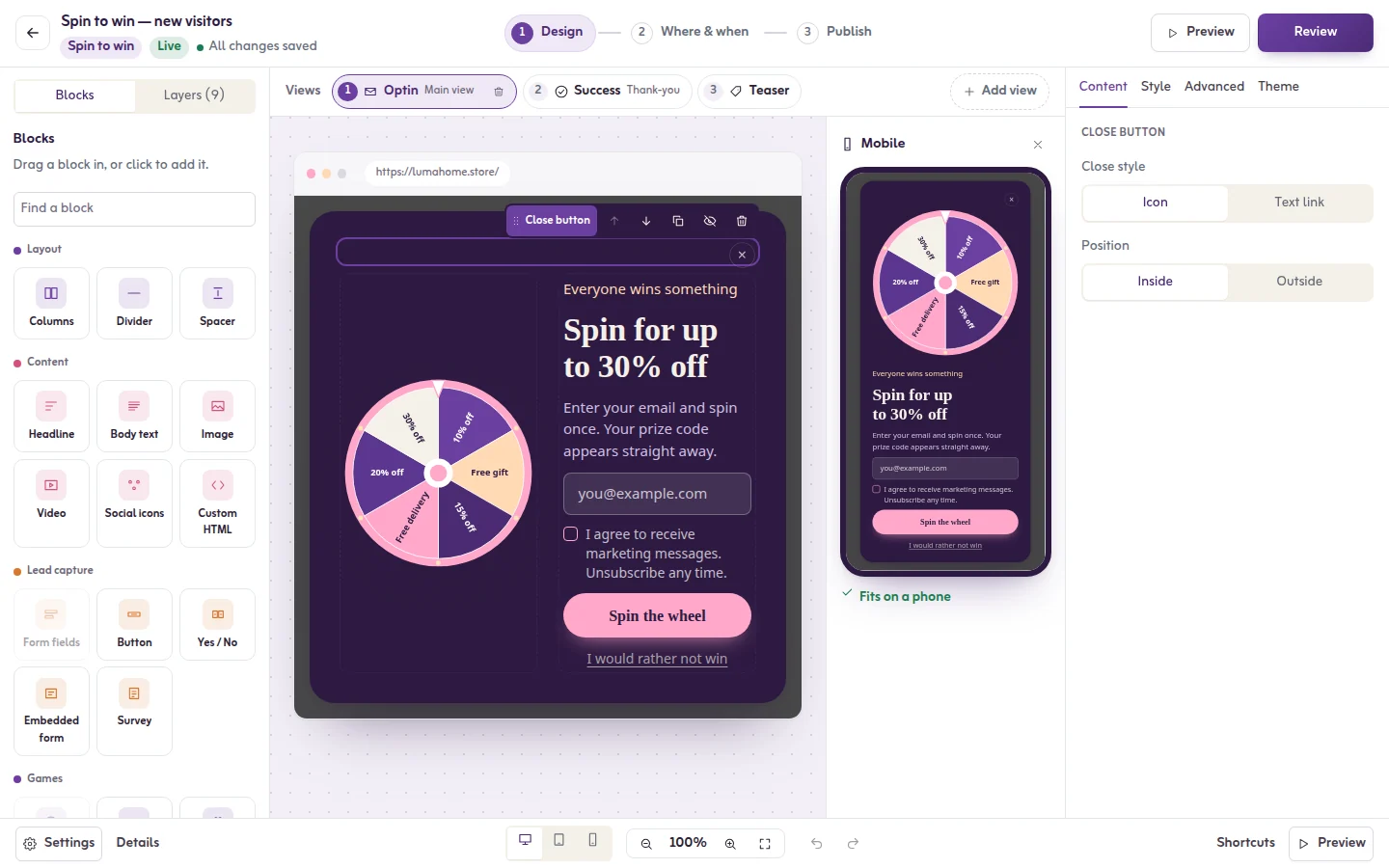
Each prize has a weight, and its chance is its weight out of the total of all weights. Give 10% off a weight of 5 and a free gift a weight of 1, and with nothing else on the wheel the gift comes up one spin in six. The editor shows each slice's share as you type.
Three things in the app keep the wheel fair:
- The prize follows the odds you set. It is decided by the chances, never by where the wheel happens to stop. The animation then lands on that slice.
- The editor warns you. If a slice has no chance, it says the prize can never be won. If most spins win nothing, it says that too.
- You can publish the odds. Switch on Show the odds to visitors and a See the odds link appears under the game.
If you would be uncomfortable showing the odds, change the odds. Details are in the spin wheel article.
Spin wheel discount codes that work at checkout
This is where most wheels fail. Tafsee Popup shows the code; your store is what gives the discount. So every code on the wheel must exist in your store first. Under Code for each visitor you choose one of three ways:
- Same code: everyone who lands on that slice gets the code you type, for example SPIN10. Simple, and easy to share on coupon sites.
- Unique code: Tafsee creates a single-use code for every sign-up from a prefix you set, so a leaked code only works once. Your store must accept these codes, so add them to your store's discounts or send them there with an integration.
- From a list: create single-use codes in Salla, Zid or Shopify, then paste or upload them. Each winner gets the next unused code, and no code is given out twice.
Set a Fallback code as well. It is shown if the list runs out, so no winner ever sees an empty coupon. The full walkthrough is in coupons and discount codes, and there are more ideas in discount code ideas for Salla stores.
One spin per visitor, and what that really means
Each visitor gets one spin. The prize is kept in their browser and, once they give an email, on the server, so a reload or a second try shows the same prize. The limit is counted per device, which means a determined person with a second phone can spin again. Single-use codes are what protect your margin, not the spin limit.
Email first, or spin first
Under When visitors play you choose the order:
- Email first, then play: the classic gate. Fewer people play, and everyone who plays is a lead.
- Play first, then email to claim: the visitor sees what they won and gives an email to receive the code. The code appears only after the email arrives.
Neither is right for every store. If your plan includes A/B testing (Growth and above), run both and read the result; see A/B testing popups.
When a wheel is the wrong choice
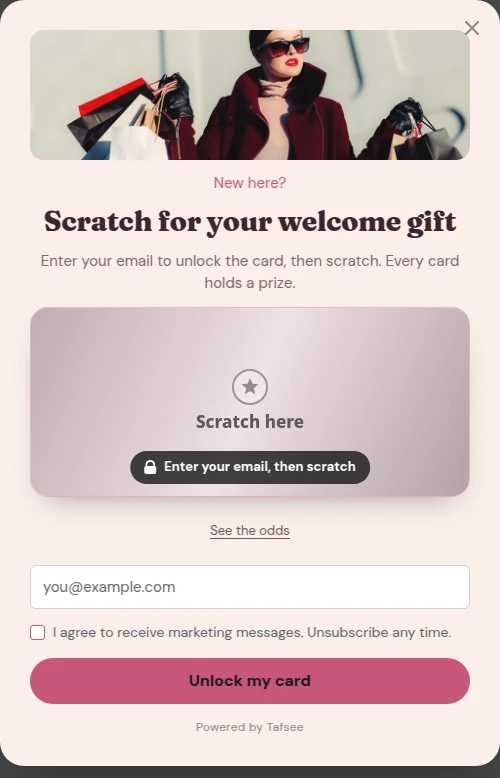
- Premium or quiet brands. A wheel can cheapen a store that sells on restraint. A plain email popup or a scratch card is calmer.
- Stores that rarely discount. If you never run offers, do not start with a wheel.
- Returning customers. Show it to new visitors and stop once they sign up.
- Markets with rules on prize promotions. Some countries regulate games of chance and promotional draws. Check what applies to you; the wheel does not make that decision for you.
How to set up a spin wheel popup in Tafsee Popup
- Click New campaign, choose Spin to win under Gamified, and pick a template.
- Click the wheel. Under Prizes, set each slice's words, colour, weight and code, or fill it from a discount range.
- Switch on Show the odds to visitors and choose the order under When visitors play.
- On the thank-you page, write {prize} in the headline to show what the visitor won.
- In Where & when, show it to new visitors, once a week at most, and stop after a sign-up.
- Publish, then spin it yourself and try the code at your own checkout.
Games are on every plan, including the Free plan. You can try a wheel without an account in the free spin the wheel tool, or read more on the spin-to-win page.
Frequently asked questions
Put only prizes you will honour on the wheel, give every slice a real chance, and show the odds. In Tafsee Popup the prize is decided by the weights you set, the editor warns when a slice can never be won, and a See the odds link can be shown under the wheel.
Tafsee Popup shows the code; your store gives the discount. Create the codes in Salla, Zid, Shopify or your own platform first, then type one code, upload a list of single-use codes, or use unique codes that your store is set to accept.
Not on the same device: the prize is fixed once decided, so a reload shows the same prize. The limit is per device, so use single-use codes if you need to stop one person claiming twice.
Yes. Write the slices and texts in Arabic, set the text direction to right to left and choose an Arabic font pair. The template gallery has a language filter for Arabic designs.
