

The quickest way to grow your email list is to ask the visitors you already have, at a sensible moment, with a reason to say yes. A popup does exactly that. This guide shows how to grow an email list with popups in six steps: what to offer, when to ask, how short the form should be, and where the addresses should go afterwards.
Why a popup is still how to collect emails on a website
A sign-up form in the footer is seen by the few people who scroll that far and are already looking for it. A popup puts the same question in front of everyone, once. That is the whole advantage, and it is also the risk: asked too early or too often, the same popup annoys people. The steps below are about getting the first without the second.
Step 1: Give people a reason
'Subscribe to our newsletter' is a request. 'Get free delivery on your first order' is an offer. People type an address when they get something specific today: a first-order code, free delivery, a size guide, a checklist, early access to a sale. Our guide to what a lead magnet is has twenty ideas sorted by type of business.
Choose an offer that attracts buyers, not collectors. A large discount fills a list with people who only open emails for the next discount.
Step 2: Ask at a sensible moment
A popup that opens the instant a page loads asks before the visitor knows what you sell. Better moments:
- After a few seconds on a product page.
- Halfway down a blog post, when the reader has shown interest.
- When the visitor is about to leave, covered in what an exit-intent popup is.
- On a second visit, for people who came back.
The reasoning behind each is in when a popup should appear.
Step 3: Keep the form short
Ask for the email address and nothing else, unless you will really use the extra field. A first name is fine if your emails use it. If your customers prefer WhatsApp, ask for a phone number instead with a WhatsApp popup, but remember that a form without an email field cannot feed an email tool.
Add a consent box if you plan to send marketing email, and say in one line what people will receive. The rules differ by country and you are responsible for following the ones that apply to you; a clear tick box is the sensible default. See consent and the privacy line.
Step 4: Do not ask the same person twice
Nothing makes a popup feel like spam faster than showing it to someone who signed up yesterday. Stop the popup once a visitor has signed up, and limit how often everyone else sees it. Once a week is a reasonable start.
Step 5: Send the first email the same day
A list grows in value only if the new subscriber hears from you while they still remember signing up. Connect the popup to your email tool so each address arrives there straight away, and build a welcome email in that tool with the code or the guide you promised.
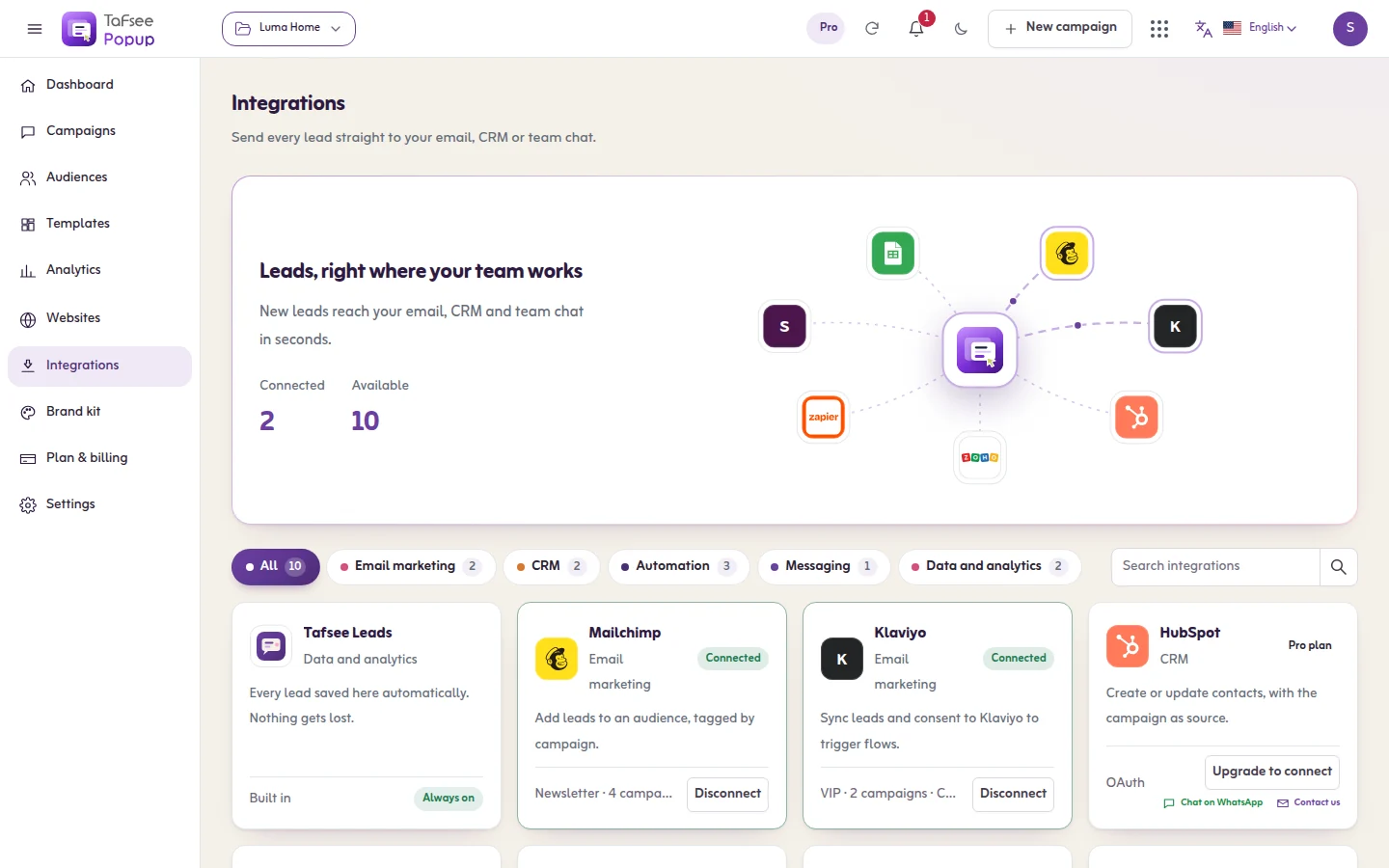
Whether new subscribers must confirm by email (double opt-in) is a setting in the email tool, not in the popup. Decide it there.
Step 6: Measure sign-ups per visitor
Total sign-ups go up whenever traffic goes up, so they tell you little. Watch the rate: sign-ups divided by the times the popup was shown. Then change one thing at a time, starting with the offer. The order to test in is in A/B testing popups: what to test first.
How to get more email subscribers from the same traffic
- Use a different popup per kind of page. A guide on blog posts, a first-order code on product pages, a reminder on the cart.
- Add a quiet second route. A slim bar at the top catches people who closed the popup but come round later.
- Turn the ask into something to do. A quiz or a wheel gives people a reason to finish the form.
- Write for Arabic readers in Arabic. A translated English popup reads as an afterthought.
- Bring in better traffic. No popup rescues visitors who were never going to buy. See these lead generation strategies.
What a list building tool should do
Whether you call it a list building tool or an email capture tool, check five things before you pay for one.
- It lets you choose when and to whom the form appears, not only what it looks like.
- It stops asking people who already signed up.
- It sends each address to the email tool you already use.
- It keeps its own copy of every lead, so nothing is lost if that connection fails.
- It shows the sign-up rate per campaign, not only totals.
What popups will not do
They will not make a weak offer attractive, and they will not replace the emails themselves. A list nobody writes to is just a spreadsheet. And never buy a list: those people did not ask to hear from you.
How to set it up in Tafsee Popup
The free plan covers one website, three live campaigns and 500 leads a month, which is enough to start. Paid plans begin at $9 a month; see pricing.
- Paste the install snippet into your site once. There is no plugin or app to add.
- Pick an email capture design from the 209 templates and write your offer. Add the Consent field to the form.
- On the Where & when step, choose a Quick start such as Welcome new visitors, 5 seconds on product pages or Halfway down a blog post, and switch on Stop once they sign up.
- Open Integrations and connect your email tool. Mailchimp, Klaviyo, Brevo, MailerLite, ActiveCampaign and Kit are supported directly, and Google Sheets works if you do not have one yet. Details are in the email marketing tools guide.
- Publish. New addresses appear under Audiences, where you can search, filter and export them as a CSV file.
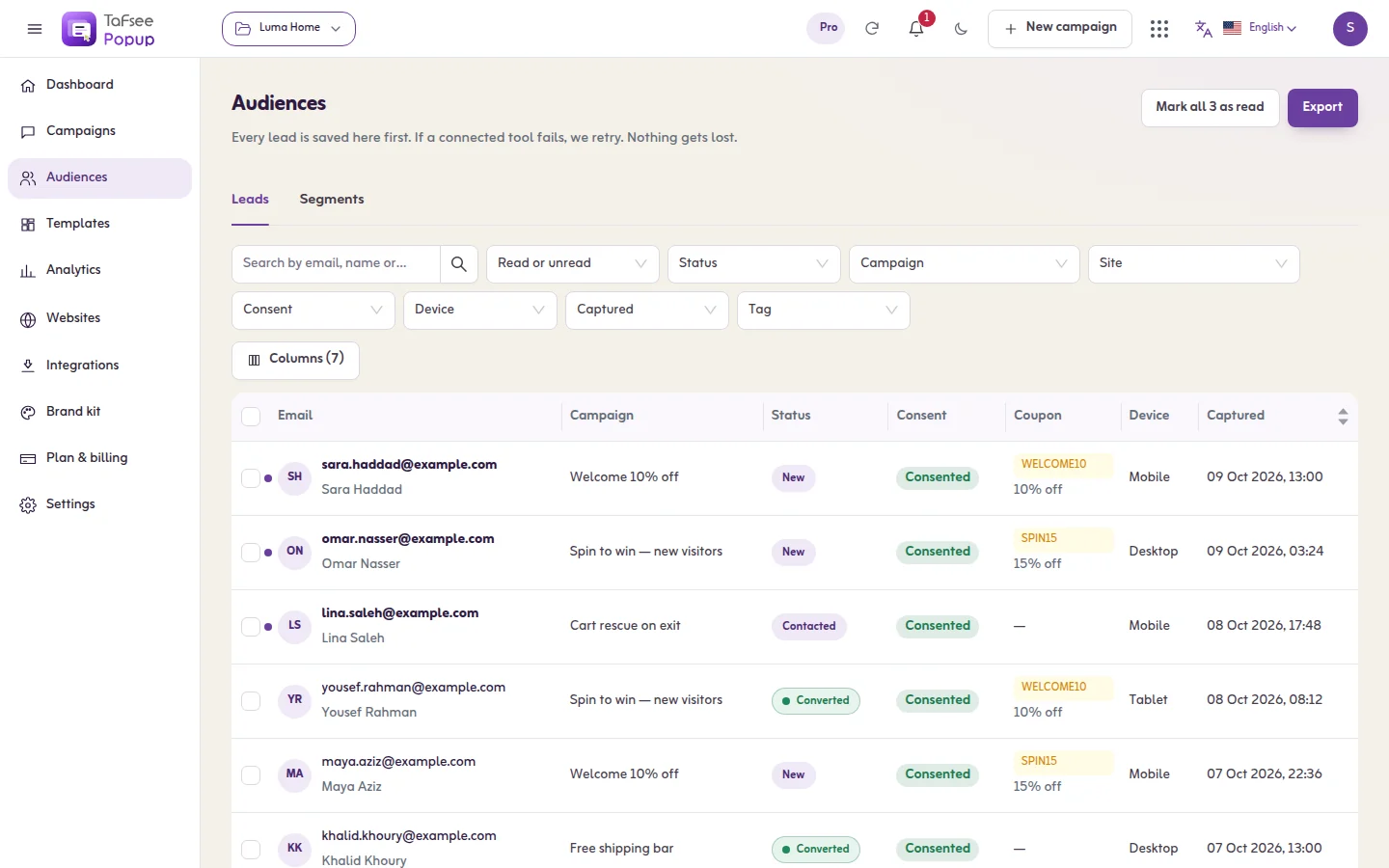
Tafsee Popup collects the address and shows the code on screen. It does not send emails itself: the welcome email and everything after it come from your email tool. For more on the format, see the email popup page.
Frequently asked questions
Put one clear offer in front of the visitors you already have, with a short form, and send a welcome email the same day. One popup on your busiest pages is enough to start.
Wait until the visitor has seen something, ask once, make closing easy, and stop asking people who already signed up. A slim bar or an exit-intent popup is gentler than a popup on arrival.
No. It is the email capture tool: it collects the address, stores it and passes it to your email platform, such as Mailchimp, Klaviyo or Brevo. The emails are written and sent there.
Tafsee Popup has a free plan with one website, three live campaigns and 500 leads a month, including every template and display rule. Paid plans start at $9 a month.
