

What Is a Warehouse Management System (WMS)? A Plain Guide
A warehouse management system tracks every package from the day it arrives to the day it leaves. Here is what a WMS does, who needs one and how to choose.
Tafsee Team · · 5 min read
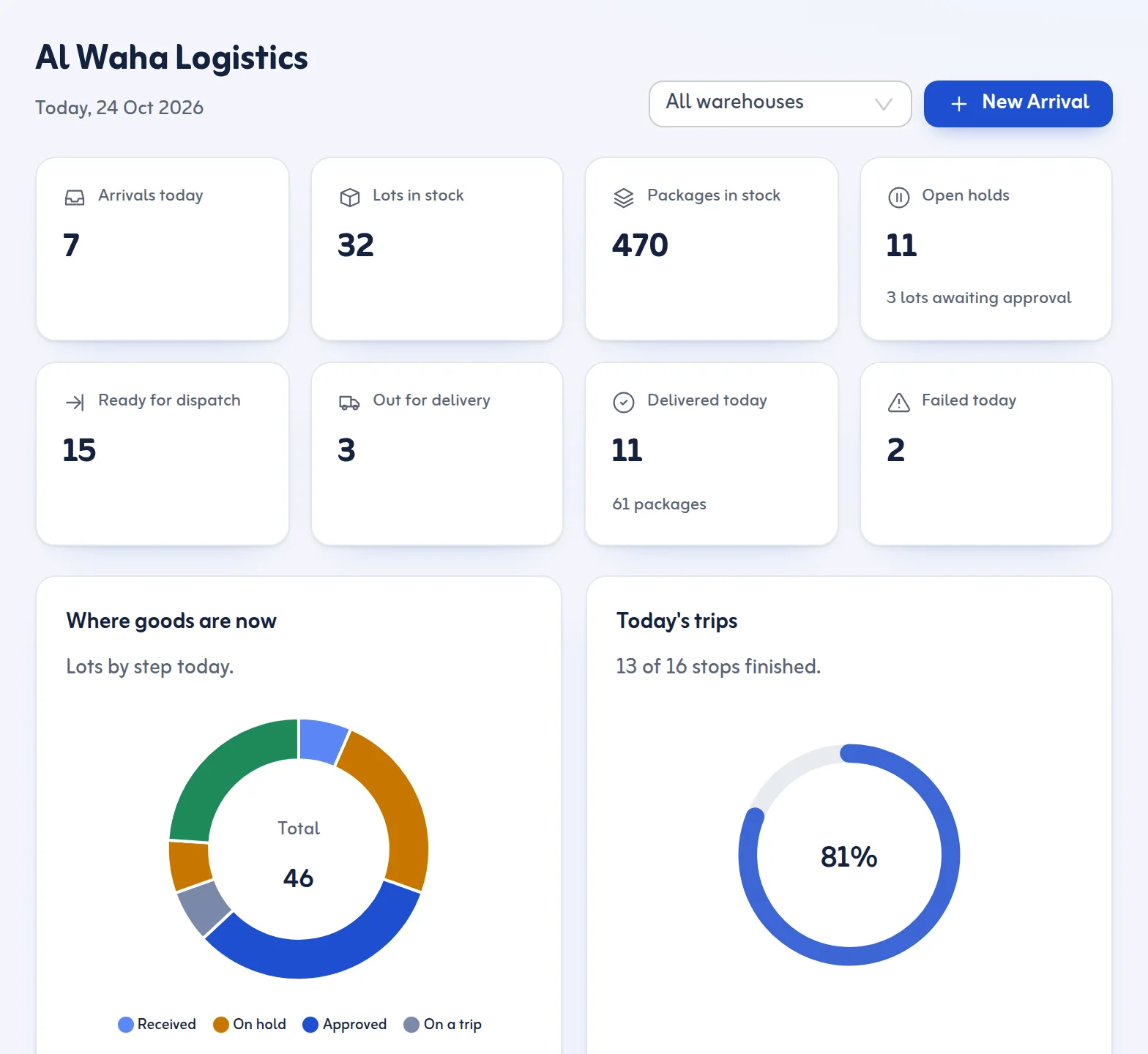
Every warehouse starts the same way: a few shelves, a notebook and a person who remembers where everything is. It works until the day that person is on leave, or the goods double, or a customer calls to ask where their delivery is. A warehouse management system, usually shortened to WMS, is the tool that replaces memory and notebooks with a shared, reliable record.
What is a warehouse management system?
A warehouse management system is software that records what enters a warehouse, where it is stored, who owns it, what state it is in and when it leaves. It answers a handful of questions at any moment: what do we have, whose is it, where is it, can it go out today, and where did it go.
A WMS is not the same as an accounting program. Accounting tracks money. A WMS tracks physical goods: boxes, pallets, containers, racks and the people who move them. Some businesses use both, and each does its own job.
What does a WMS actually do?
The exact features differ between products, but most of the daily work falls into the same areas.
Receiving
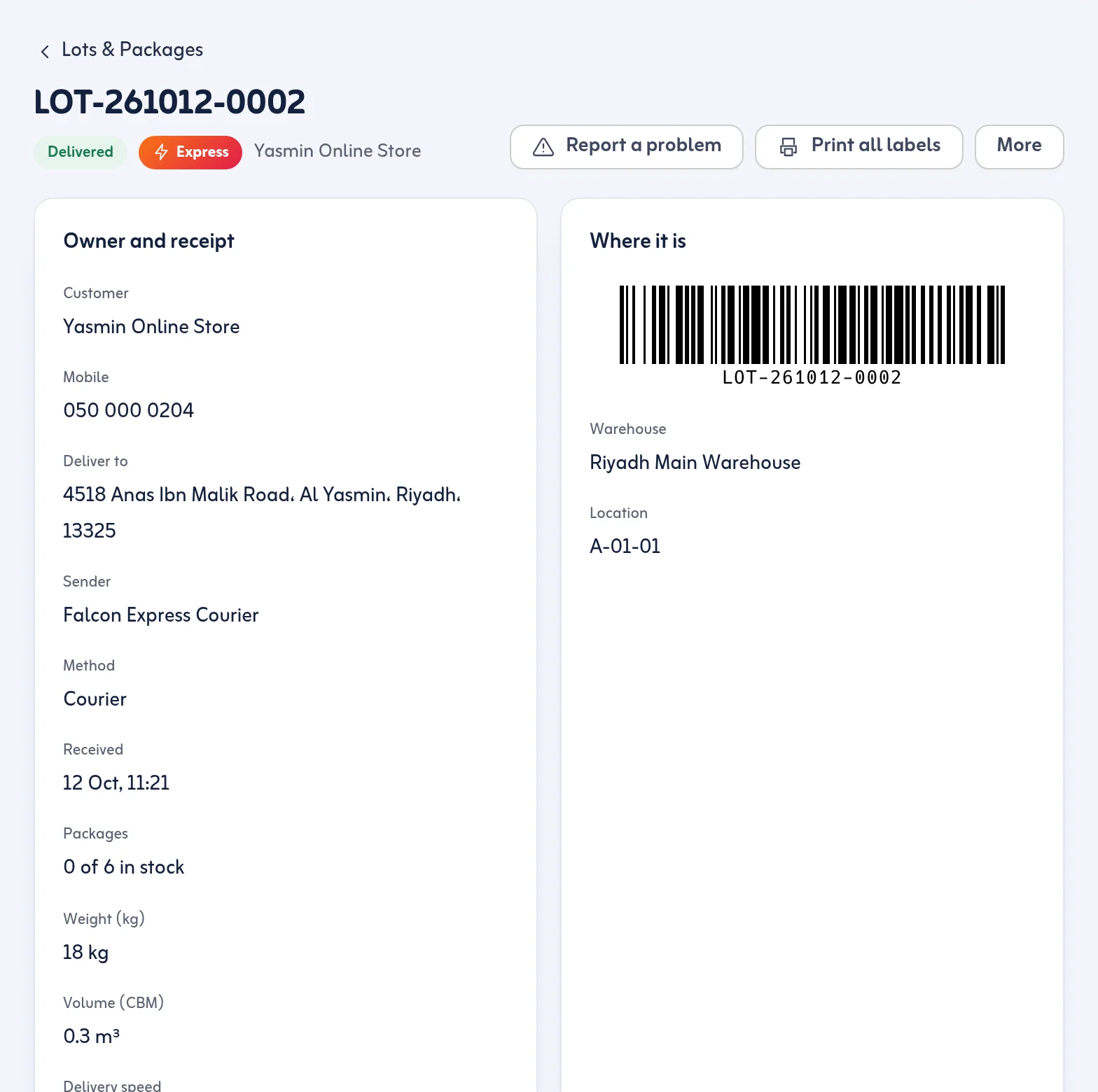
When goods arrive, the system records the sender, the owner of the goods, how they arrived, the number of packages and any reference numbers such as a container number or a waybill. Good receiving at the door prevents most later arguments. We cover it in detail in the warehouse receiving process.
Identification
Each package gets an identity, normally a barcode printed on a label. Scanning the label later is faster and far less error-prone than reading handwriting or typing a long number.
Storage locations
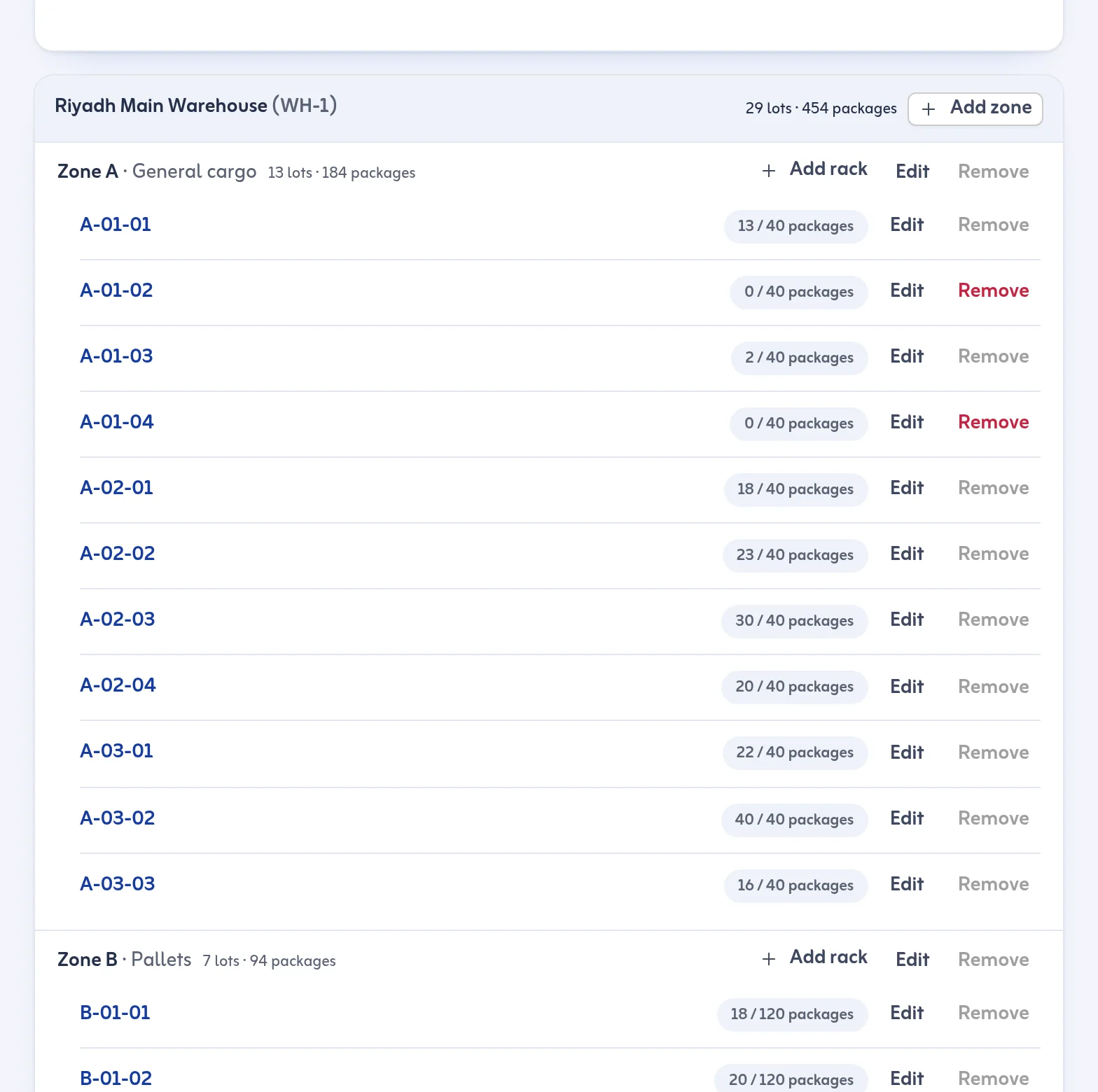
The warehouse is divided into zones and racks or bins, and the system remembers which goods sit where. Finding a lot stops depending on one person's memory. See zones and racks for how this looks in practice.
Stock counts
A count compares what the system says is on a rack with what is physically there and shows what is missing or unexpected. Regular counts keep the record honest.
Holds and approvals
Some goods must not leave yet: they wait for customs paperwork, for a payment or for a manager's approval. A WMS can block release until those conditions are cleared, and record who cleared them.
Dispatch and delivery
Many warehouses also deliver. Then the system needs to group ready goods, plan trips, hand packages to drivers and record the proof that the customer received them.
Reports
Arrivals by day, stock by age, holds by type and delivery success are all by-products of the daily records, if the records were made in the system in the first place.
WMS or spreadsheet?
Many small warehouses begin with a spreadsheet, and that is fine for a while. The problems appear when more than one person edits it, when the same goods change status several times a day, or when you need to know who changed a row last Thursday. A spreadsheet has no barcode scanning, no rule that stops an unapproved lot from being dispatched and no timeline of actions.
A rule of thumb: if you have lost goods, argued about whether something was delivered or spent an afternoon looking for a lot, a WMS will pay for itself in saved time. If you receive a handful of packages a week and one person handles all of them, a spreadsheet may still be enough.
Who needs a WMS?
- Bonded and freight-forwarding warehouses that hold goods for customers while customs and documents are cleared. See bonded warehouse software.
- Third-party logistics (3PL) warehouses that store and deliver goods for several customers. See 3PL software.
- Distributors and wholesalers that receive goods in bulk and deliver them to shops and businesses.
- Online stores that keep stock in their own warehouse and send it to customers.
- Couriers that collect parcels at a depot before delivering them.
How to choose a WMS
Ask these questions before you commit to any product.
- Does it match how your warehouse really works? Walk through one real day: receiving, storing, holding, dispatching. If the software forces a different order, your team will work around it.
- Is it easy enough for the whole team? Warehouse staff are busy and often do not sit at a desk. A simple screen beats a feature list nobody uses.
- Does it support Arabic and right-to-left screens? In Saudi Arabia, part of your team may prefer Arabic. Check that the whole interface and the labels work in both languages.
- Does it work on a phone? Drivers and floor staff often have only a phone.
- Can you print labels and scan barcodes with equipment you already own? A cheap USB scanner is often enough.
- Does it record who did what and when? A timeline for every lot settles disputes quickly.
- Can you start small? Look for a trial and a plan you can grow into, and make sure you can export your data.
A short setup path for a new warehouse
- Write down your warehouses, zones and racks and give each a short code.
- Decide which goods need approval or a hold before they can leave.
- Add your regular customers and senders.
- Record every new arrival as it happens, with a printed label on each package.
- Count one rack a week and compare it with the system.
- Review the reports monthly and fix the biggest cause of delays first.
How Tafsee Logistics fits
Tafsee Logistics is warehouse-to-door software for Saudi businesses that receive goods into a warehouse and deliver them locally. It records each arrival as a lot with one barcode per package, tracks racks and stock counts, handles holds and approvals, and then carries the goods through delivery trips and proof of delivery. It works in Arabic and English, in the browser, and on a phone.
It does not replace your accounting system and it does not connect to customs systems. You can read more on the Tafsee Logistics page, look at the warehouse stock features, or see the plans and 14-day trial.
Questions
Frequently asked questions
WMS stands for warehouse management system: software that records what enters a warehouse, where it is stored, what state it is in and when it leaves.
They overlap. Inventory software focuses on quantities and items. A WMS also tracks locations, holds, approvals and the movement of goods inside and out of the warehouse.
Yes, if the system is simple enough for the team. Small warehouses benefit most when goods are lost, deliveries are disputed or more than one person handles stock.
Yes. The app works in English and Arabic, with right-to-left screens, in light and dark mode, and on a phone.
More articles
Receive your first shipment today
Try everything in Growth free for 14 days, then choose a plan. No card is needed.
- Arabic and English
- Built for Saudi Arabia, in SAR
- Nothing to install

Warehouse & delivery
Tafsee Logistics
Receive goods with a barcode on every package, hold them until they are cleared, then plan delivery trips with proof at every door.