

What Tafsee Logistics does and does not do
Tafsee Logistics is warehouse-to-door software: it receives goods for customers, labels and stores them, controls holds and approvals, plans delivery trips and records proof of delivery and cash handover. It is not an accounting program. It does not write invoices, keep a ledger, calculate storage charges or issue ZATCA e-invoices.
You may have seen it described with the words “logistics ERP”. Tafsee Logistics does not try to be an ERP. It does the warehouse and local delivery part, and leaves the accounts to accounting software.
There is no integration with accounting software
To be direct: Tafsee Logistics does not connect to any accounting software. There is no automatic sync, no connector and no shared customer list. People in Saudi Arabia commonly use accounting products such as Qoyod, Daftra and Wafeq for their books. Tafsee Logistics does not integrate with those products, or with any other accounting product, and nothing on this site should be read as saying it does.
How data leaves Tafsee Logistics: CSV
What you can do is export your data as CSV files, which accounting and spreadsheet tools can open. These lists export to CSV:
- Shipments: every arrival with its references, customer, sender, packages and status
- Lots: each lot with its owner, packages, rack and status
- Holds: open and released holds with type, reason and who released
- Deliveries: each delivery with status, driver and time
- Zones & Racks: the places in your warehouse and what they hold
The report screens also have a CSV export of the same numbers (Arrivals, Stock, Holds, Dispatch and Delivery), and whether the report export is available depends on your plan. See reports.
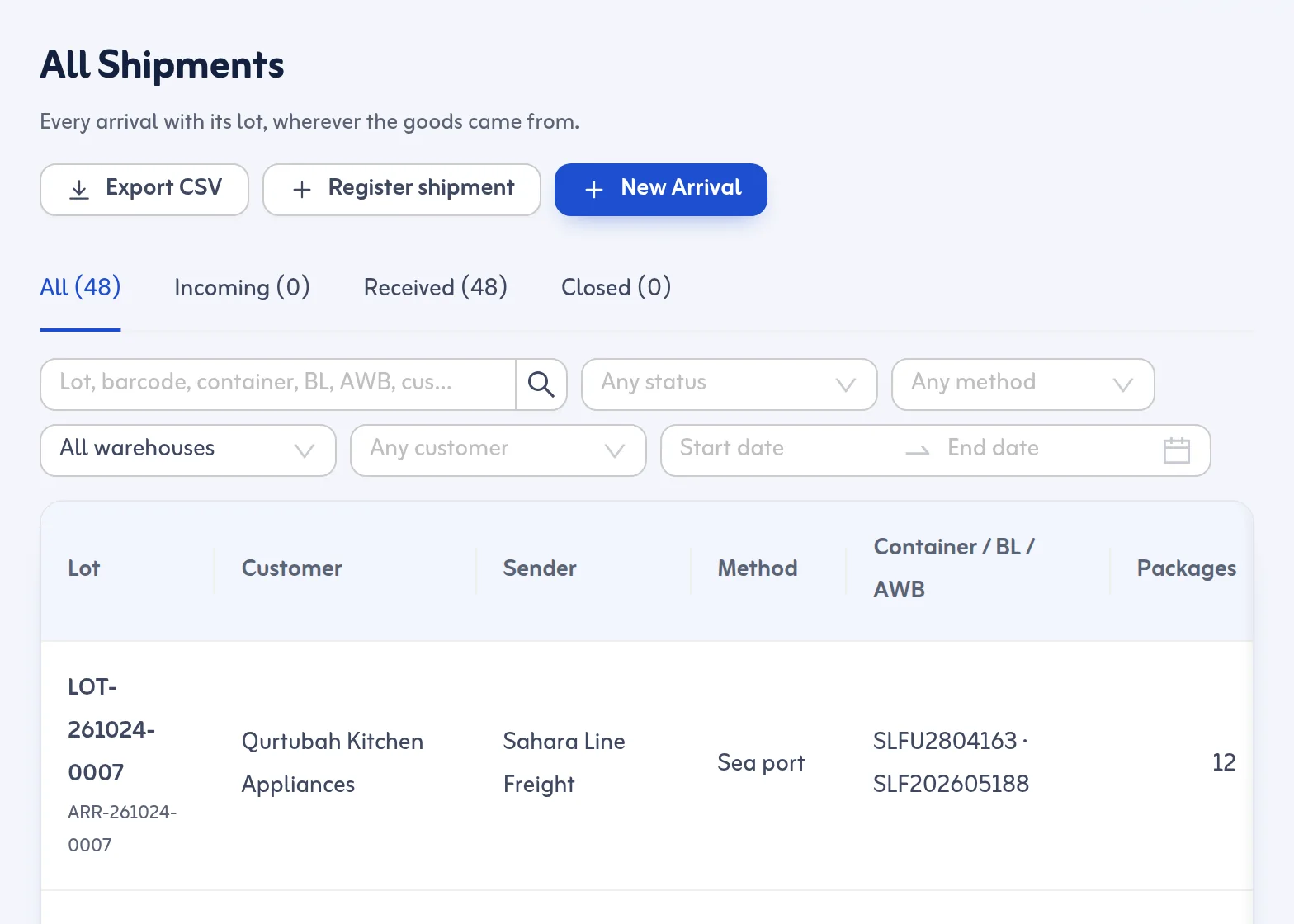
What a finance team can do with those files
The exports give your accountant the facts of the warehouse in a form they can work with. For example, the list of deliveries with their status shows what was delivered in a period; the Stock report shows what is in storage by customer and age; and the Holds report shows what waited and for how long. Your accountant can then use those facts in whatever accounting software you use, in the way your business decides. Tafsee Logistics does not calculate what to charge a customer for storage or delivery, and it does not produce invoices. Those steps happen in your accounting software or by hand.
Delivery charges and cash on delivery
Tafsee Logistics can hold delivery services (Standard, Express and Immediate) with a charge per delivery stop, and it records the cash a driver collects and the cash handed over to the office. It records the movement of cash against deliveries; it does not post it to any ledger. The office can use the cash handover tab to compare expected and counted cash for each driver and trip, then enter the result in the books.
Where Tafsee Books fits
Tafsee also makes Tafsee Books, an accounting product built for Saudi businesses with ZATCA e-invoicing. It is a separate product. If you want one company's software for both, you can use Tafsee Books for the accounts and Tafsee Logistics for the warehouse and delivery, but the two do not exchange data automatically today. Read more about Tafsee Books.
If you are looking for “warehouse and accounts” in one program
Some businesses search for a single program for accounts and warehouses (برنامج حسابات ومخازن). If you need stock, purchasing and invoices in one place, Tafsee Logistics alone is not that. It is for a business whose stock belongs to its customers, such as a 3PL, a bonded warehouse, a freight forwarder or a courier, and that needs strong receiving, storage and delivery. Pair it with accounting software for the books.
A simple way of working
- Run receiving, holds, trips and proof of delivery in Tafsee Logistics.
- At the end of the period, export the Shipments, Deliveries and report lists you need as CSV.
- Hand them to your accountant, who enters or imports the figures in your accounting software.
- Keep the cash handover records as the supporting record for driver cash.
If an integration with accounting software would be useful for your business, tell the team through support@tafsee.com. We will not claim a feature before it exists.
Product names and trademarks belong to their owners; mentioned for identification only.
