

Physical Inventory Count: Cycle Counts, Annual Counts and a Template
How to run a physical inventory count, when to use cycle counts or an annual count, a count template, and how counting by scan compares with an Excel sheet.
Tafsee Team · · 5 min read
Every warehouse has a number in the system and a number on the shelf, and sooner or later they disagree. A physical inventory count is how you find out by how much, and why. Done badly, it closes the warehouse for days and still leaves doubts. Done well, it is a routine that finds small errors before they become large ones. This guide covers the two main approaches, a template you can copy, and how counting by scan compares with an Excel sheet.
What a physical inventory count is
A physical inventory count, sometimes called a stocktake, means counting the goods that are physically in the warehouse and comparing the result with what the records say. The comparison produces three kinds of finding: matches, missing items (the system says it is here, you cannot find it) and unexpected items (you found it, the system does not say it should be here). Each difference needs a reason before it is corrected, because correcting without understanding only hides the cause.
Cycle counts and annual counts
- Annual count (or periodic count). The whole warehouse is counted in one go, often at year end, usually with operations paused. It gives one reliable picture at one moment, which is why finance teams and auditors like it. The cost is the disruption and the pressure: many people counting quickly, many mistakes.
- Cycle count (جرد دوري). A small part of the warehouse is counted every day or week: a few racks, one zone, or one customer's goods. Over the year every area is counted, often the busy ones more than once. Errors are found while they are small and the warehouse keeps working.
Many businesses use both: continuous cycle counts for control, and a lighter annual count for the formal record. If your accounting or audit rules require a particular year-end procedure, confirm it with your accountant or auditor.
How to run a count, step by step
- Decide the scope. Which warehouse, zone or racks, and which date.
- Stop movements in that area. Finish receiving and dispatch for the scope, or count around them with a clear cut-off.
- Prepare the list. Know what the records say should be in each location.
- Count by location. One team, one rack at a time, so nothing is counted twice or skipped.
- Recount differences. A second person recounts every difference before it is accepted.
- Investigate. Check recent movements, misplaced boxes, unlabelled goods and receipts not yet recorded.
- Adjust with a reason. Correct the record and write why.
- Review patterns. The same rack or the same customer appearing again and again points to a process problem.
A simple count template
Copy this into a sheet or print it as a count form:
- Count no.: ______ Date: ______ Warehouse / zone: ______
- Counted by: ______ Checked by: ______
- Location (rack): ______
- Lot or item: ______ Customer: ______
- System quantity: ______ Counted quantity: ______ Difference: ______
- Recount: ______ Reason for difference: ______
- Action: adjust / investigate / none Approved by: ______
Excel versus scanning
An excel inventory template is a fine place to start. It is free, familiar and flexible, and for a small warehouse with a few hundred lines it works. The trouble appears as volume grows: the sheet is typed by hand, so counts contain typing errors; two people open two copies; there is no record of who changed a cell; and the sheet is not connected to the stock itself, so you compare by eye. A warehouse Excel sheet also has no way to tell you that you counted something that should not be there.
Counting by scan removes most of that. Each package has a barcode, so you scan instead of typing, the software knows what should be on the rack, and the differences appear by themselves. A stocktake software or a stock take app of this kind also keeps the history of who counted what and when.
Counting by rack in Tafsee Logistics
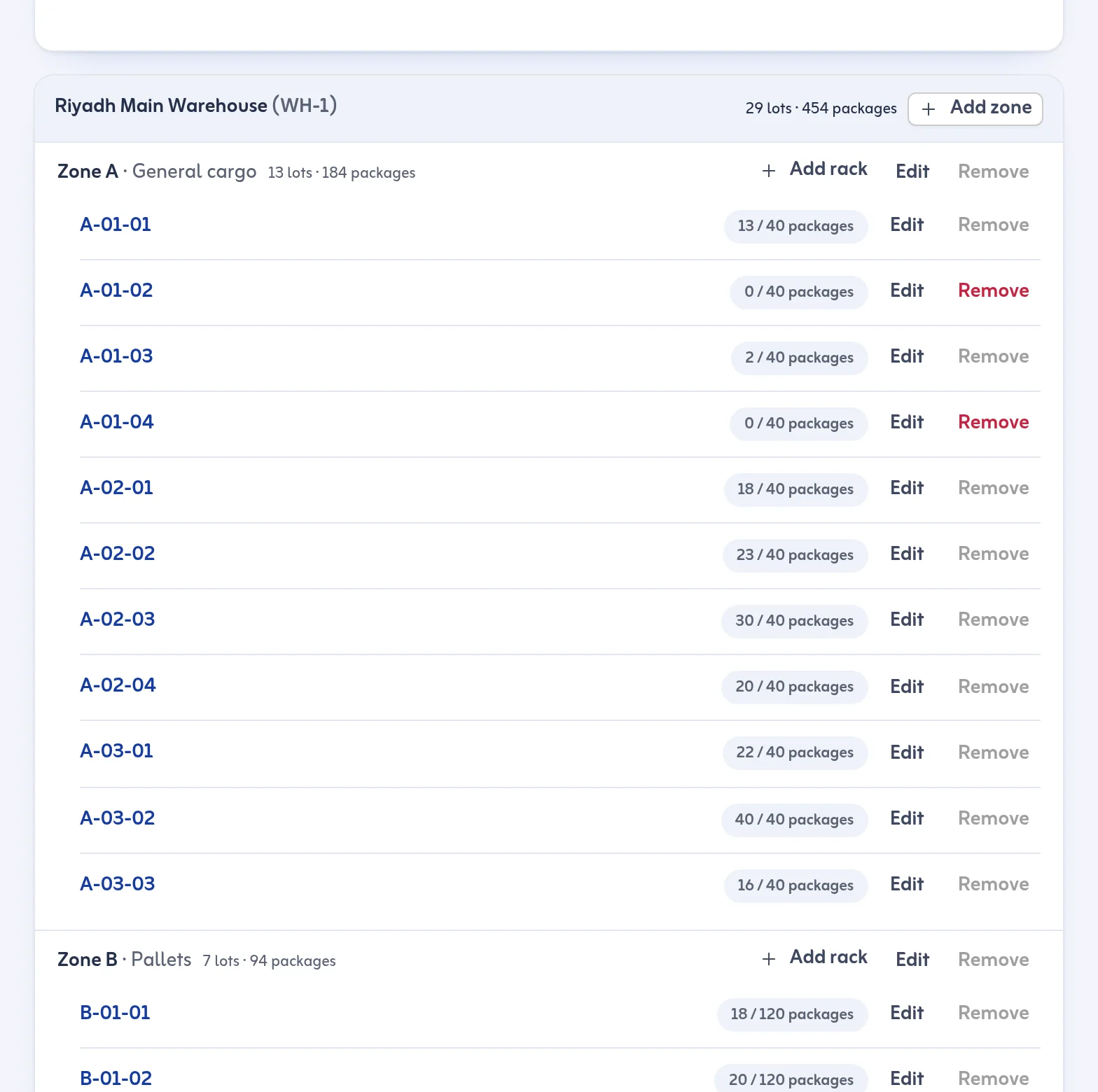
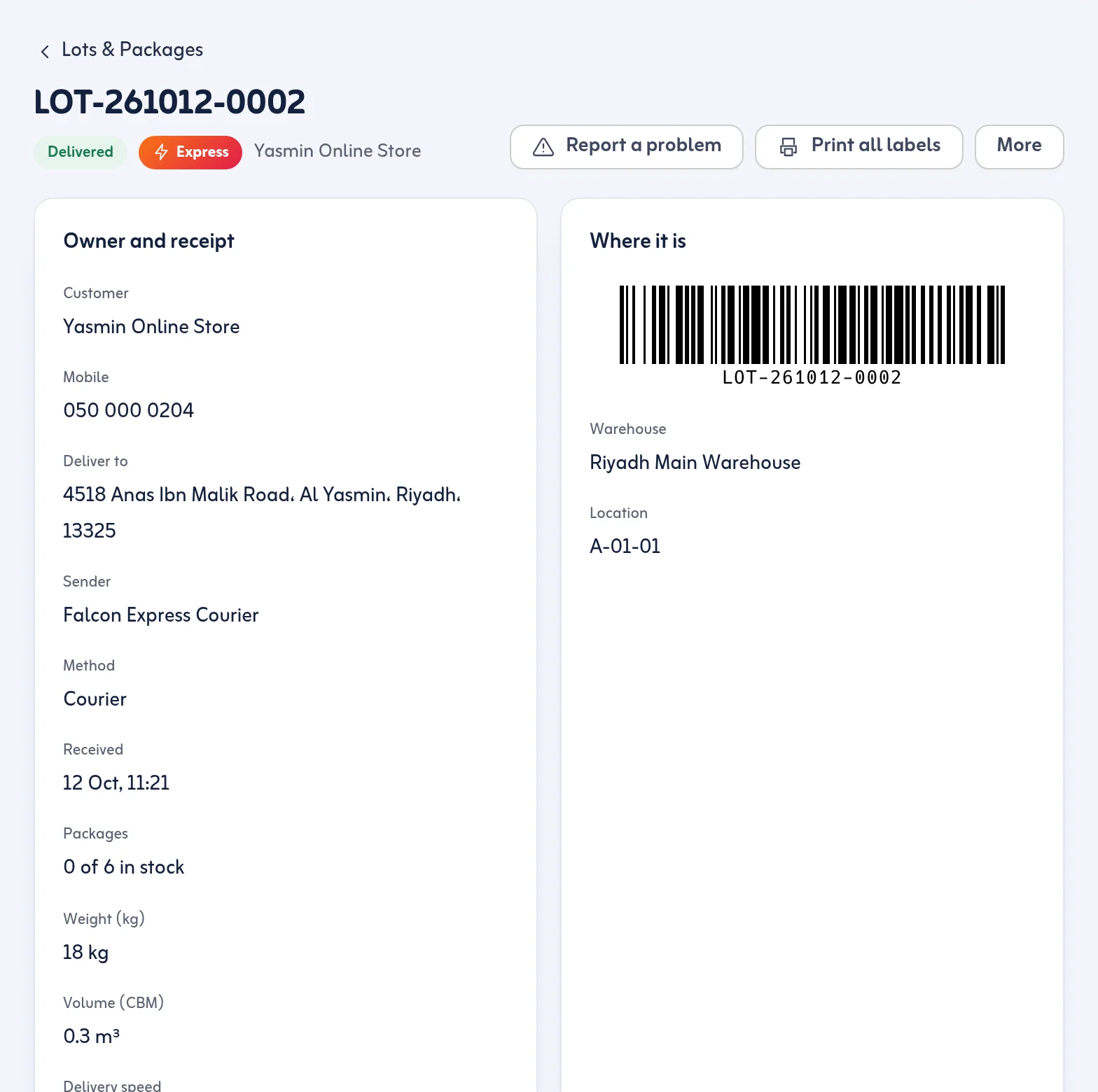
Tafsee Logistics has a stock count mode on each rack. You open a rack in Zones & Racks, start the count and scan the packages that are physically there with a USB or Bluetooth scanner, or with the phone camera where the browser supports it. The screen shows what is missing, meaning the system expects it here and you did not scan it, and what is unexpected, meaning you scanned a package that the system does not place on this rack. When the result looks right, you save it.
Only goods physically in the warehouse are counted, so lots already out for delivery do not show as missing. Racks can have a capacity in packages, and the rack page shows what it holds with lots, packages and age. When a difference is real, a stock adjustment needs a reason, and a lot's page keeps the full timeline of who did what. For damage or wrong goods you can open an exception case so the follow-up does not depend on someone's memory.
Tafsee Logistics is not an accounting system, so it does not value your stock or produce financial statements. It is a count of packages and lots by location.
A routine that works
Count a few racks each week, always include the racks with the most movement, and send the oldest stock for a check each month. If your warehouse also needs the storekeeper's routine around it, see the storekeeper daily checklist.
Where to go next
The steps are in move goods and count stock and on the zones and racks feature page. Start at the Tafsee Logistics page and the 14-day trial.
Questions
Frequently asked questions
Many warehouses count a few racks every week as cycle counts and add a fuller count once a year. The right rhythm depends on how busy your warehouse is and on what your accountant or auditor requires.
You scan the packages physically on a rack, see which ones are missing or unexpected, and then save the result.
For a small warehouse, yes. As volume grows, typing errors, several copies and no change history become a problem, and scanning is more reliable.
No. It counts packages and lots by location. It is not an accounting system.
More articles
Receive your first shipment today
Try everything in Growth free for 14 days, then choose a plan. No card is needed.
- Arabic and English
- Built for Saudi Arabia, in SAR
- Nothing to install

Warehouse & delivery
Tafsee Logistics
Receive goods with a barcode on every package, hold them until they are cleared, then plan delivery trips with proof at every door.