
Delete credit note is appropriate for drafts or documents that were never applied, refunded, or submitted for e-invoicing. Once issued, linked to invoices, or cleared through ZATCA/Fatoora, direct deletion is usually blocked—use reversal or compensating entries to preserve audit history.
Delete only when you are sure no downstream activity depends on the note. For posted mistakes, follow your organisation's controlled reverse or corrective credit workflow rather than erasing ledger history.
When deletion is allowed
- Draft: Not yet issued—deleting removes the draft with no AR or VAT impact.
- Issued but unused: No apply, refund, or e-invoice submission—delete may be available depending on your role.
- Restricted: After apply, refund, or ZATCA submission—reverse or correct instead of deleting.
How to delete a credit note
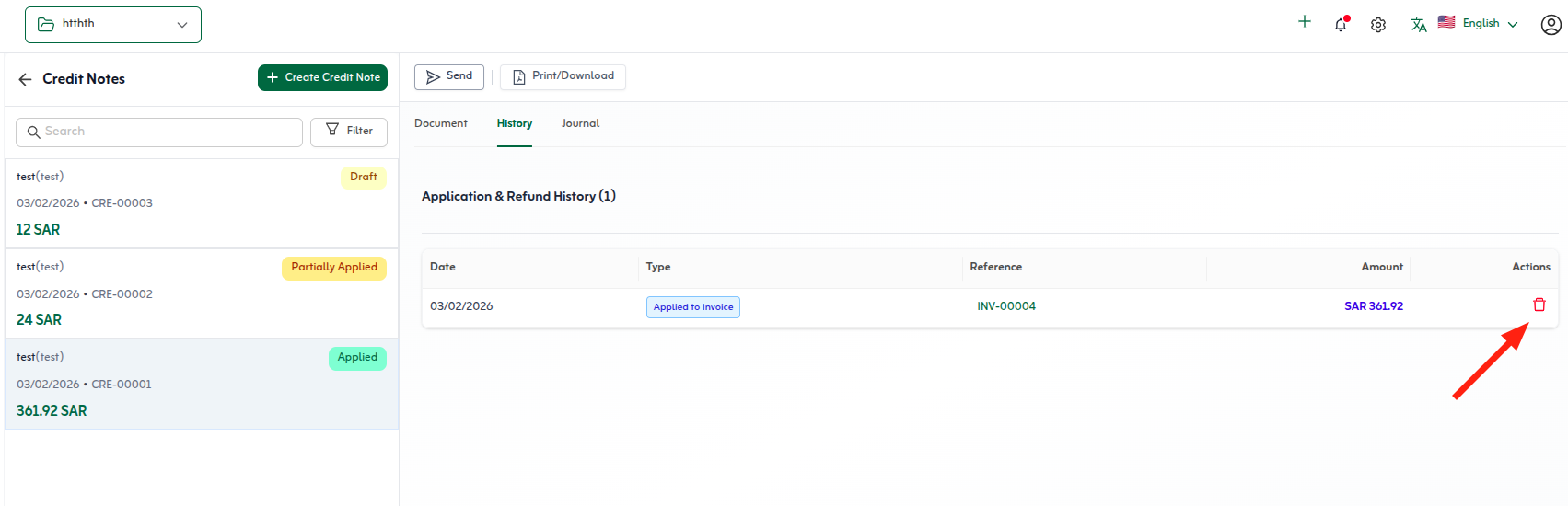
The screenshot shows the confirmation step before permanent removal. Read the warning and verify the note number and customer before you confirm.
- Open Sales → Credit Notes and locate the document you need to remove.
- Confirm it is still a draft or has no applications, refunds, or ZATCA submission that would block deletion.
- Open the credit note detail view and choose Delete from the actions menu (or the trash control shown in your layout).
- Read the confirmation message—it should state that the action cannot be undone.
- Confirm delete only after you are certain no downstream settlement exists.
- If deletion is blocked, use a reversing credit workflow or issue a compensating document instead of forcing removal.
Alternatives when delete is blocked
- Unapply credits from invoices first, then check whether delete becomes available.
- Post a corrective credit note or reversal document that documents the error for auditors and ZATCA.
- For draft mistakes only—delete and recreate from the originating invoice with corrected lines.
Quick tips
- Delete mistaken drafts early—before apply, refund, or ZATCA submission.
- Unapply credits first if deletion is blocked.
- For posted notes, use a corrective credit instead of erasing history.