

Read your leads and campaigns from your own code
Create a read-only key in API keys and fetch leads and campaigns over HTTPS, or receive every new lead the moment it arrives through a signed webhook.
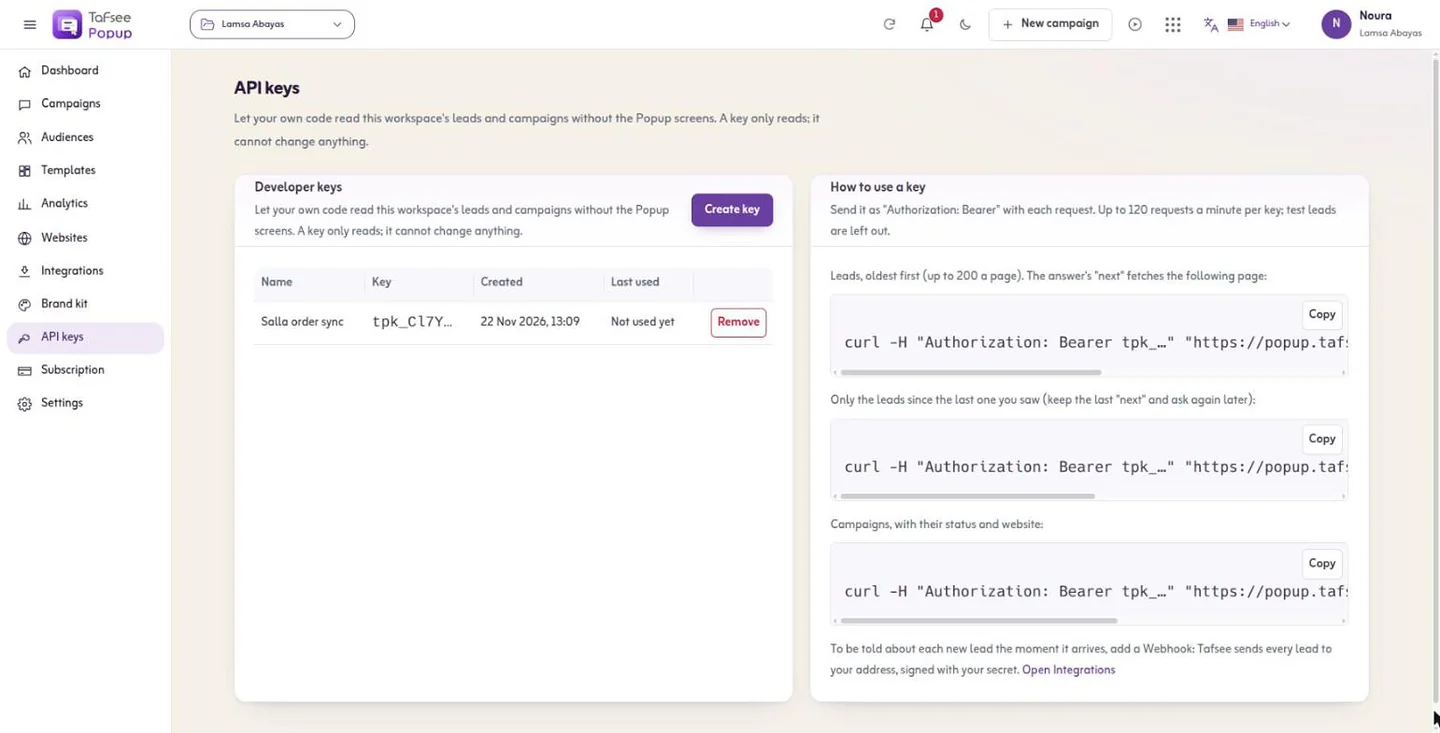
- A key cannot change anything
- Read-only
- A key cannot change anything
- Requests a minute per key
- 120
- Requests a minute per key
- Leads per page, oldest first
- 200
- Leads per page, oldest first
How it works
In Tafsee Popup, step by step
- 1
Create a key
Name it after what uses it; it is shown once, so copy it then.
- 2
Call the API
Send it as Authorization: Bearer with each request.
- 3
Page through leads
Keep the last next value and ask again later for only the new ones.
- 4
Remove when done
Code using a removed key is refused at once.
01
Two endpoints and a webhook
Leads, oldest first, up to 200 a page and optionally for one campaign; and campaigns with their status and website. Test leads are left out. For push instead of pull, the outbound webhook signs each lead with HMAC-SHA256.
- Created and last-used dates for every key
- Beyond 120 requests a minute the API answers 429
More screens from the app
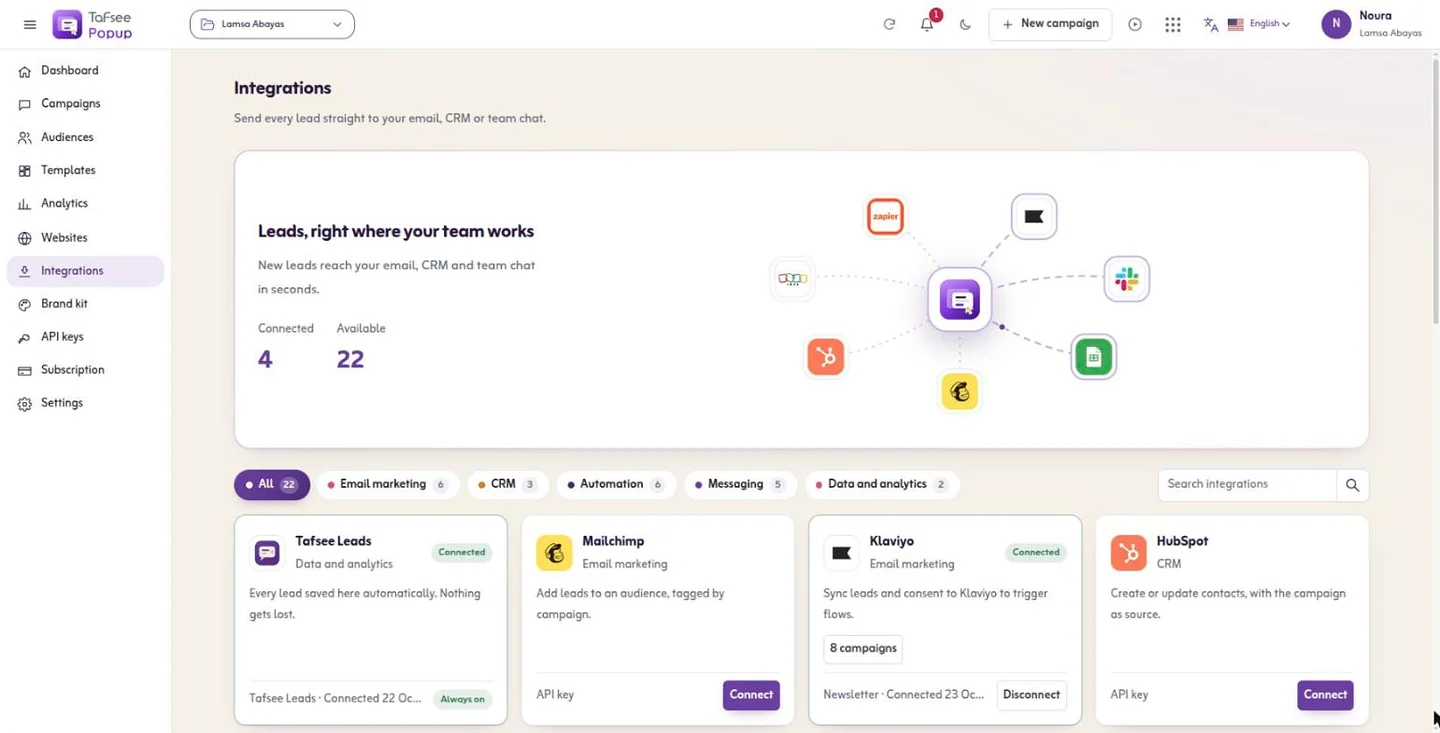
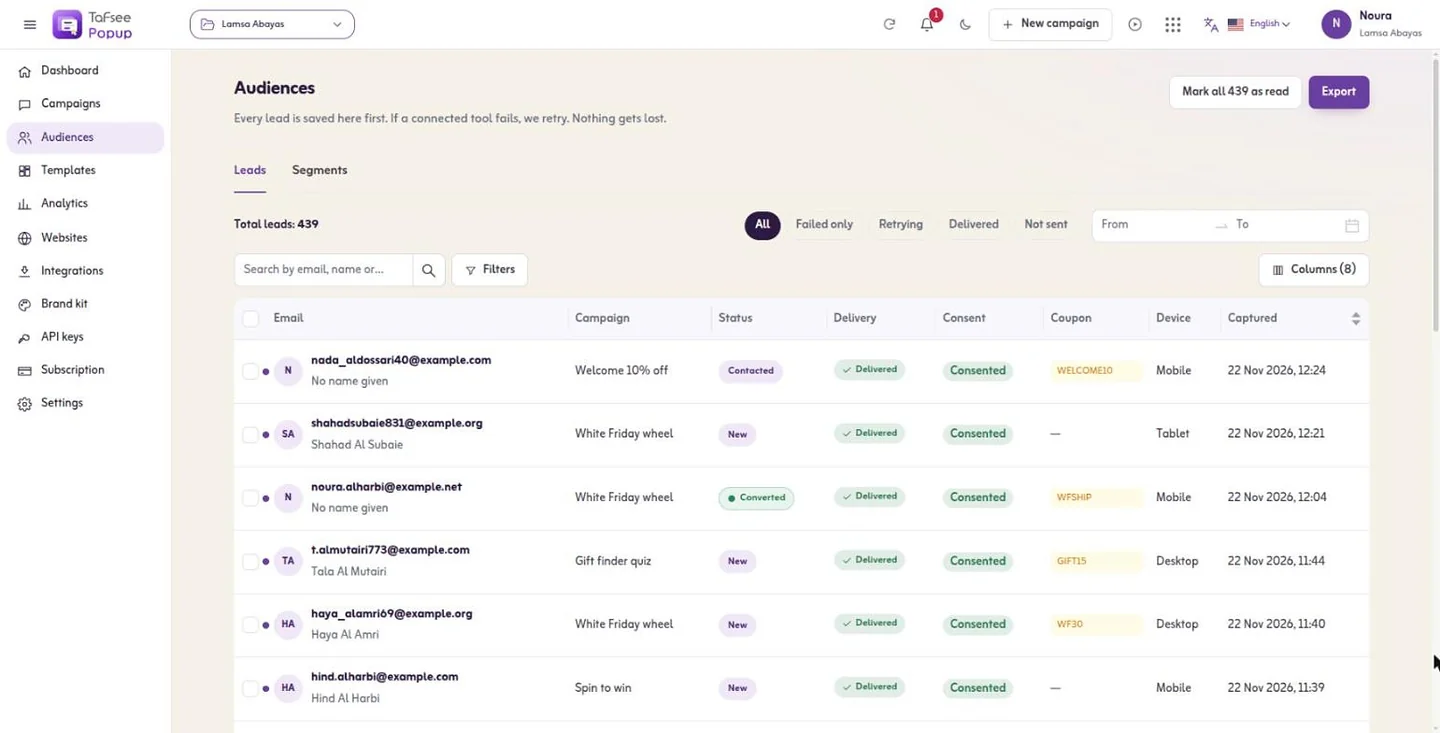
Captured from Tafsee Popup with a demo store.
Questions
Questions about Developer API & webhooks
No. Keys only read. Campaigns are built and changed in the app.
Your first popup can be live today
Start on the free plan, or try a paid plan free for 14 days. No card is needed.
- One line of code, any website
- Arabic and English, right to left
- Free plan, no card

Lead Generation
Tafsee Popup
Popups, spin-to-win wheels, countdown bars and exit-intent offers for any website — in English and native Arabic.