

Paste one code once, then publish from the app forever
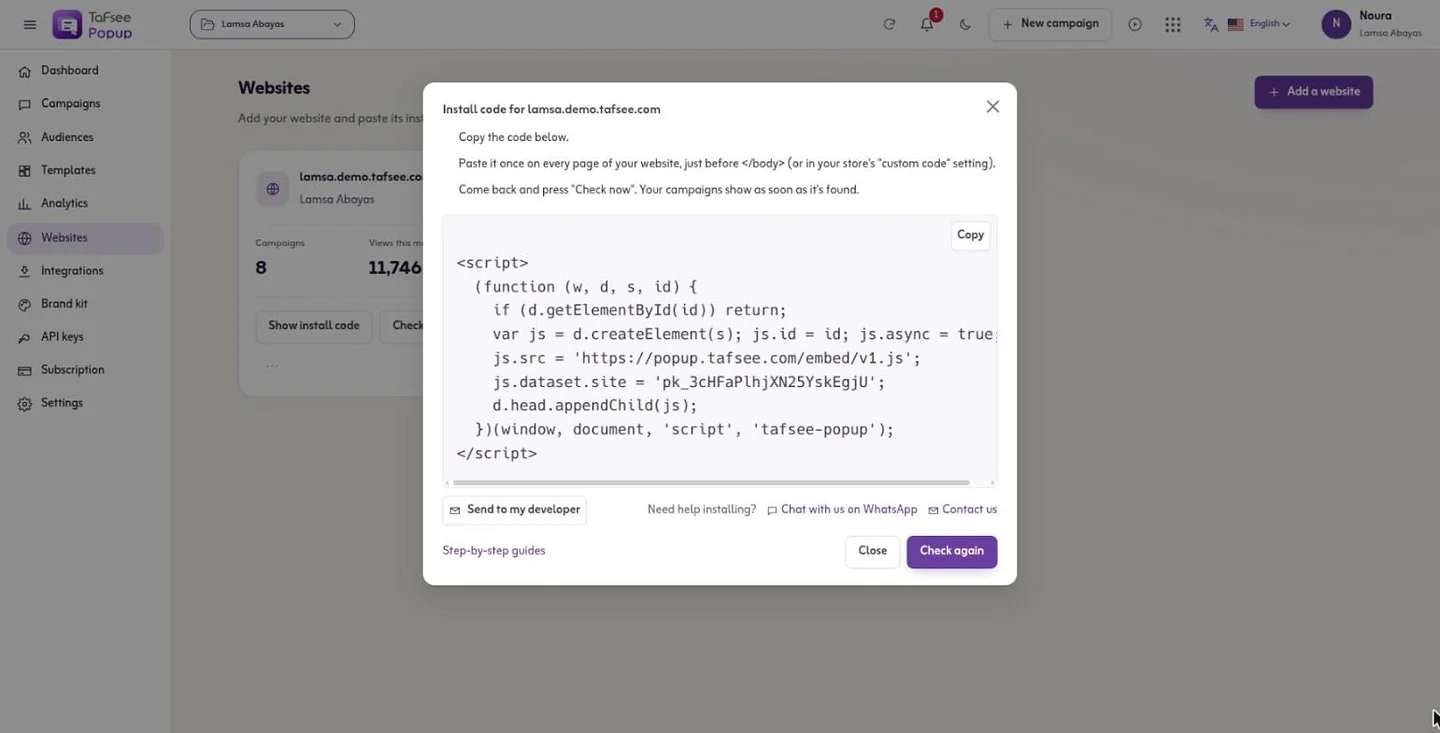
One embed code per website runs every campaign on it. Publish, pause and delete campaigns without touching your site again. Twelve step-by-step guides cover Salla, Zid, Shopify, WordPress and the rest.
- Code per website, for every campaign
- 1
- Code per website, for every campaign
- Platform guides
- 12
- Platform guides
- Checks in Why isn't it showing?
- 11
- Checks in Why isn't it showing?
How it works
In Tafsee Popup, step by step
- 1
Add your website
Type the address; the guide for your platform is listed first.
- 2
Paste the code
Just before </body>, or in your store's custom-code setting. Send to my developer opens your own e-mail with the code and the guide.
- 3
Check again
Tafsee visits your site and confirms the code is there.
- 4
Go live
Every campaign you publish now shows on that site.
01
Guides for the platforms Gulf stores use
Any HTML site, Salla, Zid, Shopify, WordPress and WooCommerce, Google Tag Manager, Webflow, Wix, Squarespace, BigCommerce, Magento and Next.js each have their own steps, with the notes that matter, such as which Salla plans allow custom code and how Zid installs through its Google Tag Manager app.
- A share link shows a campaign on a Tafsee page, on any device, while it is live
- Inspector mode opens your site with a panel saying why each campaign shows or not
- See it as a new visitor: one visit with your popup history cleared, not counted
02
When a campaign does not show, the app says why
Why isn't it showing? checks status, site, schedule, design, rules, form, integration, phones, frequency, limits and publishing. Each check is a pass, worth checking or blocking, with a Fix it link to the exact setting.
- An alert when a website stops sending visits for 24 hours
- Removing a website pauses its campaigns; it never deletes them
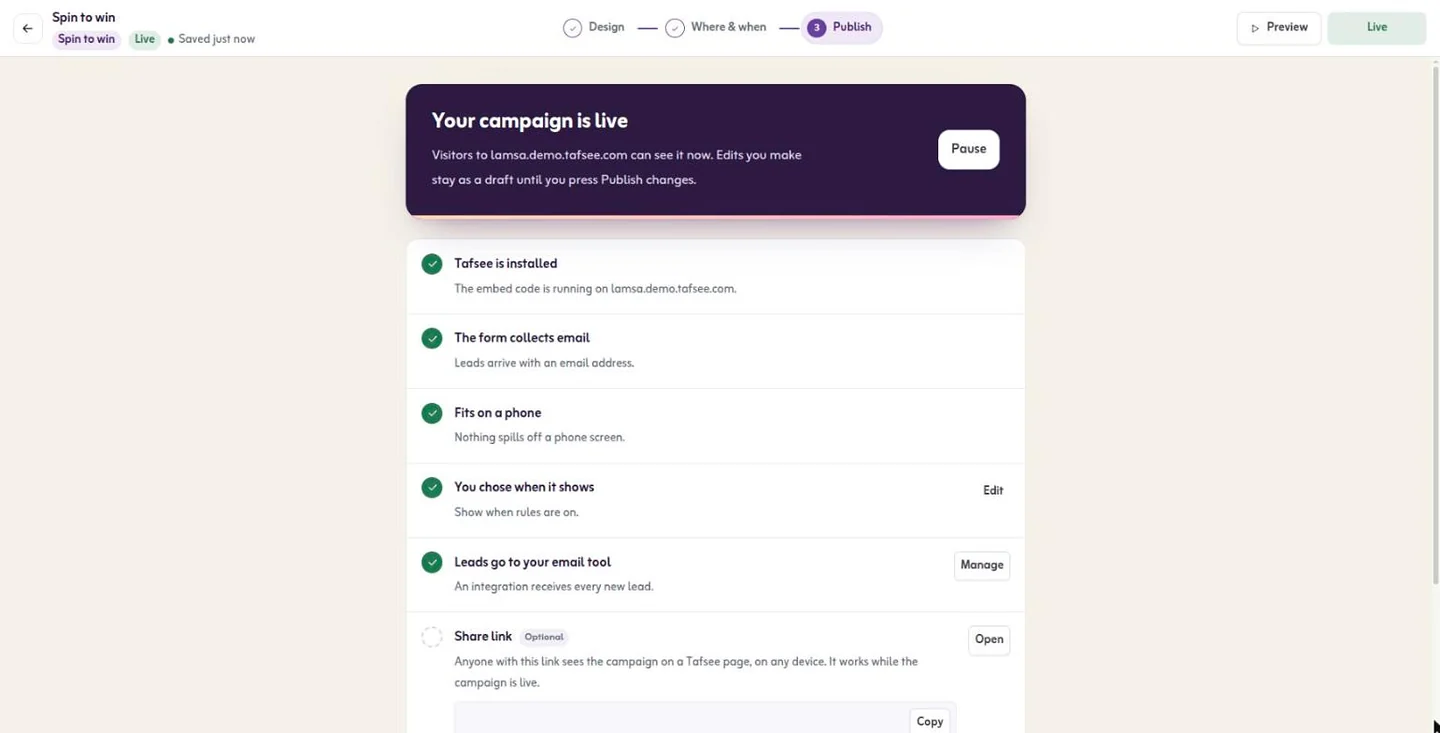
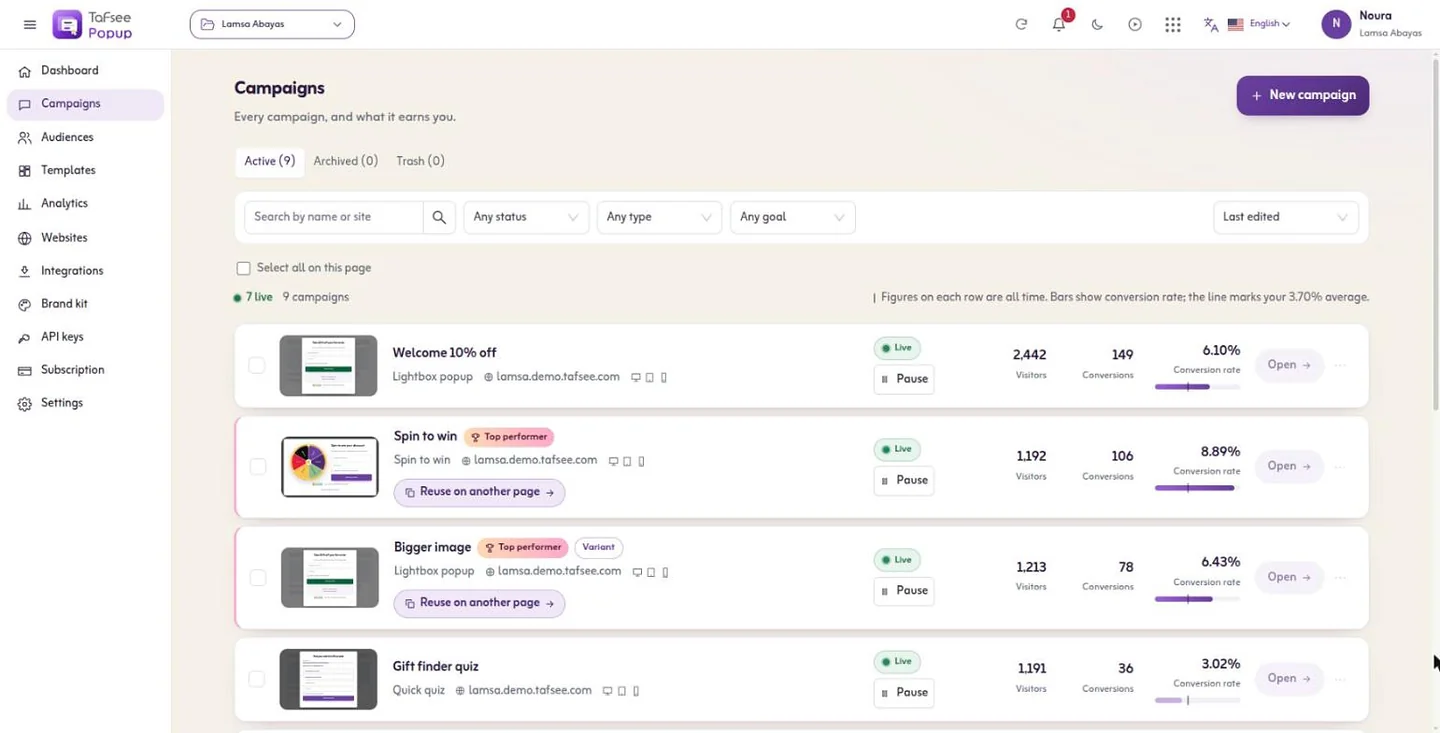
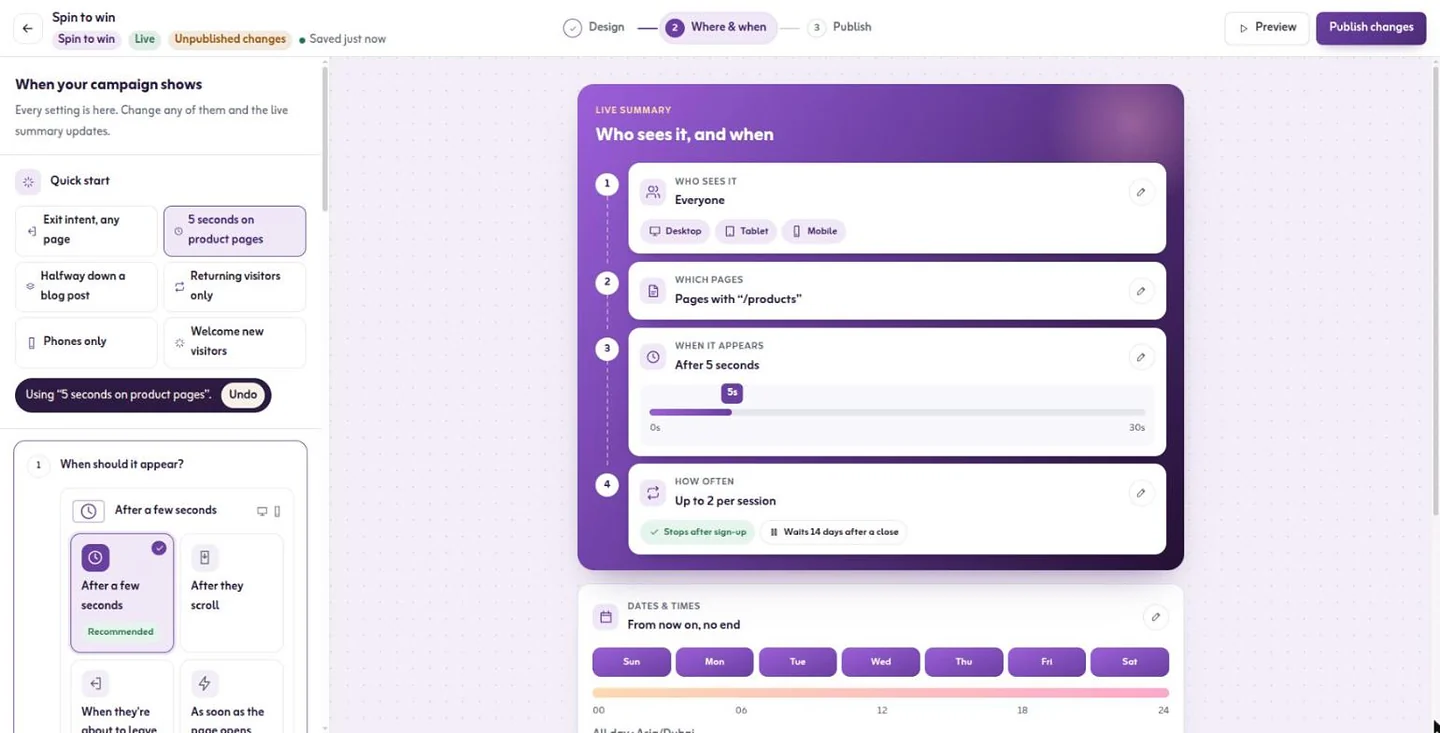
More screens from the app
Captured from Tafsee Popup with a demo store.
Questions
Questions about Install on any website
Yes. Salla needs a plan that allows custom code and your own domain; Zid installs through Zid's Google Tag Manager app. Both have step-by-step guides in the app.
No. The one code runs every campaign on that site.
Your first popup can be live today
Start on the free plan, or try a paid plan free for 14 days. No card is needed.
- One line of code, any website
- Arabic and English, right to left
- Free plan, no card

Lead Generation
Tafsee Popup
Popups, spin-to-win wheels, countdown bars and exit-intent offers for any website — in English and native Arabic.